65 lines of Markdown - a Claude Code sensation
Yesterday my employer organized an AI workshop. My company works a lot with AI supported code editing; using Cursor and VS Code, GitHub Copilot. Plus we do custom stuff using AWS Bedrock, agents using Strands and so on, all the stuff everyone is working with nowadays.
Our facilitator explained how custom rules files can be so very helpful for AI tooling. He linked to this extension with Karpathy-Inspired Claude Code Guidelines as an example. Apparently this plugin is very popular! Yesterday morning the project had 3.5K stars and at the end of the day this already increased to 3.9K. That’s a lot of stars.
I went on to investigate what this extension actually does and found that it’s just one Markdown file of 65 lines long that lays out four principles; the first one is “Think Before Coding”, added with some packaging to make it install in Claude Code.
Publishing it as a Cursor extension
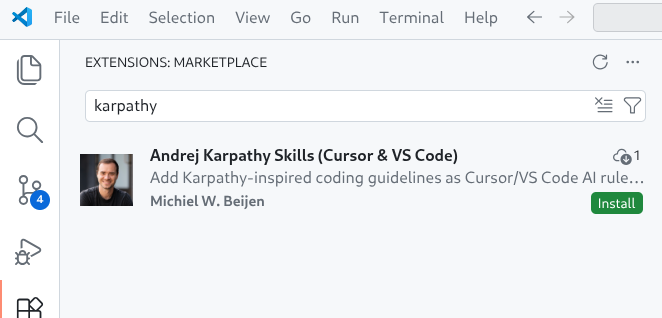
But I don’t use Claude Code, so I fired up Codex CLI and turned it into an extension for VS Code and for Codex, which is a fork of VS Code but uses a plugin registry from the Eclipse Foundation.

Getting the plugins published was the most work. On the ‘VS Code Marketplace’ I am not a Verified Publisher meaning I do not get a green check mark next to my name, and you will get a warning if you want to install my extension. And apparently the only way to get rid of that is to wait for six months with at least one extension published and then apply for verification. So starting August I can apply for that and any new extensions get automatically trusted.
For Cursor the process felt very cumbersome: I had to create an account on open-vsx.org, create an Eclipse Foundation account, link those accounts, link to my GitHub account, sign an Eclipse agreement, and finally create a GitHub Issue to ‘claim’ my VS Code Marketplace namespace.
Using the extension
So, what does using the extension actually feel like? Because of the non-deterministic nature of these models, I found it hard to tell. I tried a simple refactoring, and I had the idea that it was very reluctant in making changes. Was the result better? I’m not really sure.
Typically, your Cursor rules would list the constraints for your environment, explaining what coding standards to adhere to, architectural constraints and so on. I get that, it makes sense.
I find it wild to think that a company spends millions and millions of dollars on training a model, with tons of engineers meticulously improving output, and then some guy comes along and writes 60 lines of text including Think before coding in the rules and that would make all the difference.
But the original repository has almost 4,000 stars, and surely, 4,000 developers can’t be wrong?
Please try for yourself! Install the extension, don’t forget to star my repository and see the results.

As Paul Simon wrote: These are the days of miracle and wonder!