Wander is a small, decentralised, self-hosted web console that lets your visitors explore random pages from a community of personal websites.
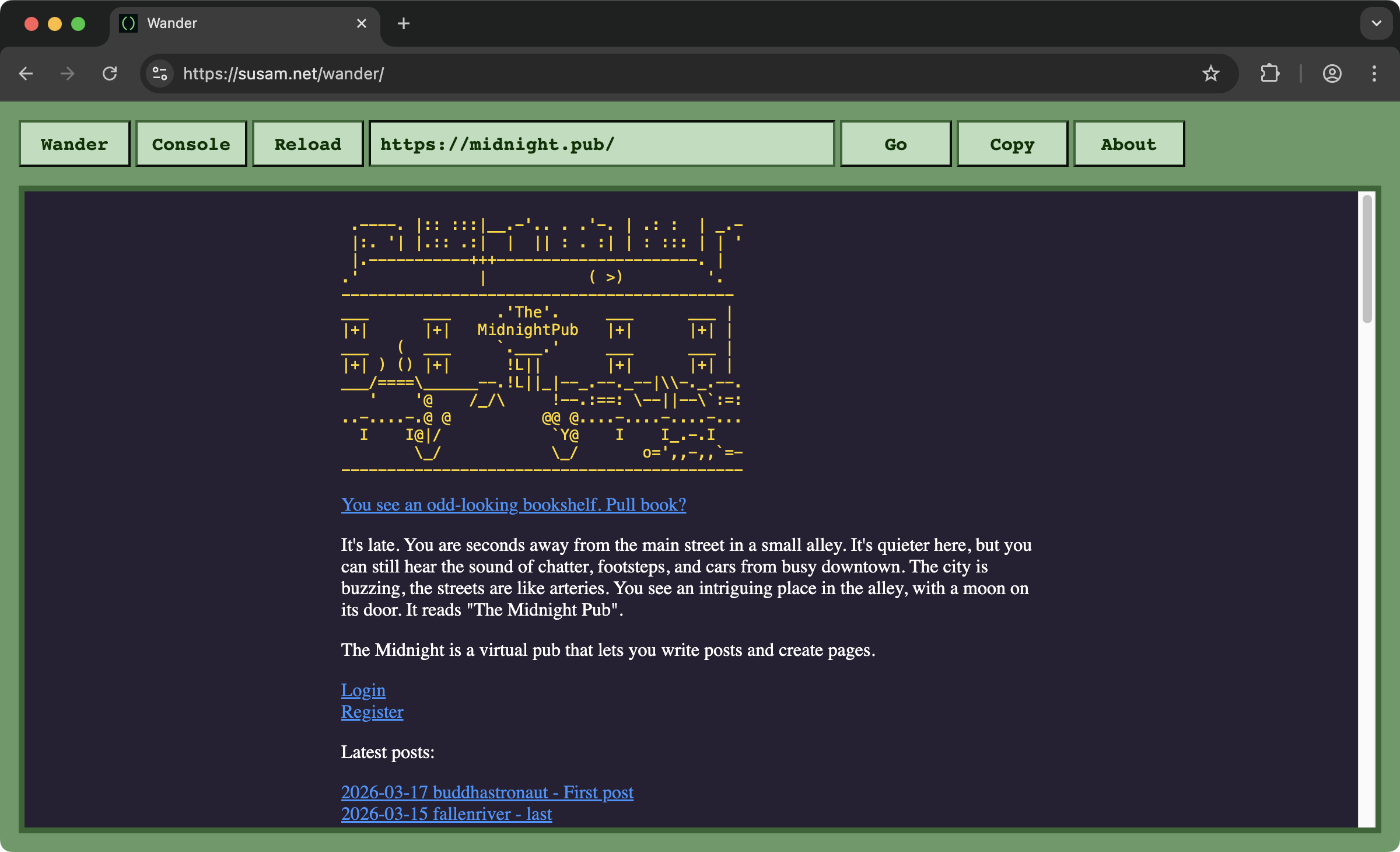
Each Wander console loads personal websites and pages recommended by the Wander community. Further, each Wander console can link to other Wander consoles, forming a lightweight, decentralised network for browsing the small web of personal websites.
Visit https://susam.net/wander/ to see an example of Wander console.
How It Works
A Wander console does two things:
-
Wander pages: It loads a random page from a list of websites and pages recommended by the community.
-
Wander consoles: It can send the visitor to another Wander console on a different website, where they can continue wandering the Web using the new Wander console.
A Wander console is just a directory on your web server with two files:
- index.html - This is the HTML tool that implements the Wander console.
- wander.js - This is where you define the list of websites and pages you recommend and the other Wander consoles you want your console to link to.
The most interesting aspect of Wander console is that everything
happens on the client-side, on the user's web browser. As a website
owner, you do not need to set up any server-side components. The only
thing you need to do is place the above two files somewhere on your
webserver, preferrably, at the directory /wander/.
Wandering the Web
A visitor begins at a Wander console. This might be your own console or someone else's. For example, you could start at https://susam.net/wander/ right now.
Once on a Wander console, the visitor can click the Wander button at the top left to visit websites and pages recommended by the community.
The first time you wander, the recommendation comes from the current console. The second time you wander, it comes from another console linked by the first. The third time you wander, it comes from a console linked by the second, and so on. In each hop, a console is chosen at random from those linked by the previous one. A website recommendation is then chosen at random from that console. In this way, each hop takes you deeper and deeper into the Wander network.
Setup
-
Download this bundle: https://codeberg.org/susam/wander/archive/main.zip
-
Extract the following files:
-
Place them on your website, for example:
wander ├── index.html └── wander.js -
Open
wander.jsand edit the following JavaScript object:window.wander = { consoles: [ ], pages: [ ], }The value for the
pagesproperty is a list of websites and pages you recommend to the community.The vlaue for the
consolesproperty is a list of consoles your console should link to.Please see https://susam.net/wander/wander.js for an example.
-
Once your console is live, share it with others in the following community thread:
Hopefully, someone will link to your console and then visitors to their console may receive recommendations from your
wander.js.
Licence
This is free and open source software. You can use, copy, modify, merge, publish, distribute, sublicence and/or sell copies of it, under the terms of the MIT Licence. See LICENCE.md for details.
This software is provided "AS IS", WITHOUT WARRANTY OF ANY KIND, express or implied. See LICENCE.md for details.