Just a brief recap: people use Skyvern to automate the repetitive browser work nobody wants to do: pulling invoices from vendor portals, filling out healthcare forms, extracting data from sites that don’t have APIs. You can try it out here: https://github.com/Skyvern-AI/Skyvern
We’ve been using Claude code a lot and kept running into the same failure mode: the code looks kinda right, type checks pass, but when you go to test the changes, something’s off: button doesn’t fire, form overflows or the UI is inconsistent in some small but obvious way. After going back and forth a few times.. it finally works, but it feels wrong to do the QA yourself.
So.. we started wondering: can we use Skyvern to automate the QA process?
TL;DR: We shipped an MCP server with 33 browser tools (sessions, navigation, form filling, data extraction, credential management, workflows). We added it to Claude Code and asked it to check its own work after every frontend change by opening the page, looking at the pixels, and running the interactions. With these changes, we were able to one-shot about 70% of our PRs (up from ~30%), and it cut our QA loop in half.
We wrapped that into /qa (local) and /smoke-test (CI) skills you can try right now:
pip install skyvern
skyvern setup claude-code

# or if you're using other coding agents

skyvern setup
It reads your git diff, generates test cases, opens a browser, runs them, and gives you a PASS/FAIL table. The whole prompt is ~700 lines and open source: https://github.com/Skyvern-AI/skyvern/blob/main/skyvern/cli/skills/qa/SKILL.md
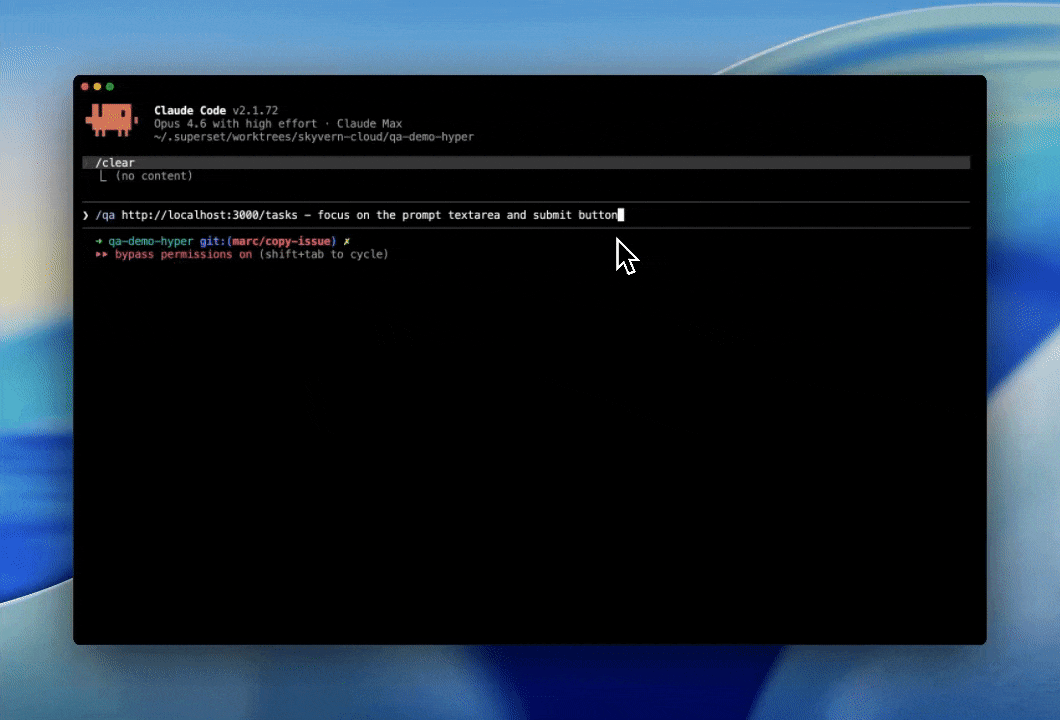
How we built it
Getting Claude to QA wasn’t as simple as prompting: “QA your own work” (although this works pretty well). Instead, we broke it down into a few phases:
- Understand the change by doing
git diff - Classify the diff into a few categories:
Frontend,Backend, andMixed - Identify a validation strategy (ie determine how much of the dev server should we run?)
- Run a full QA of the impacted areas (Backend, Front-end by running a local browser)
- Report results
- (Bonus) Post evidence to a PR
Sample output:
| # | Test | Result | Notes |
|---|---|---|---|
| 1 | Settings page renders | PASS | |
| 2 | “Save” button triggers API call | PASS | |
| 3 | Error state on invalid email | FAIL | error div has z-index: 0 |
| 4 | Back to dashboard navigation | PASS |
Running in the CI Pipeline is where the real magic is
Once Claude can inspect the diff, decide what changed, and run a browser against the impacted surfaces, the next step is obvious: do that automatically on every PR. So we built a /smoke-test skill that runs the same basic loop in CI and saves the results back into Skyvern for review.
The skill is ~300 lines and is published here: https://github.com/Skyvern-AI/skyvern/blob/main/skyvern/cli/skills/smoke-test/SKILL.md
The flow is roughly:
- A GitHub Action runs on a PR
- It looks at the diff and decides which areas are worth testing
- It starts the app in the smallest environment that still makes sense for the change
- It runs a browser-based smoke test against the affected flows
- It stores the run artifacts (steps, screenshots, pass/fail, failure reason)
- It posts the evidence back to the PR
That ended up being more useful than traditional “did the page load” smoke tests. Since the agent can actually interact with the UI, it catches the class of regressions we kept missing in review: buttons that render but don’t fire, forms that submit the wrong thing, elements that are technically present but unusable, layout issues that only show up once the page is exercised.
We also wanted to avoid the usual fate of end-to-end tests: they slowly turn into a giant flaky suite nobody trusts. So instead of trying to run everything on every commit, /smoke-test tries to stay narrow: read the diff, form a hypothesis about what changed, and test only the nearby flows. That keeps runtime down and makes failures easier to interpret.
A typical PR comment looks something like this:
| Flow | Result | Evidence | Run link |
|---|---|---|---|
| Settings save | FAIL | Submit button was covered by an overlay at 1280px width, so the click never reached the form |
|
| Login redirect | PASS | User was redirected to the dashboard after sign-in |
|
| Dashboard navigation | PASS | Sidebar links rendered and navigated correctly |
We’re still early on this, and there are lots of obvious hard problems left: keeping existing tests up to date, deciding the right blast radius for mixed frontend/backend diffs, and figuring out when an agent-generated test plan is too shallow. But even in its current form, it’s been a surprisingly useful way to catch regressions without having to step in
We’d love feedback from people who’ve tried agent-driven QA or browser testing in CI, especially on how you keep it useful without recreating the usual flaky E2E mess.