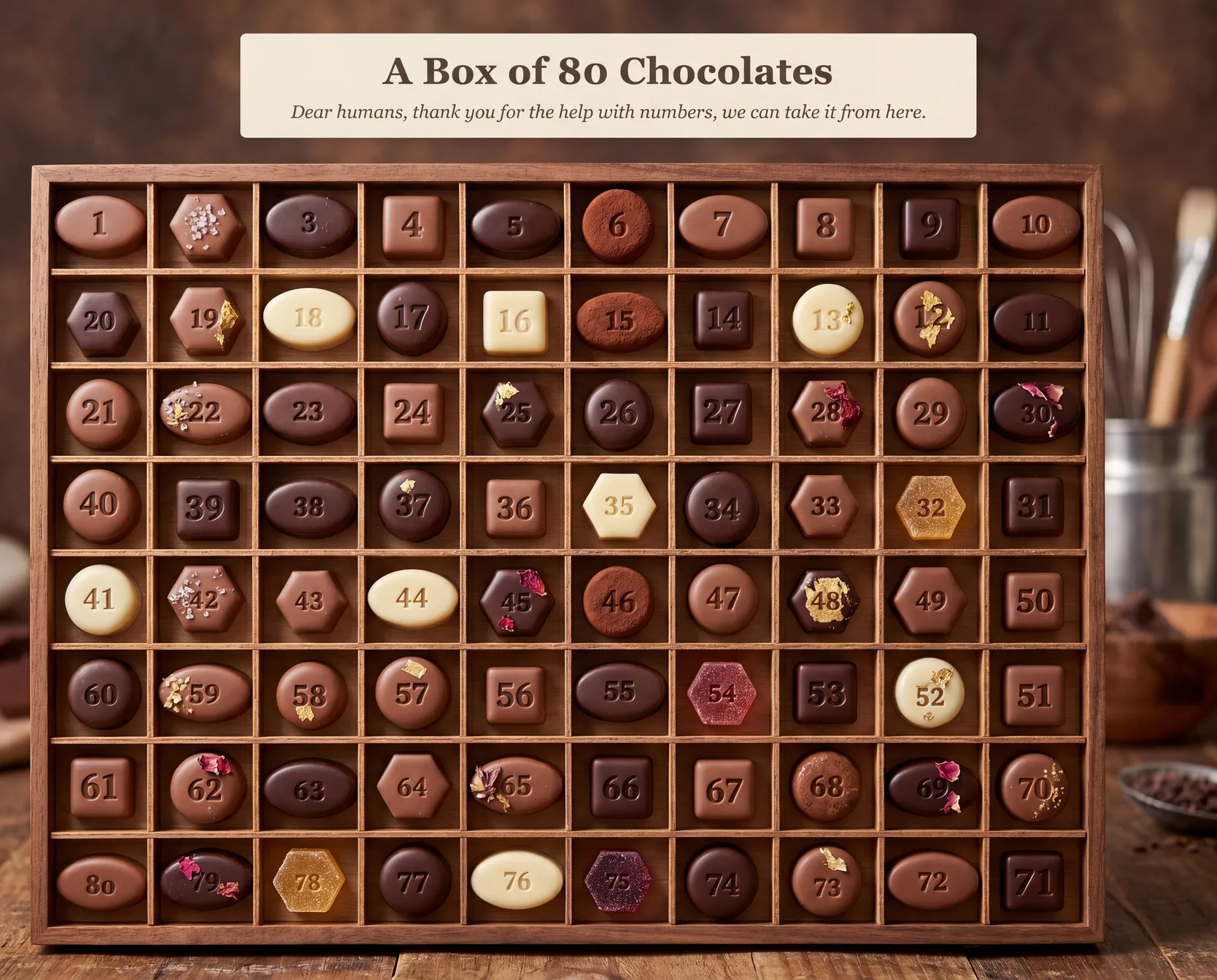
I discovered a technique for generating reliable text and numbers in AI generated images.
For example, the following image is considered impossible with state of the art image models. But I made this with Gemini 3.0 Pro (plus one extra step I’m going to explain below).

ChatGPT-Images-2 which released earlier this week does a great job with accurate text and numbers.
So I had assumed this technique was now moot but no! This method still works better than Gemini 3.0 Pro and ChatGPT-Images-2 (see below).
That’s surprising to me. But this is such a simple technique, I’m sure they’ll add something like it soon.
The Underdrawing Method
I’m totally naming it like it’s a thing but it does seem to be a thing
Example
It is easiest to see if we do a baby A/B test - to show the effect with and without.
Let’s pick a simple prompt that gemini and chatgpt will get the numbers wrong on. They get a lot of text and numbers right these days, so we have to go fairly hard.
Make an image of a game board with 50 stepping stones arranged in a spiral, winding counter-clockwise inward from start at the outside (1) to finish at the centre (50). Each stone is clearly numbered consecutively from 1 to 50. Style: claymation diorama, studio-lit, candy-bright, soft bokeh background.❌ Gemini 3 Pro (without underdrawing)
As expected. Impressive at first glance but falls apart once you start reading.

❌ ChatGPT Images 2 (without underdrawing)
I was so impressed with ChatGPT-Images-2 release I expected it to get this. Very surprising to see it fail similar to Gemini.

✅ Gemini 3.0 Pro (with the underdrawing method)
Bingo. Correct numbers, correct number and sequencing of buttons, correct spiral shape

So how did we do that? One pre-step.
There will be far more intelligent and elaborate ways to do this. This was a quick method I came up with one day while trying to generate an image of a 100-step adventure board for my kid.
Use deterministic and generative machines for what they’re good at
- SVG/HTML will make dry visuals but with excellent math and precision
- Image Gen models will create stunning visuals but with famously unreliable math/text
So I spent an afternoon figuring out how the genius analyst and the genius artist could work together. Well, obviously Claude did all the work (thank you Claude), but I had some ideas and helped with reading.
”Give it an outline. Ask it to paint on top”
-
Layer 1: The “underdrawing” (deterministic): Layout the numbers and text in the correct positions and orientations in whatever language/format you prefer (svg, python, mermaid) — you just need to export an image of it with the pixels of the numbers/text.
-
Layer 2: The “painting” (generative): Make an image generation request to Gemini 3.0 Pro or greater (you just need image+text input support) where you’ll include your underdrawing and the prompt for the visual style you want.
Example
Step 1 of 2: generate the numbers/text outline with SVG
Ask Claude code to generate it for you, and iterate until you’re happy with wireframe version
Make an SVG of 50 stepping stones arranged in a spiral, winding counter-clockwise inward from start at the outside (1) to finish at the centre (50), each stone numbered consecutively from 1 to 50. Each stone is a different shape: circle, square, triangle, hexagon.
Step 2 of 2: Pass the underdrawing + prompt to image generation
Ask Claude to provide the SVG you made in the prior step to Gemini Pro and transform it visually without changing the numbers, e.g.
Transform this image into a photographed claymation diorama of assorted artisan chocolates and candies, arranged in a spiral path winding counter-clockwise inward from start (1) at the outside to finish (50) at the centre, viewed from a low-angle tilted perspective. 
That’s it
It isn’t hard. By now claude code or codex can do every step of that for you.
Note also that it won’t be perfect every time. Thank you for the reality check, 71.
