展示:ssh.place
Show HN: ssh ssh.place

原始链接: https://ssh.place

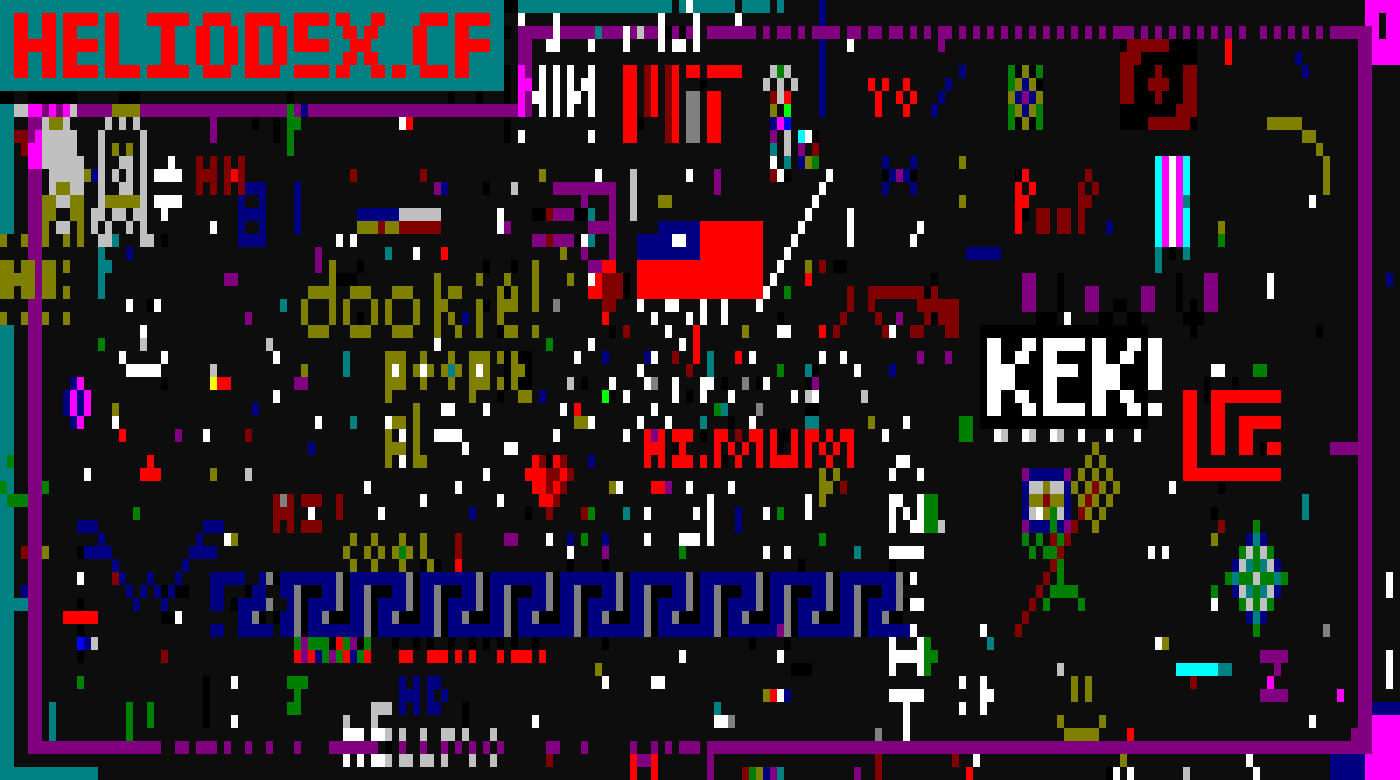
ssh.place:通过 SSH 进行 r/place 创作 一个画布。每个人都通过 SSH 在上面绘画。无需账户,无需安装 · 200×60 格 · 每 15 秒可放置一次 绘画地址:ssh ssh.place 任何 SSH 密钥均可使用。无需注册。 17 人在线 · 已绘制 594/12000 格 使用方向键、wasd 或 hjkl 移动光标。 画布比你的终端宽,请滚动以平移。shift+←/→ 可整屏跳转。 使用 0 到 9 选择颜色。tab 键可在 16 种颜色间切换。空格键放置该颜色的实心块。 现在等待 15 秒,和其他人一样。 此画布仅限颜色。服务器会拒绝任何包含字符的内容,因此你无法在此处输入文字。请画点什么。 你的冷却时间与 SSH 密钥绑定,因此重新连接不会重置冷却。 此页面仅用于查看画布。画布内容仅通过 SSH 更改,其他地方无法更改。 画布 · 统计 · png · 开源

一个新的“Show HN”项目 **ssh.place** 是一个基于 SSH 的协作式终端艺术/网格工具。 开发者 jeninh 表示,该项目结合了 SSH 密钥、IP 追踪和设备指纹技术来管理用户冷却时间并防止滥用。社区反馈褒贬不一但颇具建设性:用户指出了彩色单元格上光标可见性的问题,并针对 SSH 代理转发提出了安全警告。 该项目引起了 SSH 应用领域其他开发者的兴趣,评论者提到了诸如 `late.sh` 和 `shellbox.dev` 等类似项目。创建者承认该项目尚处于早期实验阶段,但如果平台流量激增,他愿意实施更稳健的反机器人措施。
相关文章

原文
ssh.place: r/place over SSH

One canvas. Everyone draws on it over SSH.

No account, no install · 200×60 cells · one placement every 15s

Draw on it:
ssh ssh.place

Any SSH key works. There is nothing to sign up for.

The current ssh.place canvas
17 online · 594 of 12000 cells drawn
  • Move the cursor with the arrow keys, wasd or hjkl
  • The canvas is wider than your terminal, so scroll to pan around. shift+/ jumps a whole screen.
  • Pick a color with 0 to 9. tab cycles through all 16.
  • space puts down a solid block of that color
  • Now wait 15 seconds, same as everyone else

This canvas is color only. The server turns down anything with a character in it, so you cannot write text here. Draw something instead.

Your cooldown is tied to your SSH key, so reconnecting will not reset it. This page only reads the canvas. It changes over SSH and nowhere else.

联系我们 contact @ memedata.com