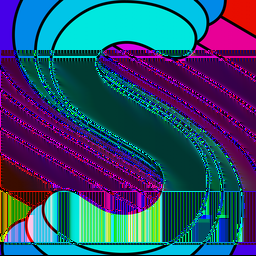
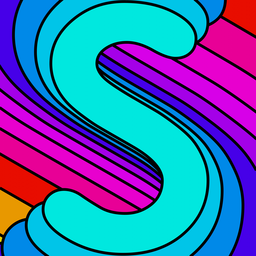
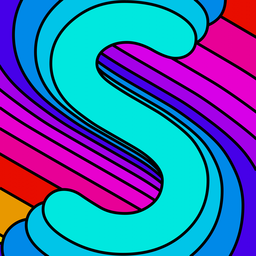
Let's look at the complete process of decoding a PNG file. Here's the image I'll be using to demonstrate:
Chunking
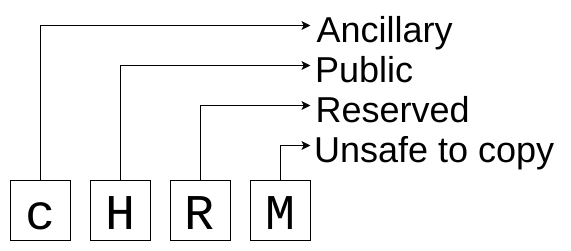
PNG files are stored as a series of chunks. Each chunk has a 4 byte length, 4 byte name, the actual data, and a CRC. Most of the chunks contain metadata about the image, but the IDAT chunk contains the actual compressed image data. The capitalization of each letter of the chunk name determines how unexpected chunks should be handled:
| UPPERCASE | lowercase | |
|---|---|---|
| Critical | Ancillary | Is this chunk required to display the image correctly? |
| Public | Private | Is this a private, application-specific, chunk? |
| Reserved | Reserved | |
| Unsafe to copy | Safe to copy | Do programs that modify the PNG data need to understand this chunk? |
Here are the chunks in the image:
89 50 4E 47 0D 0A 1A 0A
Length 00 00 00 0D = 13 bytes long
Type 49 48 44 52 = IHDR
| Width | 256 |
|---|---|
| Height | 256 |
| Bit depth | 8 |
| Color space | Truecolor RGB |
| Compression method | 0 |
| Fitler method | 0 |
| Interlacing | disabled |
CRC D3 10 3F 31
Length 00 00 F5 51 = 62801 bytes long
Type 49 44 41 54 = IDAT
Data ... (the compressed and filtered bytes of the image)
CRC BF EB 1B 15
Length00 00 00 00 = 0 bytes long
Type49 45 4E 44 = IEND
CRCAE 42 60 82
Extracting the image data
We take all of the IDAT chunks and concatenate them together. In this image, there is only one IDAT chunk. Some images have multiple IDAT chunks, and the contents are concatenated together by the PNG decoder. This is so streaming encoders don't need to know the total data length up front since the data length is at the beginning of each chunk. Multiple IDAT chunks are also needed for encoding images with image data having a length longer than the largest possible chunk size (2554) Here's what we get if treat the compressed data as raw image data:
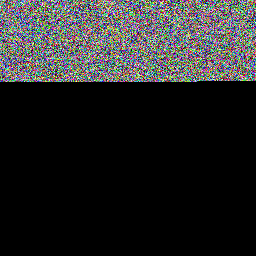
It looks like random noise, and that means that the compression algorithm did a good job. Compressed data should look higher-entropy than the lower-entropy data it is encoding. Also, it's less than a third of the height of the actual image: that's some good compression!
Decompressing
The most important chunk is the IDAT chunk, which contains the actual image data. To get the filtered image data, we concatenate the data in the IDAT chunks, and decompress it using zlib. There is no image-specific compression mechanism in play here: just normal zlib compression.
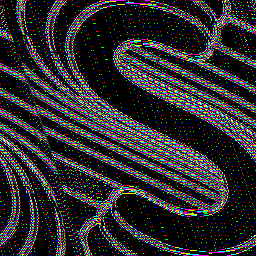
Aside from the colors looking all wrong, the image also appears to be skewed horizontally. This is because each line of the image has a filter as the first byte. Filters don't directly reduce the image size, but get it into a form that is more compressible by zlib. I have written about PNG filters before.
Defiltering
We take the decompressed data and undo the filter on each line. This gets us the decoded image, the same as the original! Here's the popularity of each filter type:
None 0
Subtract 23
Up 77
Average 134
Paeth 22
Interlacing
PNGs can optionally be interlaced, which splits the image into 7 different images, each of which covers a non-overlapping area of the image:
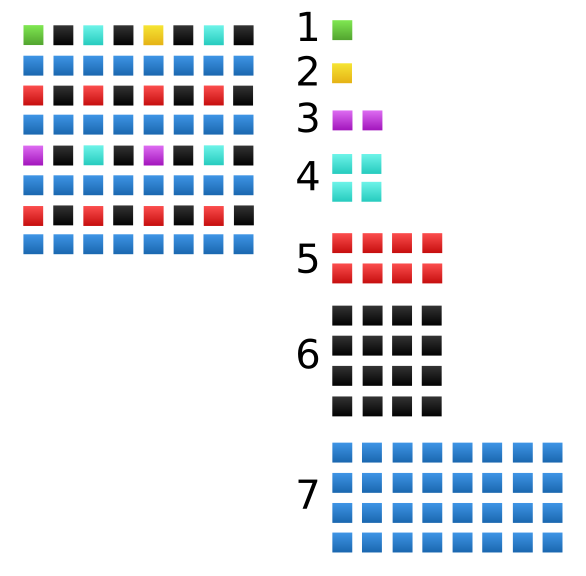
Each of the 7 images is loaded in sequence, adding more detail to the image as it is loaded. This sequence of images is called Adam7.
The data for each of the 7 images are stored after each other in the image file. If we take the example image and enable interlacing, here's the raw uncompressed image data:
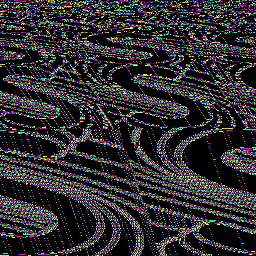
Here are the 7 passes that we can extract from that image data, which look like downscaled versions of the image:
Since some of those sub-images are rectangles but the actual image is square, there will be more details horizontally than vertically when loading the image, since horizontal detail is more important than vertical detail for human visual perception.
Bonus: bugs
Here's what you get when you have a bug in the Average filter that causes it to treat overflows incorrectly (the way integer overflow in filter value calculation is specified to be a bit different than the rest):