Draw. Pull. Make it yours.
Sketch lines, rectangles, circles, and freehand outlines. Turn faces into forms with Push/Pull, then move, scale, offset, and paint.
原始链接: https://ketchup3d.github.io/app/
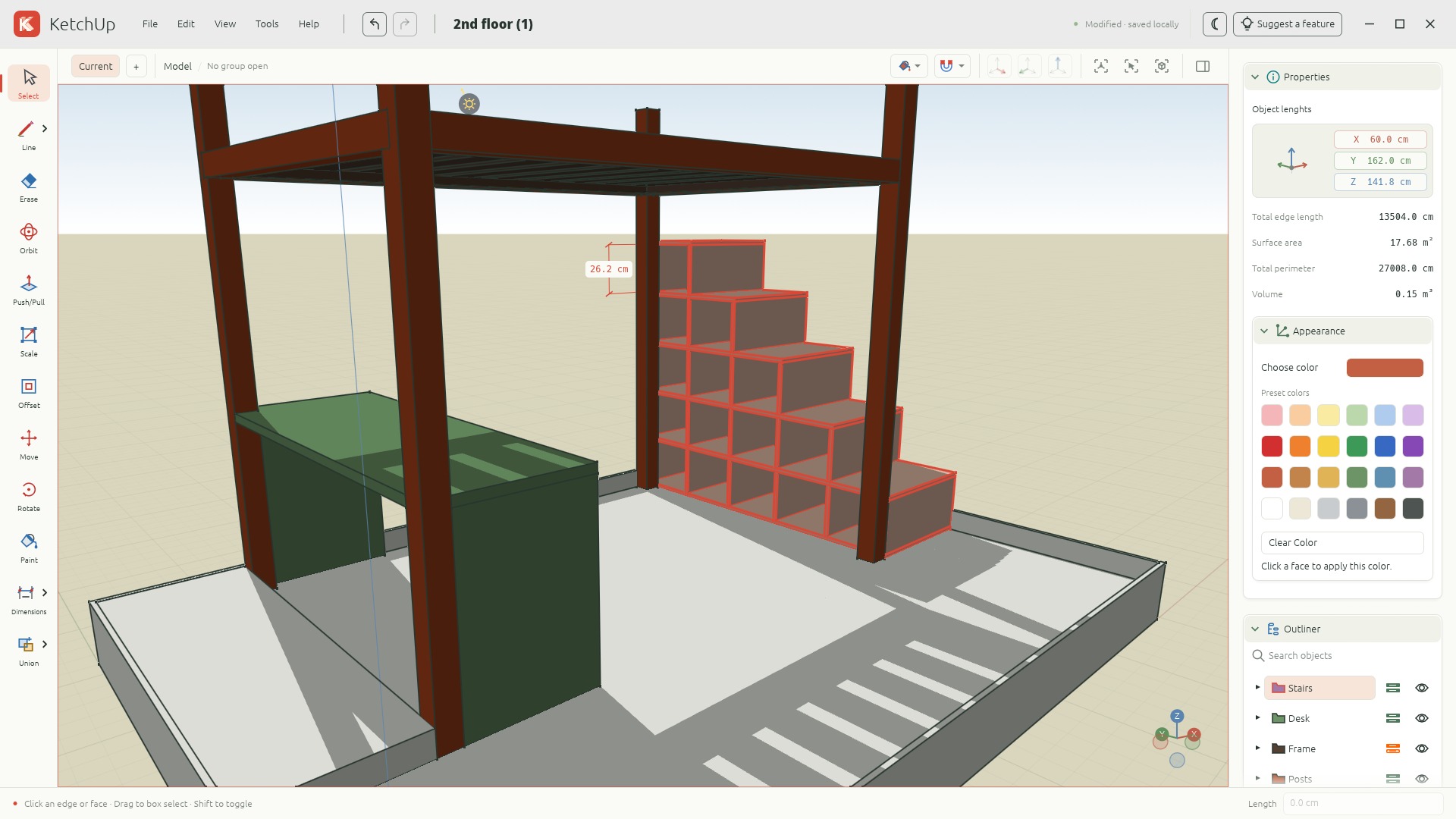
KetchUp 是一款免费开源的 3D 建模应用,适用于木材加工和家具设计,可在桌面浏览器中运行,也可作为 Windows、macOS 或 Linux 原生应用。它帮助用户在制作前用精确测量规划书架、桌子、橱柜和工作台。建模工具包括绘制线条、矩形、圆形和自由轮廓;推/拉将面转换为形体;以及移动、缩放、偏移和涂色。精度功能包括吸附几何体和坐标轴、输入长度和尺寸标注。组织工具包括组、可重复使用的组件和标签。工作会自动本地保存在浏览器中,并支持可移植的 .ketchup 项目下载;用户可导入 SketchUp 几何体或导出 OBJ 文件。它需要支持硬件加速和 WebGPU/WebGL2 的桌面浏览器,以及鼠标和键盘。KetchUp 基于 MIT 许可证,使用 Rust 编写,无需账户或云存储。
KetchUp is a free, open-source 3D modeling app for woodworking and furniture design. Plan a shelf, table, cabinet, or workbench with exact measurements before you build. Use it on Windows, macOS, Linux, or right in your desktop browser.

Free & open source. No account needed.
Made for a desktop browser and a mouse.
Start with a simple shape. Keep the tools you need close, and your model at the center.
Sketch lines, rectangles, circles, and freehand outlines. Turn faces into forms with Push/Pull, then move, scale, offset, and paint.
Snap to geometry and axes, type exact lengths, and add dimensions. Organize the bigger picture with groups, components, and tags.
Autosave locally and download portable .ketchup projects. Import SketchUp geometry or export an OBJ to take your model further.
For woodworkers, furniture makers, and DIY builders who want to explore a project in 3D.
Draw board outlines with rectangles and lines, then use Push/Pull to give them thickness. Move and copy geometry to explore shelves, tables, cabinets, workbenches, and other furniture.
Enter exact lengths, snap to geometry and axes, and use Tape Measure and Dimensions to inspect your design. Orbit around the assembly to review proportions before taking it to the workshop.
Use groups, reusable components, and tags to organize parts. Save a portable .ketchup project locally, import SketchUp geometry, or export OBJ geometry for another 3D workflow.
Start with the browser editor or download the desktop app. Read the user guide for modeling instructions and supported workflows.
The editor opens with a clean slate.
Here’s a good place to start.
Click one corner, then the opposite corner to create your first face.
Choose Push/Pull, click the face, move your mouse, and click to finish.
Choose Orbit and drag to look around. Scroll to zoom; press F to fit your model.
A desktop browser with hardware acceleration and WebGPU or WebGL2 support. Use a mouse and keyboard for modeling. You can also run KetchUp as a native Windows, macOS, or Linux app.
Your model is autosaved in this browser on this device. Use File → Save to download a .ketchup project you can keep or open again. Clearing browser data can remove autosaved work, so download projects you want to keep. There’s no cloud storage or account to set up.
Use File → Import/Export to import SketchUp (.skp) geometry or export Wavefront OBJ (.obj). Imports run locally. SketchUp textures, scenes, and some model features aren’t supported; OBJ export includes geometry without materials.
Yes. KetchUp is open source under the MIT license and written in Rust. Explore the code, read the full guide, or contribute on GitHub.
