
A thank-you, a look back at what we built together, and how to take your notes with you before January 15, 2027.
After a lot of thought, we’ve made the difficult decision to bring Mem to a close. Mem will shut down on January 15, 2027.
Over the years, you’ve trusted us with your ideas, meeting notes, unfinished drafts, and things you wanted to remember. Thank you for that trust. We know a notes app can become part of your daily life, and moving away from one takes time and care.
Our focus during these final weeks is helping you take your notes with you.
What happens next
- December 18, 2026: notes become read-only. You won’t be able to create or edit notes, but you can still read and export your existing notes.
- January 15, 2027: Mem shuts down. You won’t be able to access Mem after this date. Please download your notes beforehand.
You won’t be charged again. All charging has been paused. The paid features, functionality, and limits you previously paid for will be honored for the remainder of Mem’s availability, with notes becoming read-only on December 18.
You don’t need to choose your next app right away. Start by saving a copy of your library. Our migration guide walks you through that download and moving to Apple Notes, Notion, Google Docs, Obsidian, OneNote, and other apps. It also explains what to check afterward, including attachments, collections, and meeting transcripts.
A few moments we’ll remember
We built Mem around a question: what if your notes could do more than sit in a folder? What if they could help you remember, make connections, and use what you already knew?
From catching a thought with a keyboard shortcut to finding connections, writing with AI, and having a conversation with your knowledge, each step grew out of that same question. These moments come from our original newsletters, product walkthroughs, and launch emails, with the interfaces and demos we shared along the way.
Catch a thought without breaking your flow
Mem Spotlight let you create a note from anywhere on your Mac with a keyboard shortcut. Capture first, get back to what you were doing, and find the thought waiting in your Timeline later. That small interaction captured a lot of what we wanted Mem to feel like.

Creating a note from Spotlight, from our April 2021 announcement. Original launch post → Finding notes in your own words
Search began understanding clues like dates, links, and people. You could ask for “mems that contain Twitter links from July 2021,” instead of remembering an exact title.

The search demo from our August 2021 launch post. Original launch post → Connections you didn’t have to organize
Mem X used embeddings to find notes by meaning and surface related ideas. Similar Mems could bring back a thought you’d forgotten, without asking you to maintain a perfect filing system.

Similar Mems in use, from Srini Rao’s August 2022 guest walkthrough. Original walkthrough → AI writing that knew your context
Smart Write & Edit brought generative AI into your notes. It could help draft a message, prepare for a meeting, or develop an idea using the knowledge you had already saved.

The Smart Edit interface from our February 2023 product walkthrough, following the December rollout. Original walkthrough → From tags to Collections
Collections grew out of the tags people were already using. Mem suggested relevant Collections as you wrote and found notes you might have forgotten to include. You could rename, merge, and organize them in bulk as your thinking changed.

Suggested Collections in the March 2023 launch demo. Original launch post → Letting new themes find their own home
The next step was helping you notice themes you hadn’t named yet. When you wrote about something new, Mem could suggest a new Collection—not just an existing one. You could accept it, change its name, or keep writing.

New Collection suggestions from the April 2024 release. Original launch post → A conversation with what you knew
With Mem Chat, your notes became something you could ask questions of. Our summer walkthrough showed how a simple question could surface a specific fact from your saved knowledge, with Smart Cards linking back to the notes behind an answer.

Chat in use in July 2024. This walkthrough followed its 2023 debut. Original walkthrough → A fresh start with Mem 2.0
We rebuilt Mem around dependable, offline-first capture and recall. Voice Mode turned spoken thoughts and meetings into notes, and a new Chrome extension made saving from the web easier. The two arrows in our new logo represented you and Mem thinking together.

Voice Mode, as shown in the Mem 2.0 announcement. Original launch post → Meeting notes on autopilot
Mem could detect when you joined a call and offer to start taking notes with one click, without a bot joining the meeting. It also detected the end of the call, so you didn’t have to remember to stop recording.
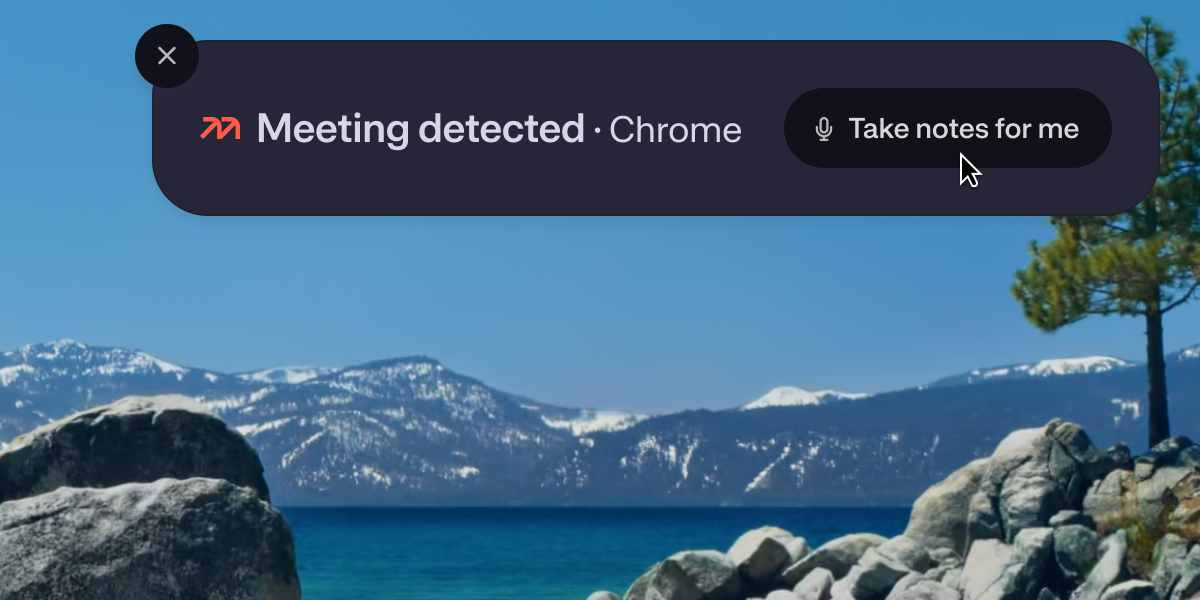
The meeting-detection screenshot sent on November 24, 2025. Original launch email → Your notes, there when the conversation needed them
We introduced Heads Up Live and Meeting Briefings in beta for Mem Pro. One surfaced relevant context during a recorded meeting; the other helped you prepare before a calendar-linked meeting began.

Meeting Briefings from the March 26, 2026 beta announcement. Original launch email → Bringing your notes into ChatGPT
The Mem app for ChatGPT brought your saved knowledge into another place you were already thinking and working. Alongside our MCP connector, it was another way to make your notes useful beyond Mem itself.
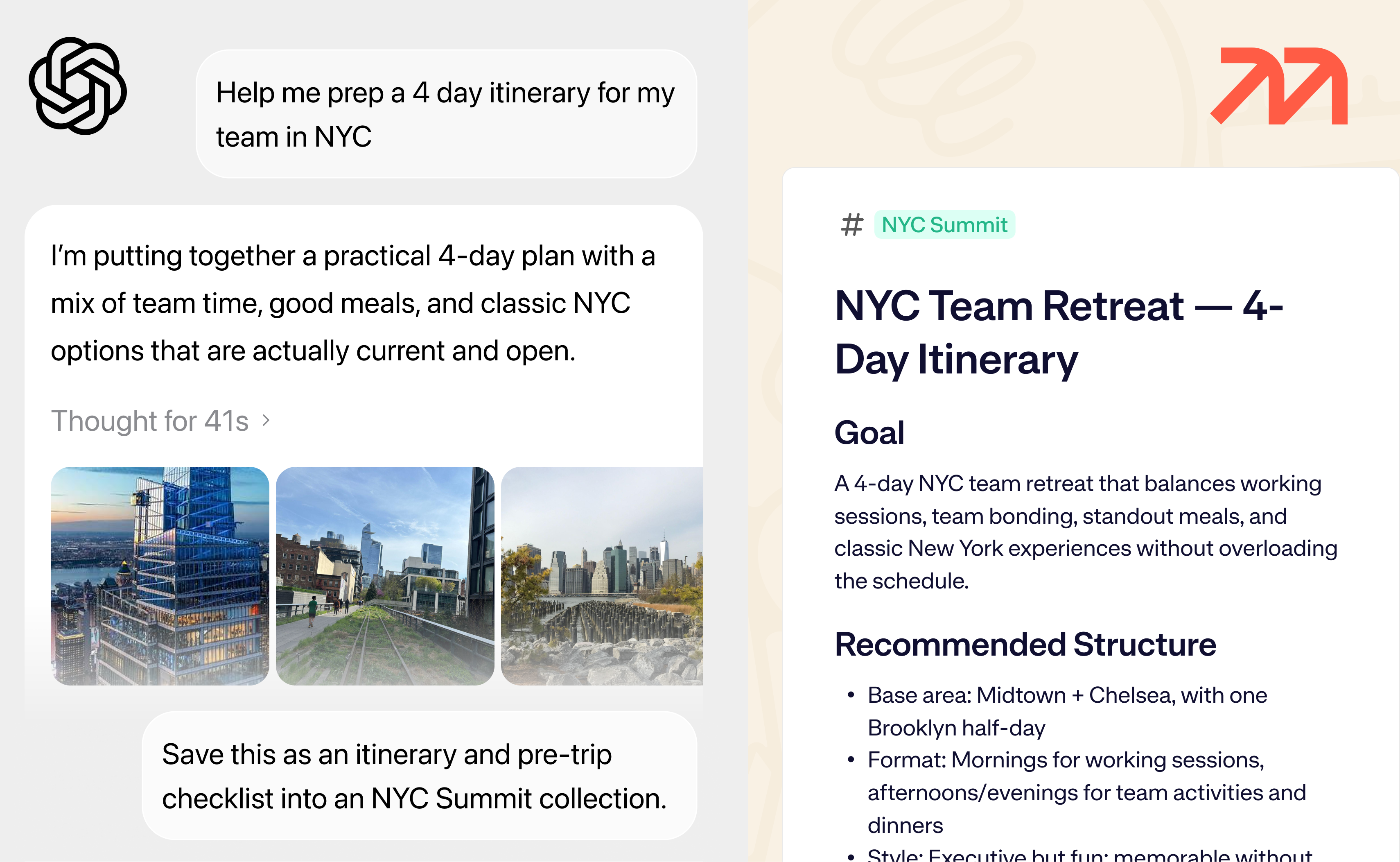
The graphic from our April 23, 2026 newsletter. Original launch email → An Agent that reached out first
Mem Agent arrived in iMessage, WhatsApp, email, and Slack. It connected the context in your notes with proactive follow-ups, bringing back a useful next step when it was time to act.
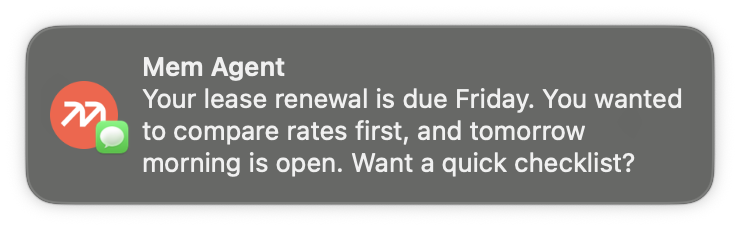
The notification example from the July 23, 2026 Agent launch email. Original launch email →
Behind each launch were people trying it, telling us where it fell short, and helping us make it better. The release posts record what we shipped. Your feedback shaped what those things became.
Thank you
To everyone who used Mem, shared it with a friend, sent us a thoughtful bug report, or trusted us with an idea before it was fully formed: thank you.
And to the team and the people who supported us along the way, thank you for the care you put into building this product.
We’re proud of the ideas we explored together. More than anything, we want the work you put into Mem to remain useful to you wherever you go next.
Save your notes and find your next home for them →
— Kevin
Founder and CEO