Table of contents
For every cloud service I use, I want to have a local copy of my data for backup
purposes and independence. Unfortunately, the gphotos-sync tool stopped
working in March
2025 when
Google restricted the OAuth scopes, so I needed an alternative for my existing
Google Photos setup. In this post, I describe how I have set up
Immich, a self-hostable photo manager.
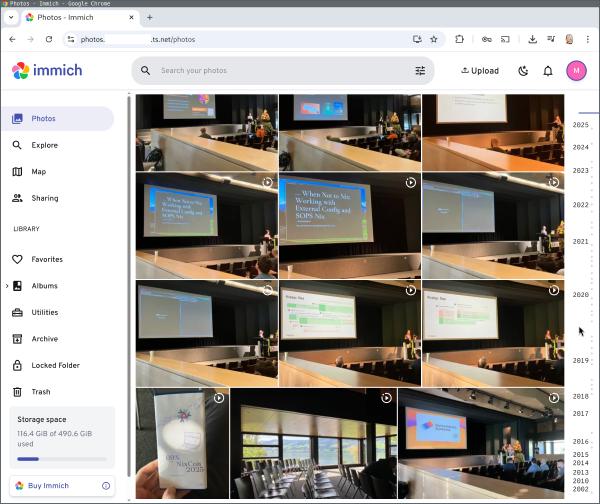
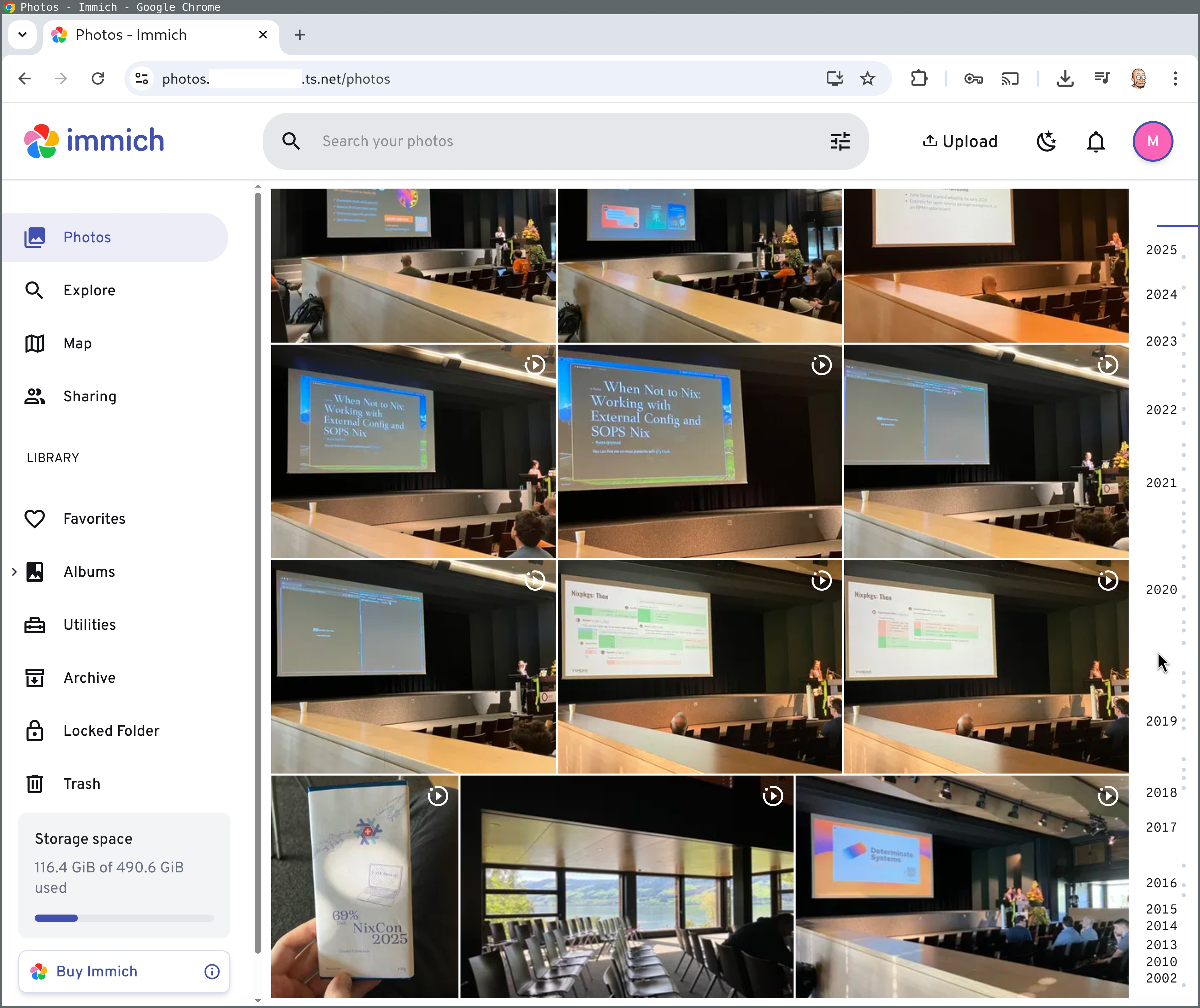
Here is the end result: a few (live) photos from NixCon 2025:
Step 1. Hardware
I am running Immich on my Ryzen 7 Mini PC (ASRock DeskMini X600), which consumes less than 10 W of power in idle and has plenty of resources for VMs (64 GB RAM, 1 TB disk). You can read more about it in my blog post from July 2024:
I installed Proxmox, an Open Source virtualization platform, to divide this mini server into VMs, but you could of course also install Immich directly on any server.
Step 2. Install Immich
I created a VM (named “photos”) with 500 GB of disk space, 4 CPU cores and 4 GB of RAM.
For the initial import, you could assign more CPU and RAM, but for normal usage, that’s enough.
I (declaratively) installed NixOS on that VM as described in this blog post:
Afterwards, I enabled Immich, with this exact configuration:
services.immich = {
  enable = true;
};
At this point, Immich is available on localhost, but not over the network,
because NixOS enables a firewall by default. I could enable the
services.immich.openFirewall option, but I actually want Immich to only be
available via my Tailscale VPN, for which I don’t need to open firewall access —
instead, I use tailscale serve to forward traffic to localhost:2283:
photos# tailscale serve --bg http://localhost:2283
Because I have Tailscale’s MagicDNS and TLS certificate provisioning enabled, that means I can now open https://photos.example.ts.net in my browser on my PC, laptop or phone.
Step 2. Initial photos import
At first, I tried importing my photos using the official Immich CLI:
% nix run nixpkgs#immich-cli -- login https://photos.example.ts.net secret
% nix run nixpkgs#immich-cli -- upload --recursive /home/michael/lib/photo/gphotos-takeout
Unfortunately, the upload was not running reliably and had to be restarted manually a few times after running into a timeout. Later I realized that this was because the Immich server runs background jobs like thumbnail creation, metadata extraction or face detection, and these background jobs slow down the upload to the extent that the upload can fail with a timeout.
The other issue was that even after the upload was done, I realized that Google Takeout archives for Google Photos contain metadata in separate JSON files next to the original image files:
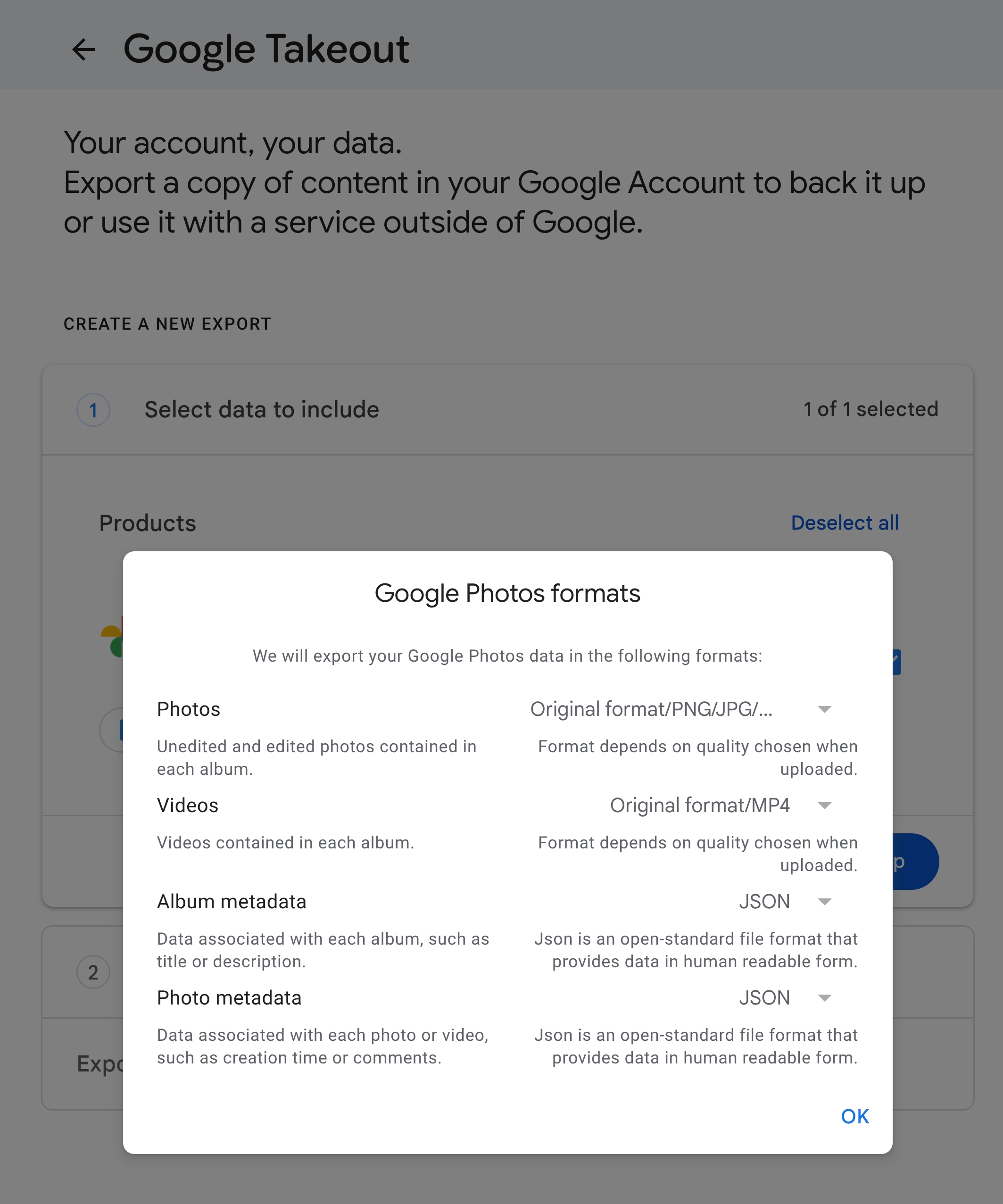
Unfortunately, these files are not considered by immich-cli.
Luckily, there is a great third-party tool called immich-go, which solves both of these issues! It pauses background tasks before uploading and restarts them afterwards, which works much better, and it does its best to understand Google Takeout archives.
I ran immich-go as follows and it worked beautifully:
% immich-go \
  upload \
  from-google-photos \
  --server=https://photos.example.ts.net \
  --api-key=secret \
  ~/Downloads/takeout-*.zip
Step 3. Install the Immich iPhone App
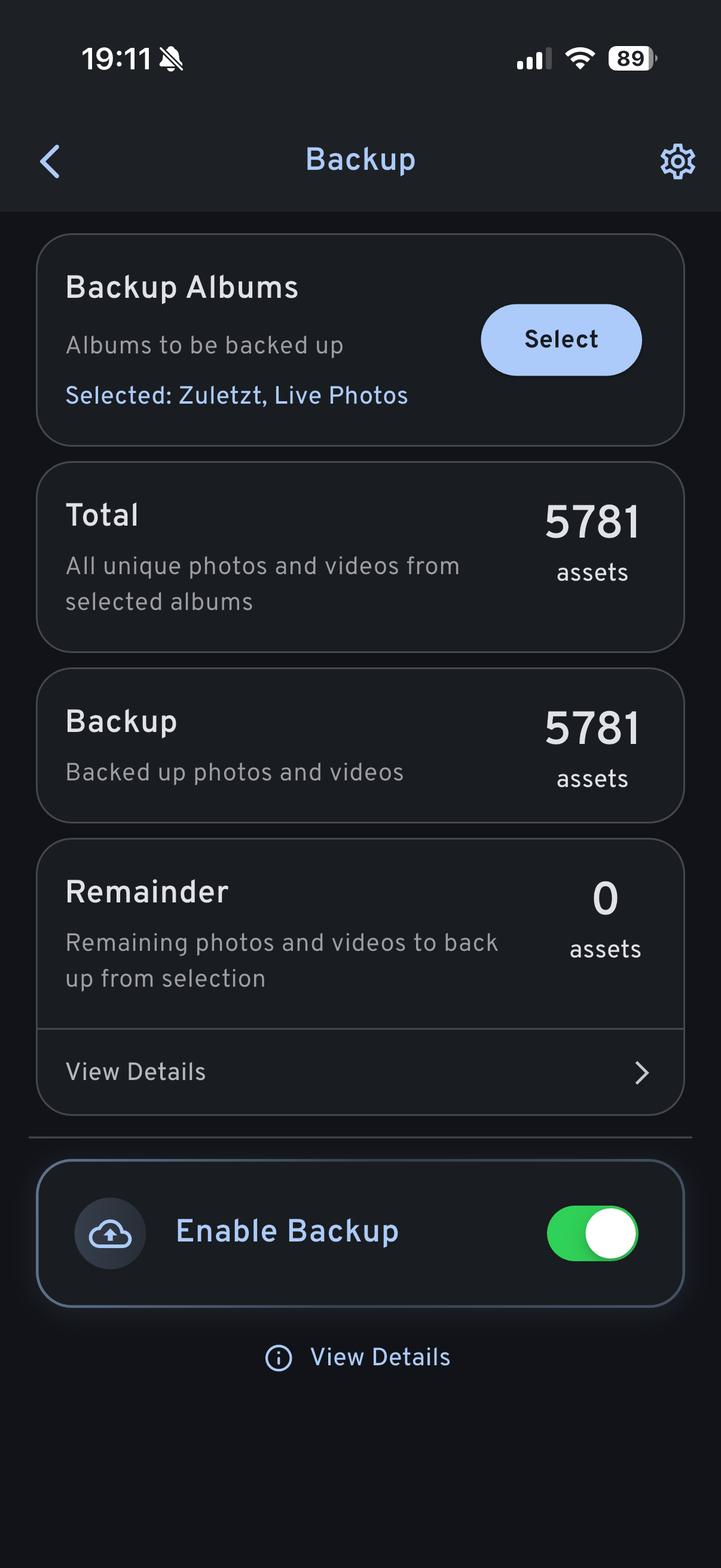
My main source of new photos is my phone, so I installed the Immich app on my iPhone, logged into my Immich server via its Tailscale URL and enabled automatic backup of new photos via the icon at the top right.
I am not 100% sure whether these settings are correct, but it seems like camera photos generally go into Live Photos, and Recent should cover other files…?!
If anyone knows, please send an explanation (or a link!) and I will update the article.
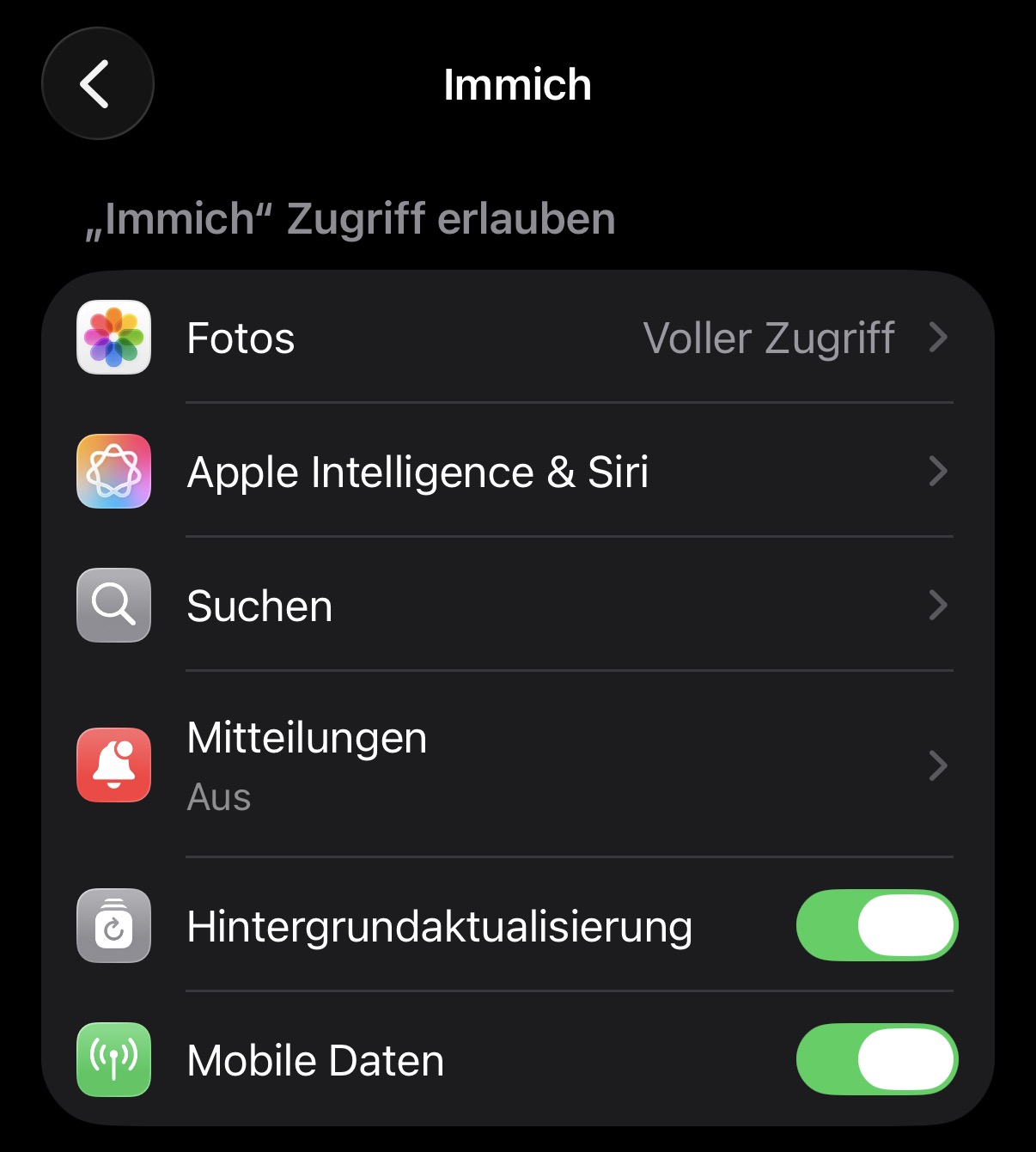
I also strongly recommend to disable notifications for Immich, because otherwise you get notifications whenever it uploads images in the background. These notifications are not required for background upload to work, as an Immich developer confirmed on Reddit. Open Settings → Apps → Immich → Notifications and un-tick the permission checkbox:
Step 4. Backup
Immich’s documentation on
backups contains
some good recommendations. The Immich developers recommend backing up the entire
contents of UPLOAD_LOCATION, which is /var/lib/immich on NixOS. The
backups subdirectory contains SQL dumps, whereas the 3 directories upload,
library and profile contain all user-uploaded data.
Hence, I have set up a systemd timer that runs rsync to copy /var/lib/immich
onto my PC, which is enrolled in a 3-2-1 backup
scheme.
What’s missing?
Immich (currently?) does not contain photo editing features, so to rotate or crop an image, I download the image and use GIMP.
To share images, I still upload them to Google Photos (depending on who I share them with).
Why Immich instead of…?
The two most promising options in the space of self-hosted image management tools seem to be Immich and Ente.
I got the impression that Immich is more popular in my bubble, and Ente made the impression on me that its scope is far larger than what I am looking for:
Ente is a service that provides a fully open source, end-to-end encrypted platform for you to store your data in the cloud without needing to trust the service provider. On top of this platform, we have built two apps so far: Ente Photos (an alternative to Apple and Google Photos) and Ente Auth (a 2FA alternative to the deprecated Authy).
I don’t need an end-to-end encrypted platform. I already have encryption on the transit layer (Tailscale) and disk layer (LUKS), no need for more complexity.
Conclusion
Immich is a delightful app! It’s very fast and generally seems to work well.
The initial import is smooth, but only if you use the right tool. Ideally, the
official immich-cli could be improved. Or maybe immich-go could be made the
official one.
I think the auto backup is too hard to configure on an iPhone, so that could also be improved.
But aside from these initial stumbling blocks, I have no complaints.
Did you like this post? Subscribe to this blog’s RSS feed to not miss any new posts!
I run a blog since 2005, spreading knowledge and experience for over 20 years! :)
If you want to support my work, you can buy me a coffee.
Thank you for your support! ❤️