Preamble: The whole affair is Google’s fault and not Bear Blog’s. Huge thanks to Herman—Bear Blog’s founder and dev—for his patience and help.
A month after I started my first Bear blog at blog.james-zhan.com, my blog was entirely de-indexed by Google for no apparent reason:
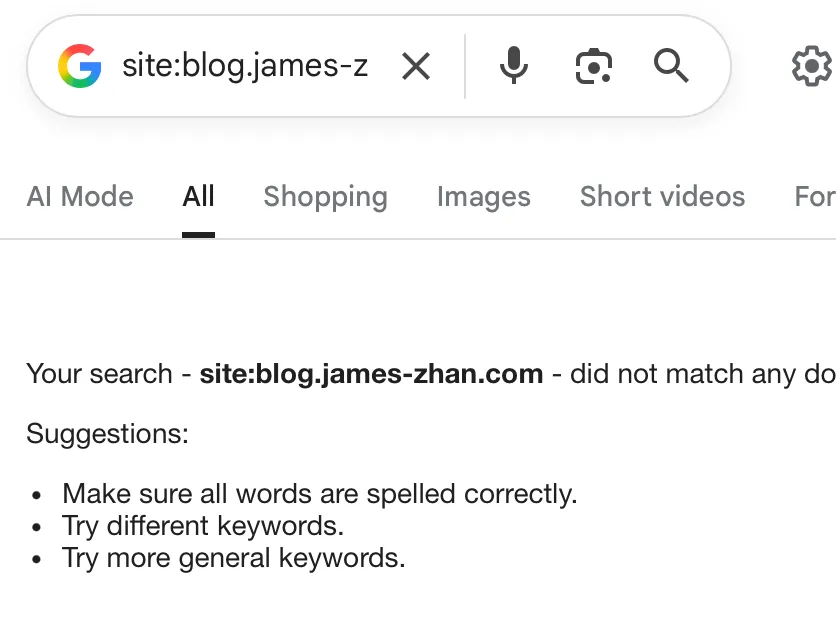
I have since migrated to journal.james-zhan.com (you are on it right now) and redirected all links from blog.james-zhan.com accordingly, but to this day, I don’t understand what happened, and so I’m putting this post out there to see if perhaps anyone could shed some light—you are welcome to email me or leave a comment at the bottom of the post.
Let me backtrack and show you how it all went down.
Table of Contents
At first, all was well
Where it started to go wrong
Was that a coincidence or the cause of the issue?
It got worse
Extensive troubleshooting
Suspect #1: Something’s up with the domain
Suspect #2: Quality of blog content
Suspect #3: Lack of internal linking
Other suspects, eliminated with Herman’s help (thank you Herman!)
My blog was properly indexed by other search engines
What I ended up doing
At first, all was well
My blog went live on Oct 4 and I published a lengthy, well-research opinion piece commenting on a recent event.
Because of that, I wanted the article to show up on Google ASAP so that when people searched about the event, maybe my article would come up. I knew that it could take a while for Google to naturally crawl and index a new site, so to accelerate the process, I went on Google Search Console (GSC), submitted the sitemap and requested indexing on my article.
And it worked—the next day, my blog and articles were indexed and showed up on Google if you put in the right search terms.
In GSC, you can even see that I was getting some impressions and clicks at the time from the exact topic that my opinion piece was about. Great!
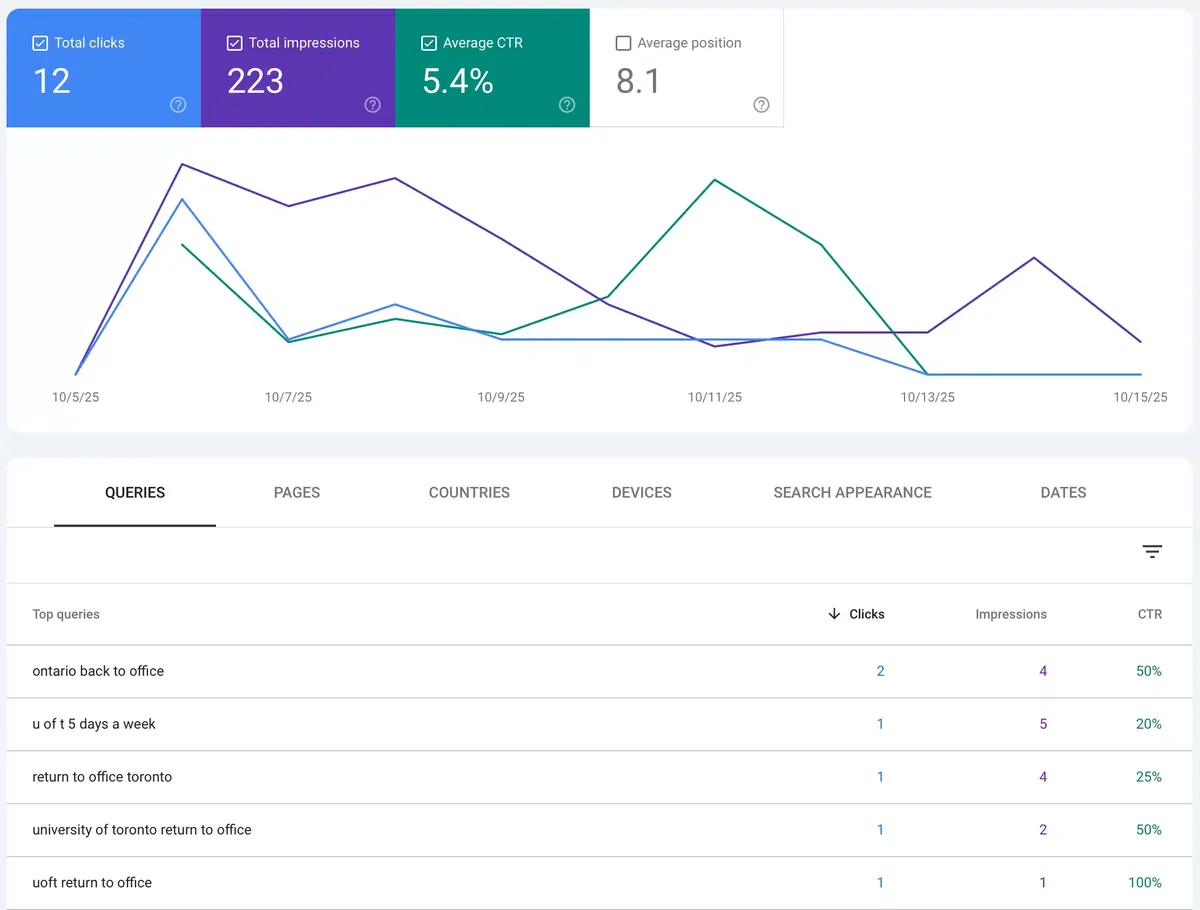
From then on, every time I published a new post, I would go to GSC and request indexing for the post URL, and my post would be on Google search results shortly after, as expected.
Where it started to go wrong
On Oct 14, as I was digging around GSC, I noticed that it was telling me that one of the URLs weren’t indexed. I thought that was weird, and not being very familiar with GSC, I went ahead and clicked the “Validate” button.
Only after did I realized that URL was the RSS feed subscribe link, https://blog.james-zhan.com/feed/?type=rss, which wasn’t even a page so it made sense that it hadn’t been indexed, but it was too late and there was no way for me to stop the validation.
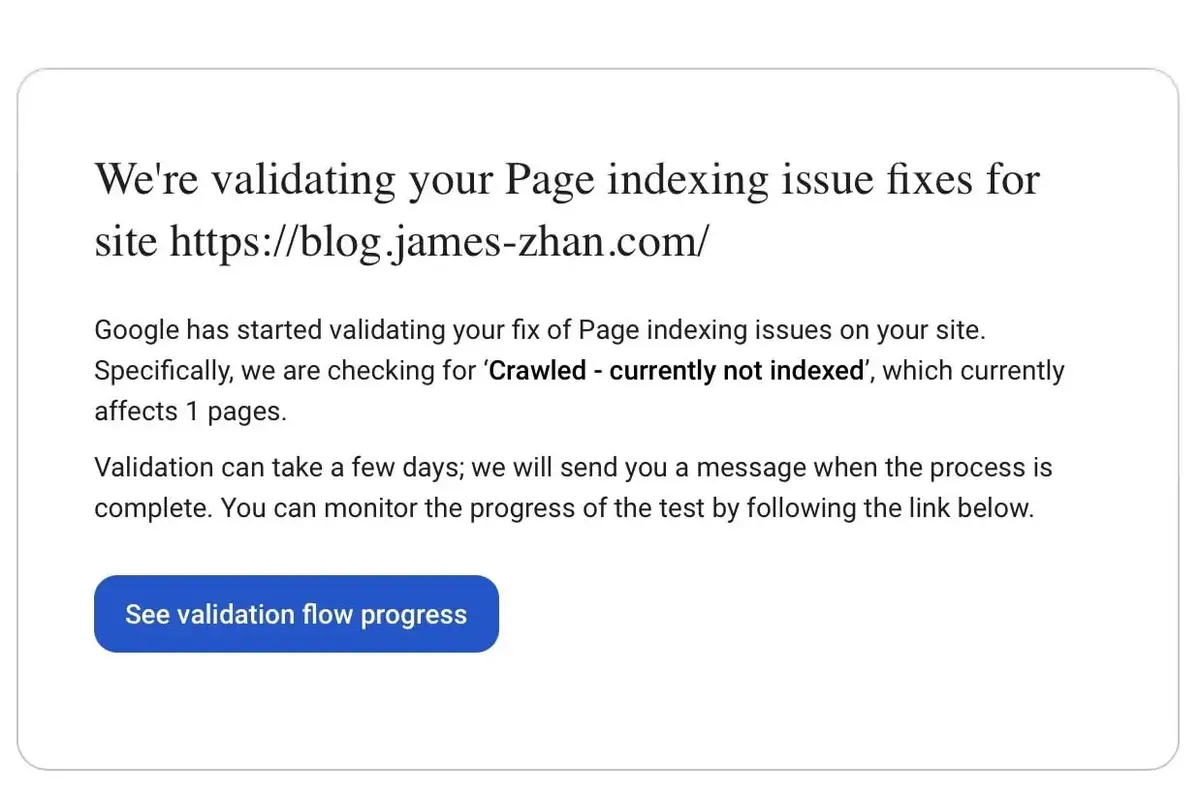
I received an email from GSC telling me it was validating that 1 page with indexing issues:
Four days later, on Oct 20, I received an email from GSC saying “Some fixes failed for Page indexing issues on site https://blog.james-zhan.com/” and when I searched “site:blog.james-zhan.com,” I saw that all but one of my blog posts had been de-indexed:
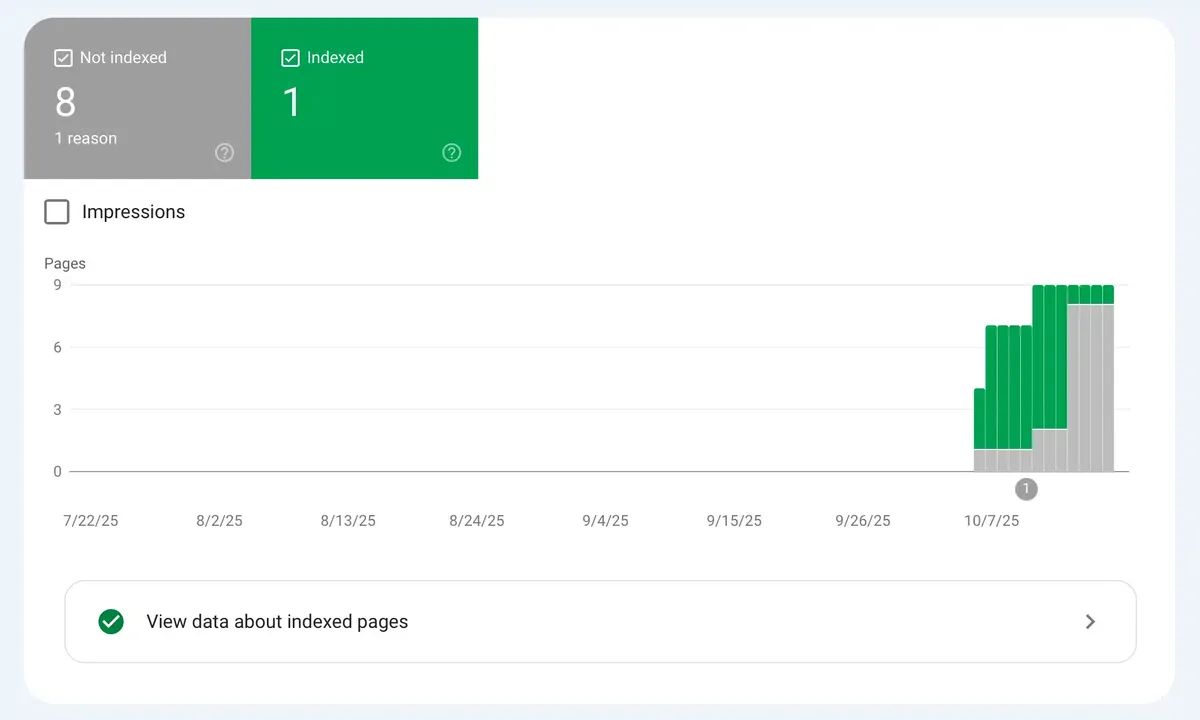
All of them showed the same reason:
“Page is not indexed: Crawled – currently not indexed”
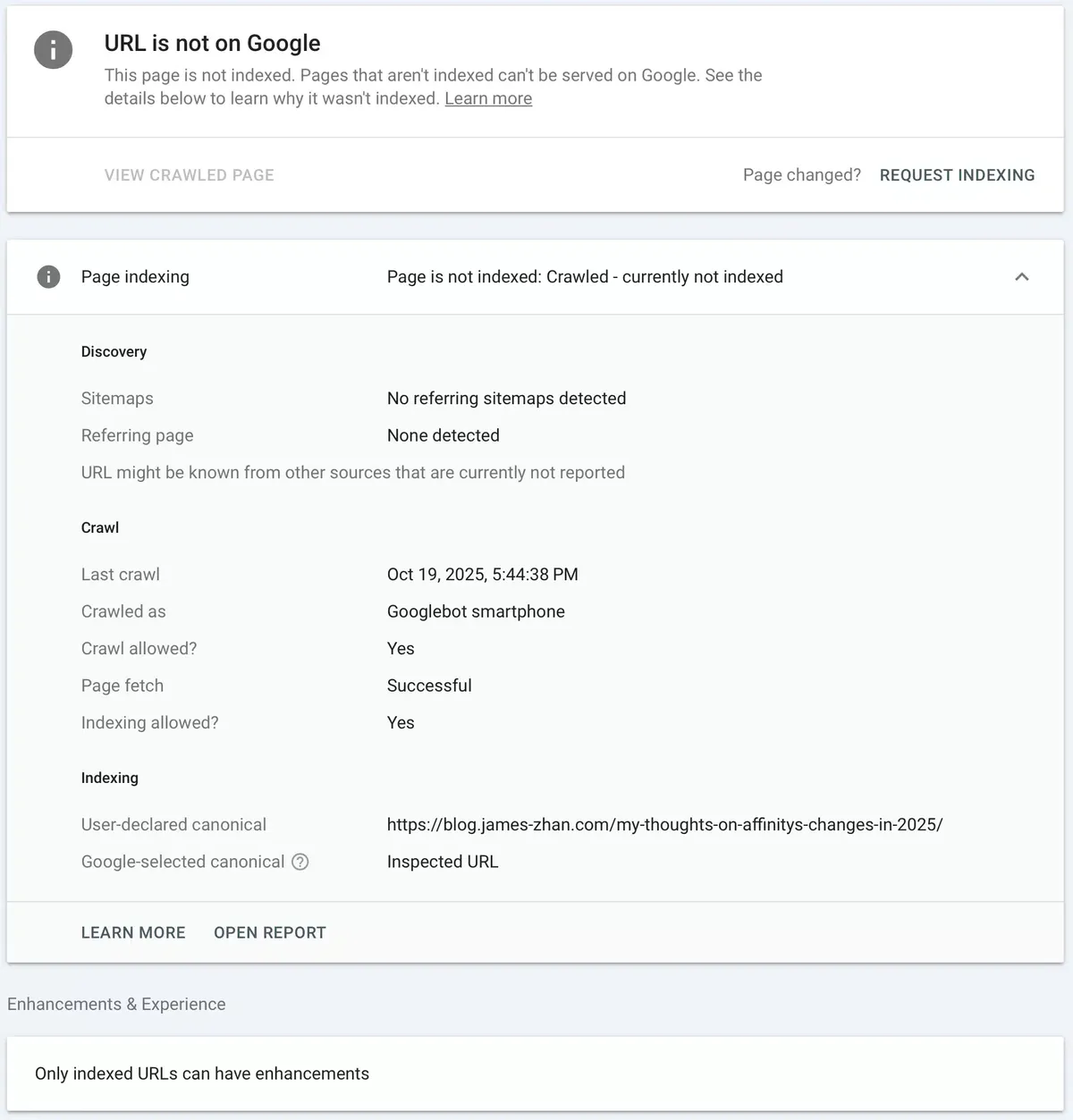
Confused, I poked around GSC to see if it showed me why, and I couldn’t find anything useful, so I resubmitted the sitemap for good measure, and clicked “Validate” again.
I even requested indexing for all the individual blog post URLs and that didn’t do anything.
As of the publishing of this post, the validation status is still “Started” (it’s been nearly 20 days).
Was that a coincidence or the cause of the issue?
As I was troubleshooting, I noticed that the day that I initiated the validation for the first time (Oct 14) was the same day that all but one of my blog posts got de-indexed:
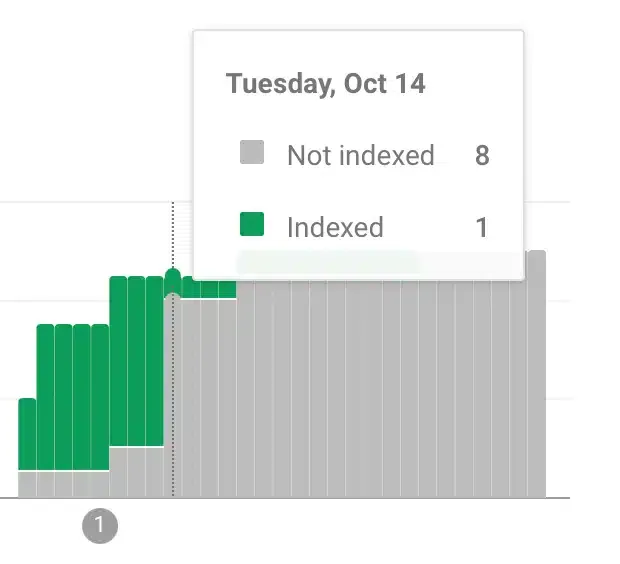
Did my accidental attempt to make GSC index https://blog.james-zhan.com/feed/?type=rss cause some kind of glitch, thereby de-indexing the rest of the blog?
I don’t get why it would, but it’s weird that the two events happened on the same day.
It got worse
While this was going on, I continued to post a few articles, and you can see that all the new posts faced the “Page is not indexed: Crawled – currently not indexed” error:
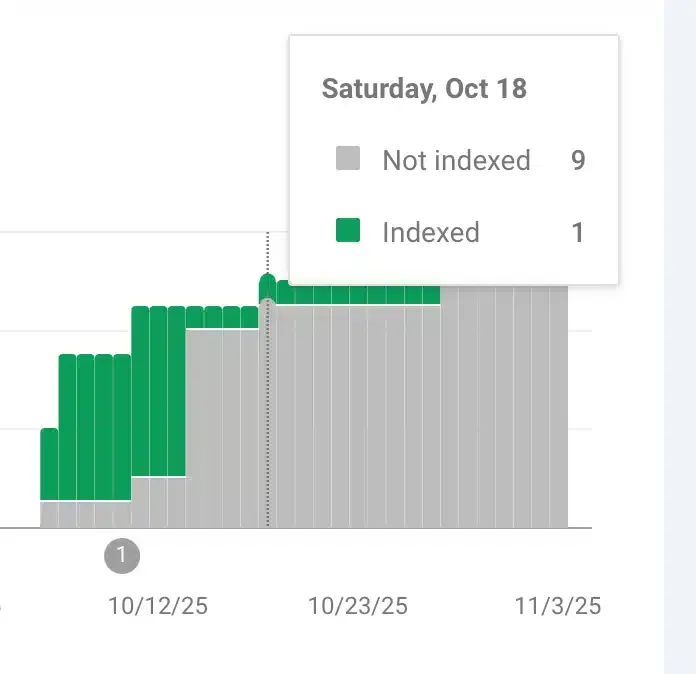
And then on Nov 3, I discovered that the remaining, single blog post that had been indexed just got de-indexed as well:
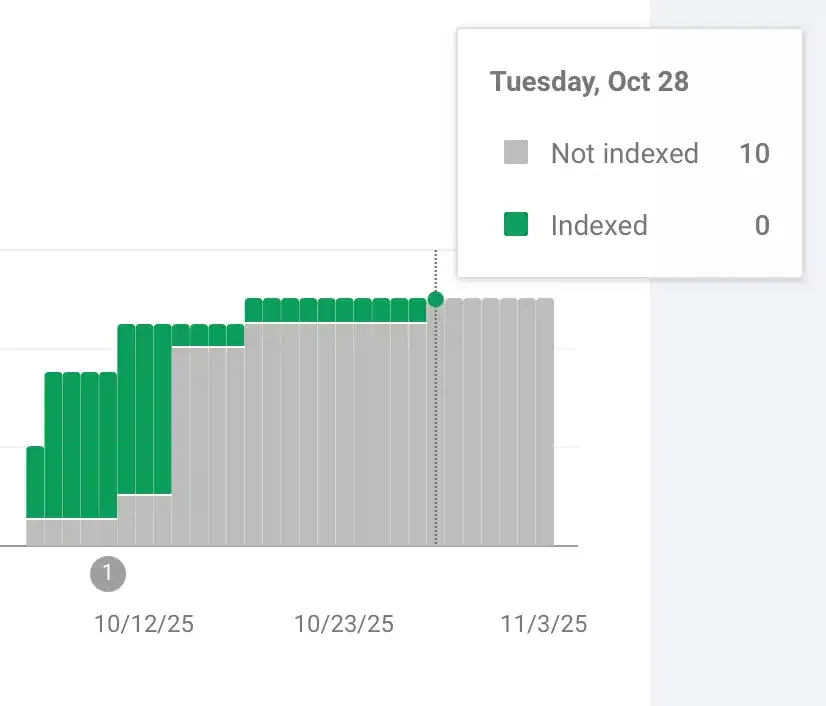
So basically, no one could find my blog on Google.
Extensive troubleshooting
I’m not a web dev or programmer, but I tried my best to cover as much ground as possible in my troubleshooting to narrow down the cause.
Suspect #1: Something’s up with the domain
The root domain, james-zhan.com, was from GoDaddy. I’ve had this domain for many years and I’ve used it on different sites and never had an issue with Google’s indexing.
For example, just this year, I created a new subdomain with it and that’s been indexed by Google.
I also don’t touch any advanced configuration with DNS records or what have you—I don’t have knowledge in that stuff, so it’s unlikely I somehow screwed up something in GoDaddy.
But just to be sure it wasn’t some wonky thing going on specifically with the Bear blog + GoDaddy combo, I created another Bear blog with the subdomain www.james-zhan.com.
This one shows up on Google no problem.
Conclusion: Domain wasn’t the cause.
Suspect #2: Quality of blog content
Whenever people discuss the indexing of their website in online forums, they always talk about the quality of the content being a huge factor. They say that your site isn’t indexed or isn’t ranked highly because your site doesn’t have much content, your content is low effort, or something like that.
First, I’m not worried about ranking—I just want my blog to be properly indexed.
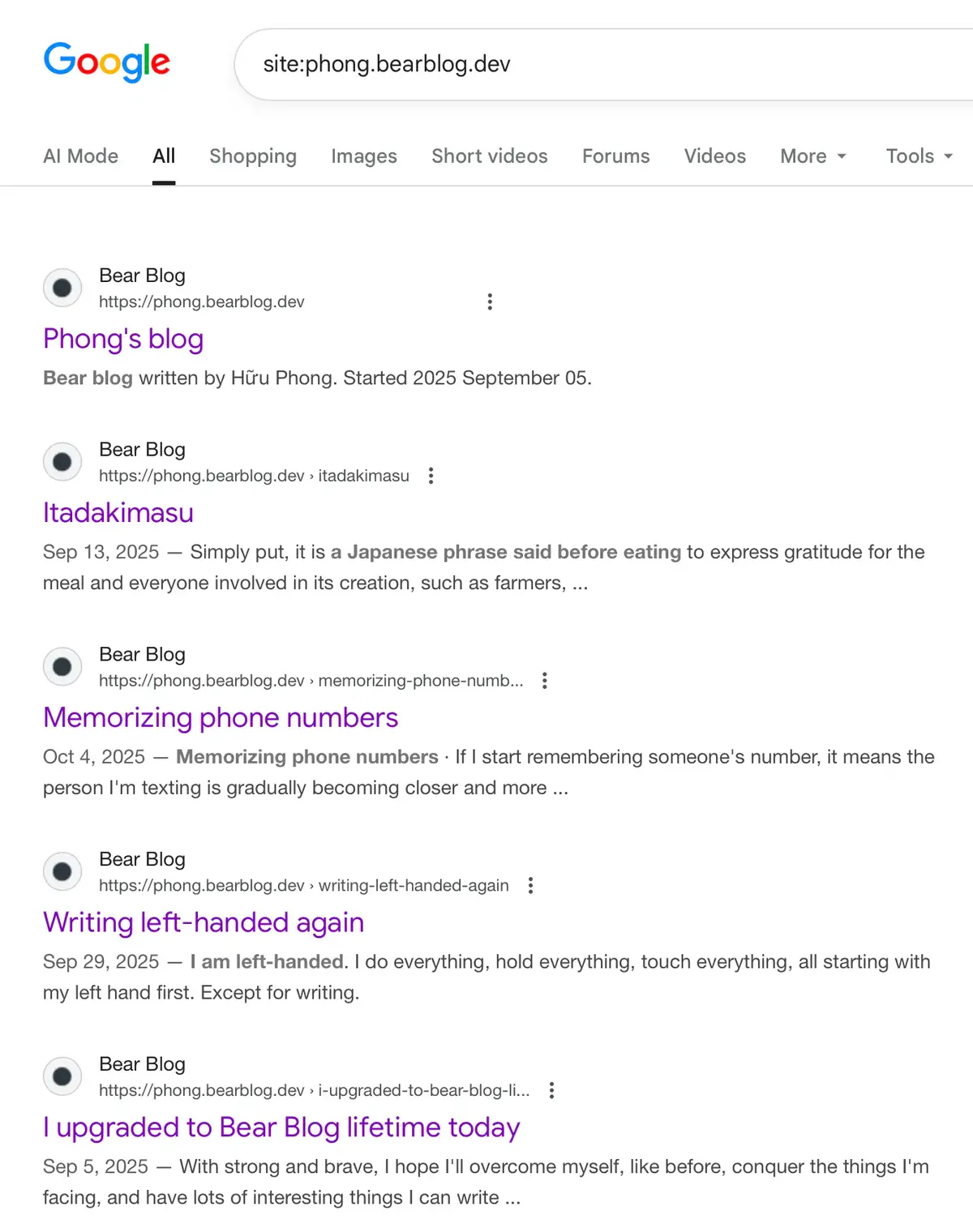
Second, the issue couldn’t be the quality or the quantity of the content. I came across some other pretty barebones Bear blogs that don’t have much content, and looked them up on Google, and they showed up in the results just fine.
An example: Phong’s blog. It’s a very minimalist blog with only 6 posts (of great quality) and it shows up on Google search.
Conclusion: Quality or quantity of content wasn’t the cause.
Suspect #3: Lack of internal linking
I read about how the structure of a site can play a role in Google’s indexing.
Some say that if your blog posts’ URLs are all “orphaned,” like:
- domain.com/post-title-1
- domain.com/post-title-2
…instead of:
- domain.com/blog/post-title-1
- domain.com/blog/post-title-2
Allegedly, that might cause Google to not index your posts. By default, when you publish a post on Bear Blog, the blog post’s path isn’t preceded by “blog/.”
So I went around and checked the post URLs of other Bear blogs and saw that none of them had “/blog/” in them, and those blogs were indexed just fine. I also highly doubt it’s a real issue; otherwise, it wouldn’t be the default behaviour on Bear Blog.
Conclusion: Lack of internal linking wasn’t the cause.
Other suspects, eliminated with Herman’s help (thank you Herman!)
I reached out to Herman with all the details and asked him for help. Of course, he responded promptly and helped me troubleshoot to identify the cause.
He was able to confirm and the following:
- GoDaddy and DNS weren’t the cause
- My bear blog had nothing that would prevent Google from indexing
- HTML/CSS doesn’t affect SEO/indexing
- I had the following CSS code to put the tags above the blog post title, but Herman said this was fine
    /* --- Move tags above the title --- */
main {
display: flex;
flex-direction: column;
}

/* Style and reposition the tags */
main > p.tags {
order: -1;                /* Moves tags above the title */
margin: 0 0 0.6rem 0;
font-size: 0.9em;
letter-spacing: 0.02em;
color: var(--heading-color);
opacity: 0.8;
}

/* Keep the title below tags */
main > h1 {
order: 0;
}
I just wanted to take a moment to express my gratitude to Herman for investigating this with me. My emails to him were pretty elaborate with troubleshooting steps I had taken along with many screenshots. He took the time to fully understand the whole issue and even triple-checked my site to make sure everything was sound.
It was a refreshing tech support experience, and made me love Bear Blog as a platform just that much more.
My blog was properly indexed by other search engines
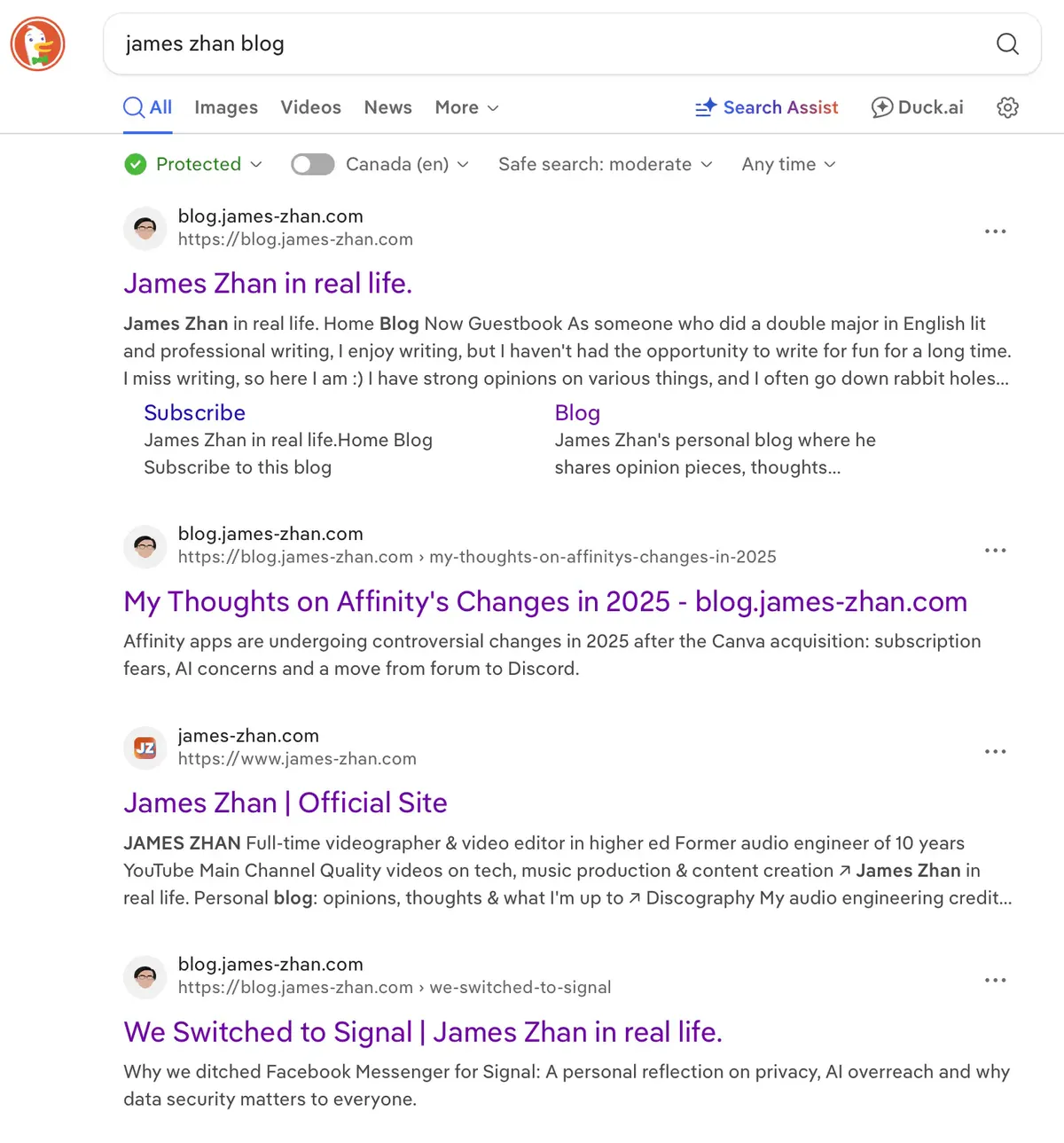
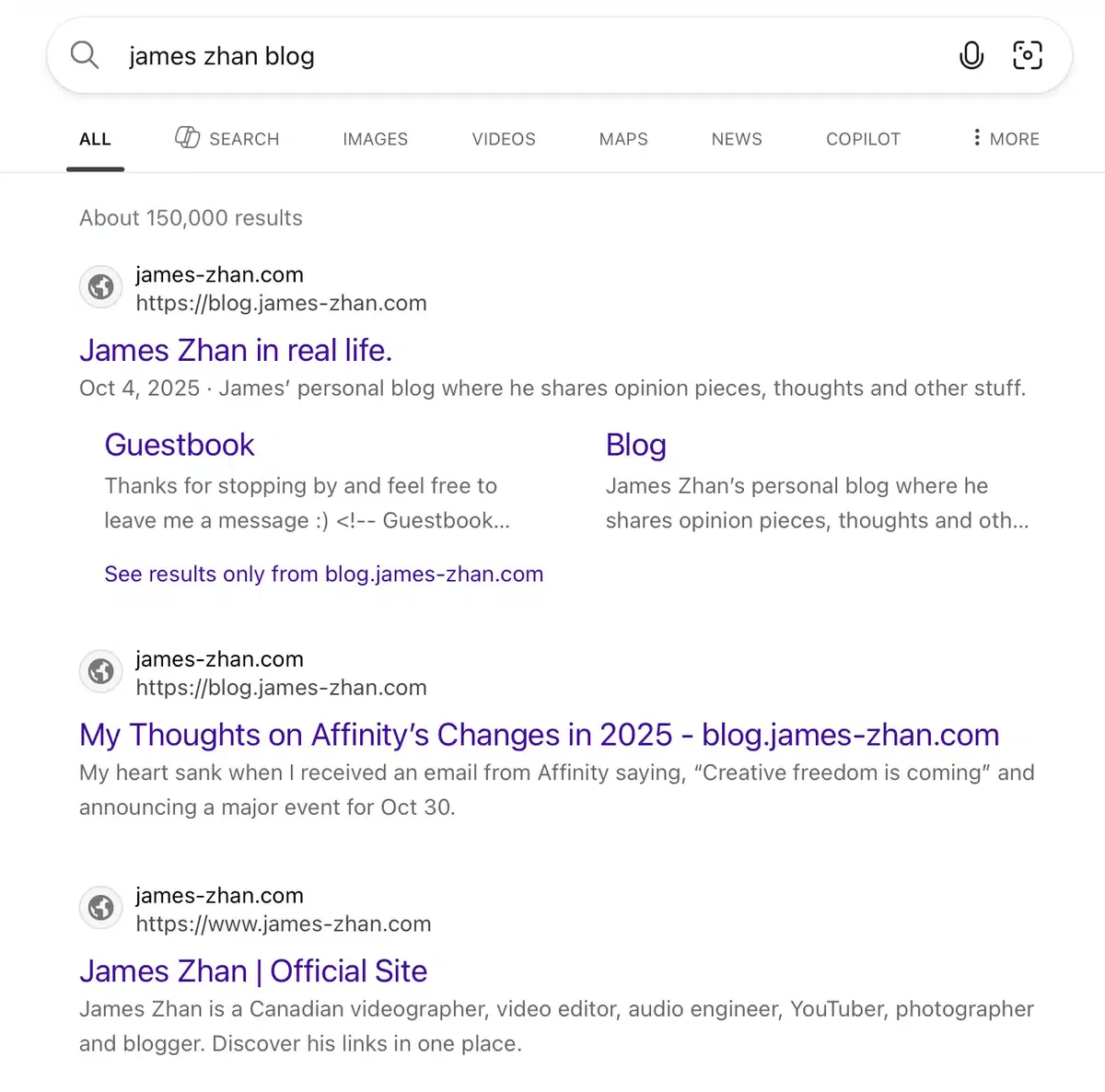
I don’t even have to use “site:”—just by searching “James Zhan blog,” both my blog and my www.james-zhan.com site show up in other search engines:
DuckDuckGo:
Bing:
Brave:
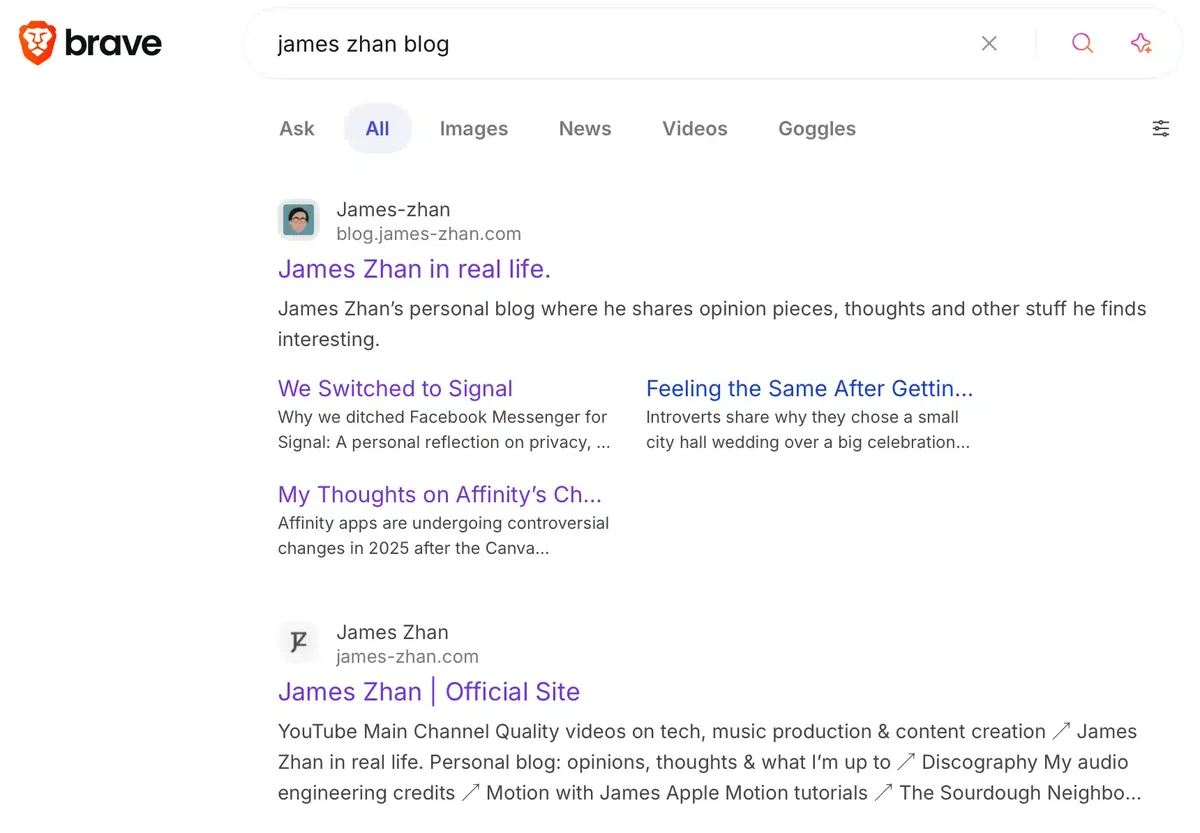
So there’s definitely nothing wrong on a technical level with my blog that would prevent Google from indexing it.
What I ended up doing
I copied my blog over to a different subdomain (you are on it right now), moved my domain from GoDaddy to Porkbun for URL forwarding, and set up URL forwarding with paths so any blog post URLs I posted online will automatically be redirected to the corresponding blog post on this new blog.
I also avoided submitting the sitemap of the new blog to GSC. I’m just gonna let Google naturally index the blog this time. Hopefully, this new blog won’t run into the same issue.
At this point, I’m no longer trying to resolve the issue, but just out of curiosity, I do want to know what the hell happened there. I’d had a previous site on GSC to track traffic for many years and never had such an issue.
If any of you have any guesses, I’d love to hear them (email me or leave a comment below)!
Subscribe to my blog via email or RSS feed.