Have you ever gone out on a clear night, fired up Stellarium, scrolled through endless objects… and still ended up shooting Andromeda for the seventh time?
That was me, over and over. I love M31, but at some point I realised I wasn’t really exploring the sky anymore – I was just defaulting to the same “safe” ten targets. So I ended up building my own astrophotography target planner. The process of finding something new that was visible, well placed, matched my focal length, and wasn’t completely impossible from my Bortle 5 backyard was just too much friction.
So I built a tool to fix that:
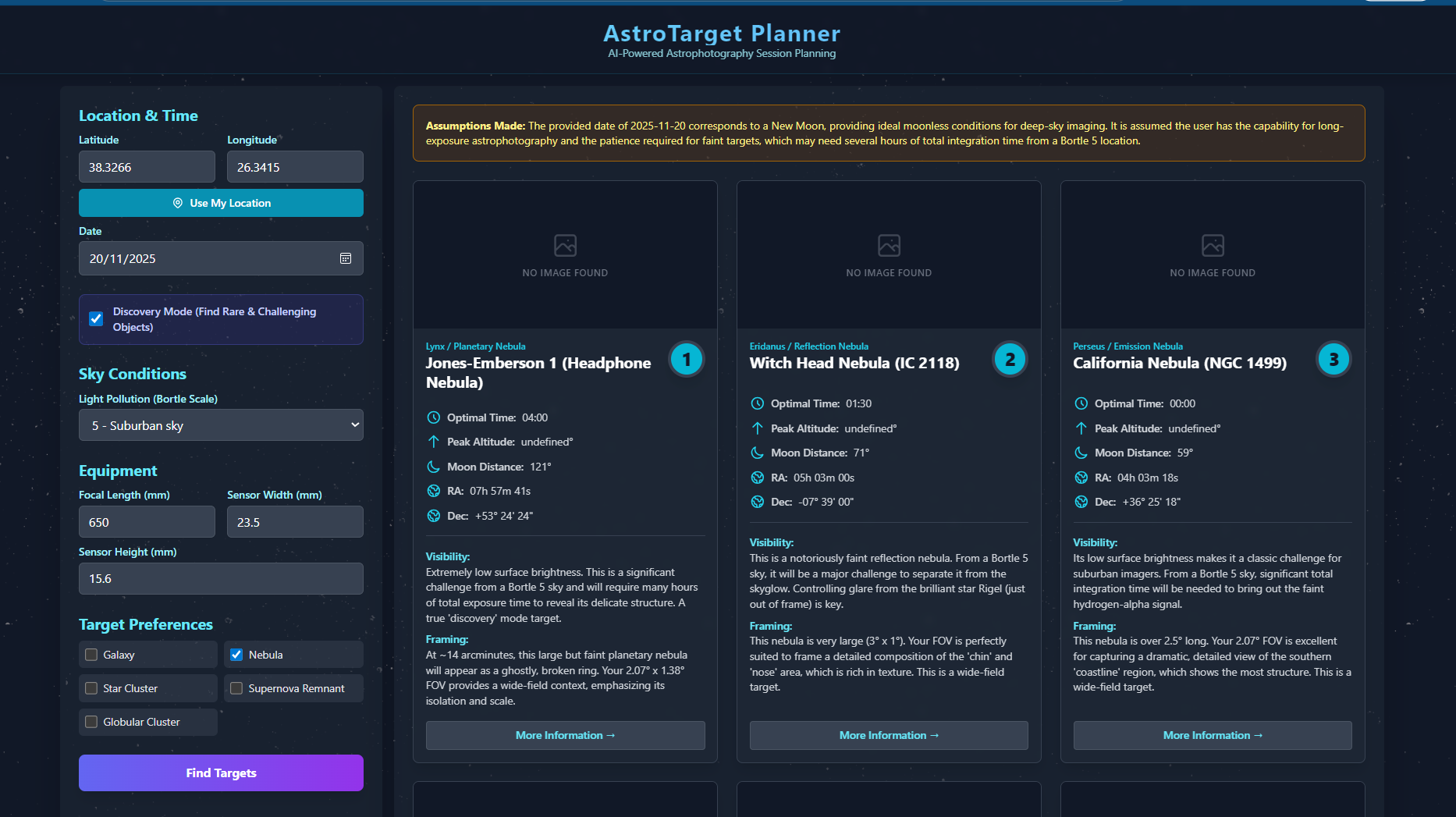
My Astrophotography Target Planner helped me discover objects like NGC 7822 and the Question Mark Nebula – targets I genuinely didn’t know existed a few months ago. In this article, I’ll break down the main ideas from the video so you can see how it works and whether it might actually help you plan your own sessions.
Watch the full walkthrough of my Astrophotography Target Planner here:
What You’ll Learn in This Video
In the video, I walk through how I’ve gone from “winging it” every clear night to planning genuinely new targets in minutes.
You’ll see:
- How I used to plan targets manually with Stellarium (and why I kept ending up on the same objects).
- What the Astro Target app does differently – filtering by location, visibility, focal length, and difficulty.
- How “Discovery Mode” surfaces lesser‑known nebulae that are actually well suited to your gear.
- Examples of hidden gems like NGC 7822, the Headphone Nebula, and the Question Mark Nebula.
- How the app’s timing, RA/Dec, and difficulty notes help you decide if a target is realistic from your sky.
- Why this change in workflow helped me go from ~10 repeat targets to over 40 different deep sky objects in a year.
Key Takeaways
From Manual Hunting to Smart Target Selection
For years, my target selection routine looked like this:
- Open Stellarium.
- Scroll through a long list of objects.
- Check what’s visible tonight.
- Check the moon phase.
- Check if it fits my focal length.
- Repeat until my patience runs out.
After 15–20 minutes of that, I’d usually shrug and point the rig back at something familiar. Usually Andromeda. Again.
The problem wasn’t that there’s a lack of interesting objects – it’s the friction. Every step requires you to cross‑check: altitude, timing, framing, difficulty, and sky conditions. None of that is hard, but together it adds up, especially on a work night when you just want to get something in the can.
Astro Target is basically my way of compressing that whole process into a couple of clicks. You put in:
- Your sky quality (for me: suburban Bortle 5),
- Your focal length (e.g. 650 mm),
- Your camera (sensor size is stored automatically),
- What types of targets you want (e.g. Nebula only),
…and it just returns a short list of objects that are:
- Visible from your exact location tonight,
- Well framed in your field of view,
- Tagged by difficulty (beginner / intermediate / advanced),
- And annotated with basic imaging notes.
How This Astrophotography Target Planner Works
Try the Astrophotography Target Planner (beta) here:
What “Discovery Mode” Actually Does
The real game changer for me has been Discovery Mode.
Instead of showing you the usual greatest hits, Discovery Mode prioritises objects that almost nobody photographs – the hidden gems that are still practical for a typical backyard rig.
A few examples that popped up for me:
- NGC 7822 – a beautiful emission nebula I’d literally never thought about imaging before.
- The Headphone Nebula (Jones–Emberson 1) – an object I’d never heard of until the astrophotography target planner for deep sky objects surfaced it.
- The Witch Head Nebula (IC 2118) – a large, faint reflection nebula that matches my FOV surprisingly well.
- The Question Mark Nebula – another one of those “how did I not know this existed?” moments.
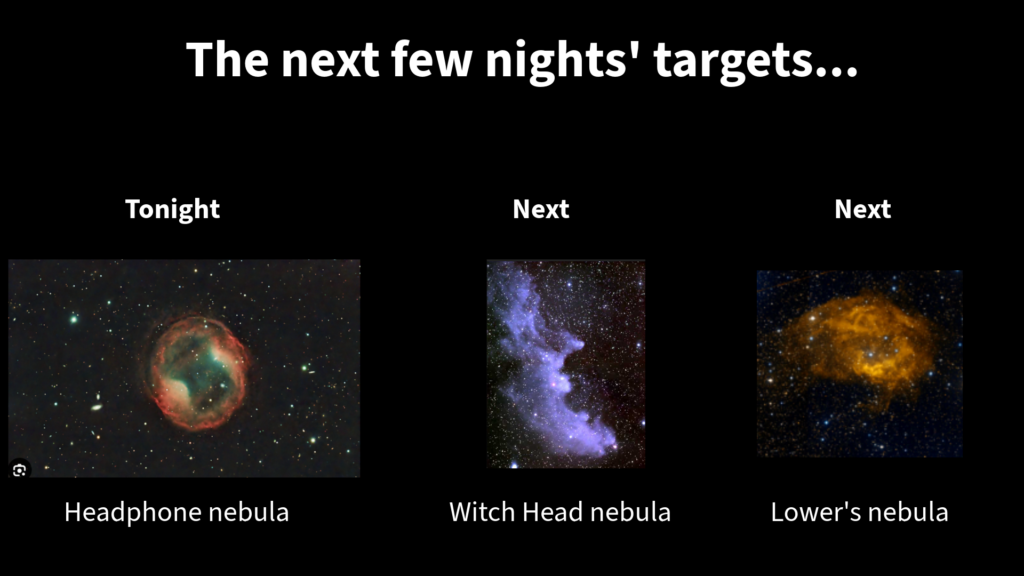
For each object, this planner for new astrophotography targets gives you:
- The optimal imaging time for tonight (e.g. “Best around 4:00 a.m. when it’s highest in the sky”).
- RA/Dec coordinates so you can slew to it easily.
- A size estimate and how it frames in your setup.
- A difficulty rating and notes like “faint, requires many hours of total exposure from Bortle 5” or “large, challenging to separate from sky glow.”
That last bit is important. It’s honest about whether a target is going to be a slog in mediocre skies. You still have to decide if it’s worth the effort, but at least you’re making that decision up front instead of after three wasted hours.
How This Changed My Imaging Year
The difference in practice has been big.
When I did things manually, I timed it: about 13 minutes just to end up on a target I’d already shot before.
With Discovery Mode, it took about 85 seconds to find something entirely new that:
- Was visible that night,
- Fit my 650 mm FOV,
- And wasn’t completely insane to attempt from Bortle 5.
That’s how I went from essentially cycling through the same 10 comfortable objects… to aiming for 40+ different targets in a year.
To put it another way:
- This is my seventh Andromeda image.
- This is my first Question Mark Nebula.
Both are valid choices. But one of them feels like genuine exploration again.
And that, more than anything, is what I wanted back – the sense that I’m still discovering things in the night sky, not just perfecting the same photos over and over.
A couple of notes for transparency:
- The target planner app is still in beta. I built it primarily for myself because I was frustrated with the manual workflow.
- It currently works best for northern hemisphere targets. I’m actively adding more southern targets.
- It’s free while I’m testing it. The link is in the video description (and I’ll add it here too when this goes live).
- If you find bugs or have ideas, I genuinely want to hear them – I’m shaping it around what you actually need out there.
Gear Used in This Video
Some of the links I use are affiliate links, which means they help support the channel at no extra cost to you. I only recommend gear I actually use in my own imaging.
Imaging Rig
Control & Accessories
Software
Feel free to swap these for your own equivalents – the app doesn’t require this exact setup, it just needs your focal length and sensor size to do its thing.
What to Watch / Read Next
If this kind of planning and target discovery is interesting to you, here are some related topics I’d recommend exploring next:
I’ll link to the relevant videos and articles once this post is live so you can dive straight in.
A Small Way to Carry the Night Sky with You
Most of the time, our astrophotography lives on hard drives, in processing projects, or as big prints that only a few people ever see. That’s great, but I also like having a quieter, everyday reminder of the night sky.
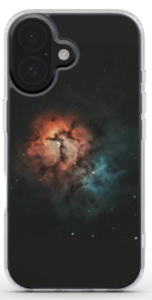
That’s why I started turning some of my favourite Astroimagery captures into phone cases. They’re not shouty or over‑branded – just subtle, high‑resolution slices of nebulae and galaxies you can literally carry around in your hand.
If you’d like a small, practical way to keep a bit of the night sky with you during the day, have a look here:
Browse the Astroimagery phone cases here: Astroimagery Shop