Get the Admin UI running in 2 minutes.
For a complete first successful call walkthrough (dialplan + transport selection + verification), see:
# Clone repository
git clone https://github.com/hkjarral/Asterisk-AI-Voice-Agent.git
cd Asterisk-AI-Voice-Agent

# Run preflight with auto-fix (creates .env, generates JWT_SECRET)
sudo ./preflight.sh --apply-fixes
Important: Preflight creates your
.envfile and generates a secureJWT_SECRET. Always run this first!
# Start the Admin UI container
docker compose up -d --build admin-ui
Open in your browser:
- Local:
http://localhost:3003 - Remote server:
http://<server-ip>:3003
Default Login: admin / admin
Follow the Setup Wizard to configure your providers and make a test call.
⚠️ Security: The Admin UI is accessible on the network. Change the default password immediately and restrict port 3003 via firewall, VPN, or reverse proxy for production use.
# Start ai-engine (required for health checks)
docker compose up -d --build ai-engine

# Check ai-engine health
curl http://localhost:15000/health
# Expected: {"status":"healthy"}

# View logs for any errors
docker compose logs ai-engine | tail -20
The wizard will generate the necessary dialplan configuration for your Asterisk server.
Transport selection is configuration-dependent (not strictly “pipelines vs full agents”). Use the validated matrix in:
For users who prefer the command line or need headless setup.
./install.sh
agent quickstart
# Configure environment
cp .env.example .env
# Edit .env with your API keys
# Start services
docker compose up -dAdd this to your FreePBX (extensions_custom.conf):
[from-ai-agent]
exten => s,1,NoOp(Asterisk AI Voice Agent v4.5.3)
 same => n,Stasis(asterisk-ai-voice-agent)
 same => n,Hangup()
Health check:
View logs:
docker compose logs -f ai-engineLatest Updates
- Full Call Logging: Every call saved with conversation history, timing, and outcome
- Per-Call Debugging: Review transcripts, tool executions, and errors from Admin UI
- Search & Filter: Find calls by caller, provider, context, or date range
- Export: Download call data as CSV or JSON
- Immediate Interruption: Agent audio stops instantly when caller speaks
- Provider-Owned Turn-Taking: Full agents (Google, Deepgram, OpenAI, ElevenLabs) handle VAD natively
- Platform Flush: Local playback clears immediately on interruption signal
- Transport Parity: Works with both ExternalMedia RTP and AudioSocket
- Faster Whisper: High-accuracy STT backend with GPU acceleration
- MeloTTS: New neural TTS option for local pipelines
- Model Hot-Swap: Switch models via Dashboard without container restart
- External Tools Framework: Connect AI agents to external services via Model Context Protocol
- Admin UI Config: Configure MCP servers from the web interface
- Remote Endpoint Pinning: Lock RTP streams to prevent audio hijacking
- Allowlist Support: Restrict allowed remote hosts for ExternalMedia
- Cross-Talk Prevention: SSRC-based routing ensures call isolation
local_hybridDefault: Privacy-focused pipeline is now the out-of-box default- Pipeline-Aware Readiness: Health probes correctly reflect pipeline component status
Previous Versions
- 🌍 Pre-flight Script: System compatibility checker with auto-fix mode.
- 🔧 Admin UI Fixes: Models page, providers page, dashboard improvements.
- 🛠️ Developer Experience: Code splitting, ESLint + Prettier.
- 🎤 New STT Backends: Kroko ASR, Sherpa-ONNX.
- 🔊 Kokoro TTS: High-quality neural TTS.
- 🔄 Model Management: Dynamic backend switching from Dashboard.
- 📚 Documentation: LOCAL_ONLY_SETUP.md guide.
- 🖥️ Admin UI v1.0: Modern web interface (http://localhost:3003).
- 🎙️ ElevenLabs Conversational AI: Premium voice quality provider.
- 🎵 Background Music: Ambient music during AI calls.
- 🔧 Complete Tool Support: Works across ALL pipeline types.
- 📚 Documentation Overhaul: Reorganized structure.
- 💬 Discord Community: Official server integration.
- 🤖 Google Live API: Gemini 2.0 Flash integration.
- 🚀 Interactive Setup:
agent quickstartwizard.
- 🔧 Tool Calling System: Transfer calls, send emails.
- 🩺 Agent CLI Tools:
doctor,troubleshoot,demo.
| Feature | Benefit |
|---|---|
| Asterisk-Native | Works directly with your existing Asterisk/FreePBX - no external telephony providers required. |
| Truly Open Source | MIT licensed with complete transparency and control. |
| Modular Architecture | Choose cloud, local, or hybrid - mix providers as needed. |
| Production-Ready | Battle-tested baselines with Call History-first debugging. |
| Cost-Effective | Local Hybrid costs ~$0.001-0.003/minute (LLM only). |
| Privacy-First | Keep audio local while using cloud intelligence. |
-
OpenAI Realtime (Recommended for Quick Start)
- Modern cloud AI with natural conversations (<2s response).
- Config:
config/ai-agent.golden-openai.yaml - Best for: Enterprise deployments, quick setup.
-
Deepgram Voice Agent (Enterprise Cloud)
- Advanced Think stage for complex reasoning (<3s response).
- Config:
config/ai-agent.golden-deepgram.yaml - Best for: Deepgram ecosystem, advanced features.
-
Google Live API (Multimodal AI)
- Gemini Live (Flash) with multimodal capabilities (<2s response).
- Config:
config/ai-agent.golden-google-live.yaml - Best for: Google ecosystem, advanced AI features.
-
ElevenLabs Agent (Premium Voice Quality)
- ElevenLabs Conversational AI with premium voices (<2s response).
- Config:
config/ai-agent.golden-elevenlabs.yaml - Best for: Voice quality priority, natural conversations.
-
Local Hybrid (Privacy-Focused)
- Local STT/TTS + Cloud LLM (OpenAI). Audio stays on-premises.
- Config:
config/ai-agent.golden-local-hybrid.yaml - Best for: Audio privacy, cost control, compliance.
Run your own local LLM using Ollama - perfect for privacy-focused deployments:
# In ai-agent.yaml
active_pipeline: local_ollama
Features:
- No API key required - fully self-hosted on your network
- Tool calling support with compatible models (Llama 3.2, Mistral, Qwen)
- Local Vosk STT + Your Ollama LLM + Local Piper TTS
- Complete privacy - all processing stays on-premises
Requirements:
- Mac Mini, gaming PC, or server with Ollama installed
- 8GB+ RAM (16GB+ recommended for larger models)
- See docs/OLLAMA_SETUP.md for setup guide
Recommended Models:
| Model | Size | Tool Calling |
|---|---|---|
llama3.2 |
2GB | ✅ Yes |
mistral |
4GB | ✅ Yes |
qwen2.5 |
4.7GB | ✅ Yes |
- Tool Calling System: AI-powered actions (transfers, emails) work with any provider.
- Agent CLI Tools:
doctor,troubleshoot,demo,initcommands. - Modular Pipeline System: Independent STT, LLM, and TTS provider selection.
- Dual Transport Support: AudioSocket and ExternalMedia RTP (see Transport Compatibility matrix).
- High-Performance Architecture: Separate
ai-engineandlocal-ai-servercontainers. - Observability: Built-in Call History for per-call debugging + optional
/metricsscraping. - State Management: SessionStore for centralized, typed call state.
- Barge-In Support: Interrupt handling with configurable gating.
Modern web interface for configuration and system management.
Quick Start:
docker compose up -d admin-ui
# Access at: http://localhost:3003
# Login: admin / admin (change immediately!)
Key Features:
- Setup Wizard: Visual provider configuration.
- Dashboard: Real-time system metrics and container status.
- Live Logs: WebSocket-based log streaming.
- YAML Editor: Monaco-based editor with validation.
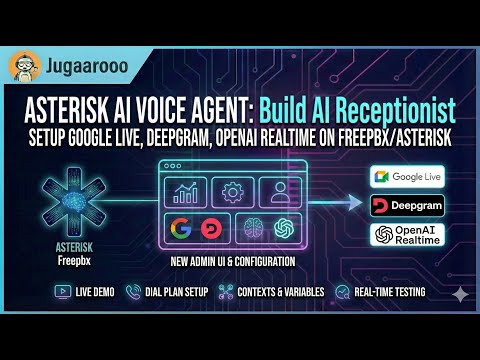
Experience our production-ready configurations with a single phone call:
Dial: (925) 736-6718
- Press 5 → Google Live API (Multimodal AI with Gemini 2.0)
- Press 6 → Deepgram Voice Agent (Enterprise cloud with Think stage)
- Press 7 → OpenAI Realtime API (Modern cloud AI, most natural)
- Press 8 → Local Hybrid Pipeline (Privacy-focused, audio stays local)
- Press 9 → ElevenLabs Agent (Santa voice with background music)
- Press 10 → Fully Local Pipeline (100% on-premises, CPU-based)
Your AI agent can perform real-world telephony actions through tool calling.
Caller: "Transfer me to the sales team"
Agent: "I'll connect you to our sales team right away."
[Transfer to sales queue with queue music]
Supported Destinations:
- Extensions: Direct SIP/PJSIP endpoint transfers.
- Queues: ACD queue transfers with position announcements.
- Ring Groups: Multiple agents ring simultaneously.
- Cancel Transfer: "Actually, cancel that" (during ring).
- Hangup Call: Ends call gracefully with farewell.
- Voicemail: Routes to voicemail box.
- Automatic Call Summaries: Admins receive full transcripts and metadata.
- Caller-Requested Transcripts: "Email me a transcript of this call."
| Tool | Description | Status |
|---|---|---|
transfer |
Transfer to extensions, queues, or ring groups | ✅ |
cancel_transfer |
Cancel in-progress transfer (during ring) | ✅ |
hangup_call |
End call gracefully with farewell message | ✅ |
leave_voicemail |
Route caller to voicemail extension | ✅ |
send_email_summary |
Auto-send call summaries to admins | ✅ |
request_transcript |
Caller-initiated email transcripts | ✅ |
Production-ready CLI for operations and setup.
Installation:
curl -sSL https://raw.githubusercontent.com/hkjarral/Asterisk-AI-Voice-Agent/main/scripts/install-cli.sh | bashCommands:
agent quickstart          # Interactive setup wizard
agent dialplan            # Generate dialplan snippets
agent config validate     # Validate configuration
agent doctor --fix        # System health check
agent troubleshoot        # Analyze specific call
agent demo                # Demo features
Example .env:
OPENAI_API_KEY=sk-your-key-here
DEEPGRAM_API_KEY=your-key-here
ASTERISK_ARI_USERNAME=asterisk
ASTERISK_ARI_PASSWORD=your-passwordThe engine exposes Prometheus-format metrics at http://<engine-host>:15000/metrics.
Per-call debugging is handled via Admin UI → Call History.
Two-container architecture for performance and scalability:
ai-engine(Lightweight orchestrator): Connects to Asterisk via ARI, manages call lifecycle.local-ai-server(Optional): Runs local STT/LLM/TTS models (Vosk, Sherpa, Kroko, Piper, Kokoro, llama.cpp).
graph LR
    A[Asterisk Server] <-->|ARI, RTP| B[ai-engine]
    B <-->|API| C[AI Provider]
    B <-->|WS| D[local-ai-server]

    style A fill:#f9f,stroke:#333,stroke-width:2px
    style B fill:#bbf,stroke:#333,stroke-width:2px
    style C fill:#bfb,stroke:#333,stroke-width:2px
    style D fill:#fbf,stroke:#333,stroke-width:2px
| Requirement | Details |
|---|---|
| Architecture | x86_64 (AMD64) only |
| OS | Linux with systemd |
| Supported Distros | Ubuntu 20.04+, Debian 11+, RHEL/Rocky/Alma 8+, Fedora 38+, Sangoma Linux |
Note: ARM64 (Apple Silicon, Raspberry Pi) is not currently supported. See Supported Platforms for the full compatibility matrix.
| Type | CPU | RAM | Disk |
|---|---|---|---|
| Cloud (OpenAI/Deepgram) | 2+ cores | 4GB | 1GB |
| Local Hybrid | 4+ cores | 8GB+ | 2GB |
- Docker + Docker Compose v2
- Asterisk 18+ with ARI enabled
- FreePBX (recommended) or vanilla Asterisk
The preflight.sh script handles initial setup:
- Seeds
.envfrom.env.examplewith your settings - Prompts for Asterisk config directory location
- Sets
ASTERISK_UID/ASTERISK_GIDto match host permissions (fixes media access issues) - Re-running preflight often resolves permission problems
Contributions are welcome! Please see our Contributing Guide.
This project is licensed under the MIT License. See the LICENSE file for details.
If you find this project useful, please give it a ⭐️ on GitHub!