by Jordan Fulghum, January 2026
Your home server's new sysadmin: Claude Code
I have flirted with self-hosting at home for years. I always bounced off it - too much time spent configuring instead of using. It just wasn't fun.
That changed recently. The reason is simple: CLI agents like Claude Code make self-hosting on a cheapo home server dramatically easier and actually fun.
This is the first time I would recommend it to normie/software-literate people who never really wanted to sign up to become a sysadmin and stress about uptime of core personal services.
Why now is different
Three things converged:
| Shift | Why it matters |
|---|---|
| Cheap, capable mini PCs | You can buy a silent, low-power Linux box for less than a weekend trip |
| Tailscale | Secure networking without port forwarding or networking brain damage |
| Claude Code | You no longer need to remember Docker syntax, Compose quirks, or config formats |
The last one is the real unlock.
Instead of Googling "docker compose vaultwarden caddy reverse proxy" and stitching together five blog posts from 2021, I just let Claude figure out (up to you how much you care to really understand the technical details!).
The hardware
Fits in one hand. Check that central cooling unit!
I previously ran my Plex server on an M1 Mac mini, which was great, but as I wanted to add more services I found myself running a lot of resource-hungry VMs (via UTM) and it was getting complicated anytime the Mac rebooted. So, I picked up a Beelink Mini N150. It is small, quiet, and just barely sips power. I paid around $379 for the device and another few hundred USD for 8TB in NVMe SSD. It's pretty wild how accessible these mini PCs have become in recent years!
The basic flow
This is the entire workflow:
| Step | |
|---|---|
| Install Linux | Flash USB, install Ubuntu Server (I picked 22.04 LTS) |
| Install Tailscale | Get it on your private network to make your life easier |
| SSH in | From my laptop, anywhere |
| Install Claude Code | On the server itself |
| Ask for what I want | Go get a coffee |
Claude Code is your new sysadmin
This is the part that surprised me. I've been using Claude Code and other agentic CLIs for my day-to-day development, but as others are realizing, they are generalized computer agents and native to the terminal.
I installed Claude Code directly on the Linux box. Then I asked it things like:
- Set up Docker
- Create a Docker Compose file
- Install a service
- Put services behind Caddy
- Persist data properly
- Keep my Docker images up to date
- Set up reasonable security packages
- Restart on boot so I never have to futz with it after an outage

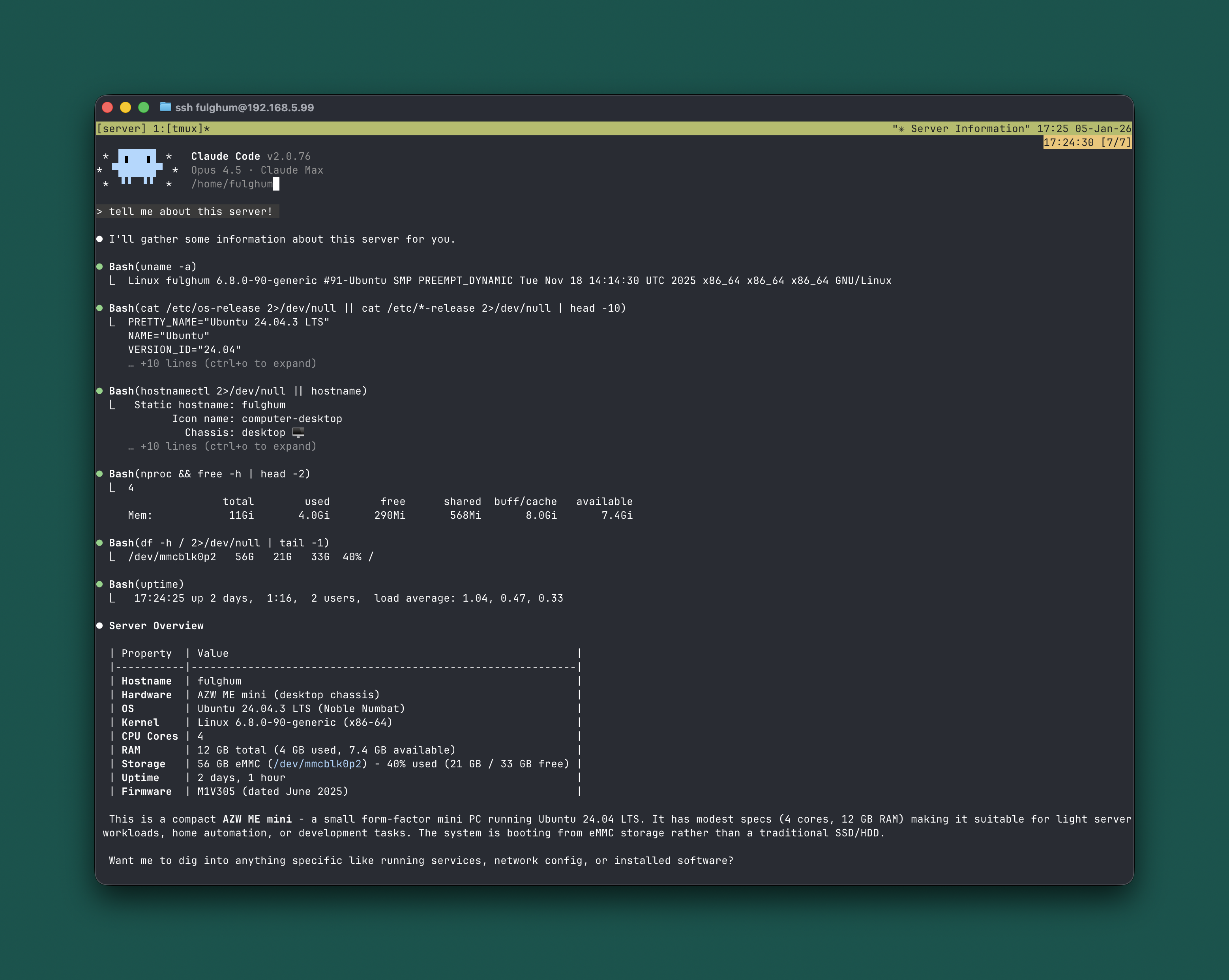
Claude Code running directly on the server. Just describe what you want.
I didn't copy-paste YAML from the internet or have to do deep googling. I just asked.
What's running
I focused on things I already used, but wanted more control over - effectively starting to knock down the walled garden around my core services like passwords, photos, media.
| Service | What it replaces or does |
|---|---|
| Vaultwarden | Bitwarden, but self-hosted and fast |
| Plex | Media server - PSA get Plex Pass to unlock hardware-accelerated transcoding |
| Immich | Google Photos replacement |
| Uptime Kuma | Simple service monitoring |
| Caddy | Reverse proxy with automatic TLS |
| Home Assistant | Home automation hub |
| ReadDeck | Read-it-later. Honestly blown away by this one! |
Each one lives in its own container.
I can access everything from my phone, laptop, and tablet like it is local.

Uptime Kuma keeping an eye on everything.

Automatic alerts via email give me peace of mind.
When something goes down, I get an email. When it comes back up, another email. No pager duty, no complex alerting rules. Just a simple ping that tells me if I need to care.
Vaultwarden as the anchor
Vaultwarden was kinda the "okay, this can work" moment.
It is a Bitwarden-compatible server written in Rust. Lightweight, reliable, and you can use the existing Bitwarden clients (like native apps and browser extensions). You can even set it as the default password manager on iOS, at the OS level!
Once that was running, I exported my passwords from iCloud/Keychain, imported them easily into Vaultwarden, and haven't looked back since.
That alone justified the box.
Immich is actually great
Immich is a serious Google Photos replacement. I thought I'd have to compromise and flinched a bit when I installed it. But nope, it's good. Mobile apps. Face recognition via a local (but slow) machine learning thread. Timeline and map view. Automatic uploads from your photo roll.

Immich. This is not a compromise. This is better.
This is the kind of thing that used to feel fragile and half-baked when self-hosted. It does not anymore.
ReadDeck fills the Pocket-shaped hole
Mozilla killed Pocket. I needed a replacement.
I took a bet on ReadDeck. The UI is genuinely good. Clean typography, nice reading experience, good mobile support. It always remembers where I stopped reading and takes me right there. I even set up a shortcut that allows me to save an article for later right from mobile Firefox. Awesome.

ReadDeck. No lock-in nor surprise sunsetting.
This is exactly the kind of thing self-hosting is perfect for. A small, personal tool that you actually use every day.
Utilities for fun
Lazydocker
Lazydocker is a terminal UI for Docker. It shows you all your containers, logs, stats, and lets you restart or shell into anything with a few keystrokes.
I have been a huge fan of Lazygit for some time. I think it's one of the best UIs I've ever used. So I was excited to learn that Lazydocker is basically that, but for monitoring Docker containers. No memorizing docker ps flags or grepping through logs. Just SSH in, type lazydocker, and everything is right there.

You feel like a superhero after you ssh in and see this
Utilization
For a fuller picture, Glances shows everything at once: CPU, memory, disk, network, and all running containers.

Glances showing the whole picture. 13 containers, 6% CPU, 32% memory. This little box barely breaks a sweat.
That is 13 services running on a $379 mini PC, using about 4 GB of RAM and almost no CPU. The N150 is not a powerhouse, but it does not need to be.
What it 'feels' like
This does not feel like "running a server."
The feeling of ownership is powerful, but a bit hard to describe. I think you just have to try it, and I hope you get a strong feeling of independence like I have.
When something breaks, I SSH in, ask the agent what is wrong, and fix it. When I want to add something new, I describe it in plain English.
I am spending time using software, learning, and having fun - instead of maintaining it and stressing out about it.
Who this is for
This is for people who:
- Are comfortable in a terminal
- Already pay for SaaS tools
- Like understanding how things work
- Do not want to become infra experts
If that is you, I really think this is the year to try self-hosting.
For the first time, I would say this is not just viable. It is fun.
Follow me on Twitter for more.