🎧 Now Playing: Menu (News Channel) via Nintendo Music App

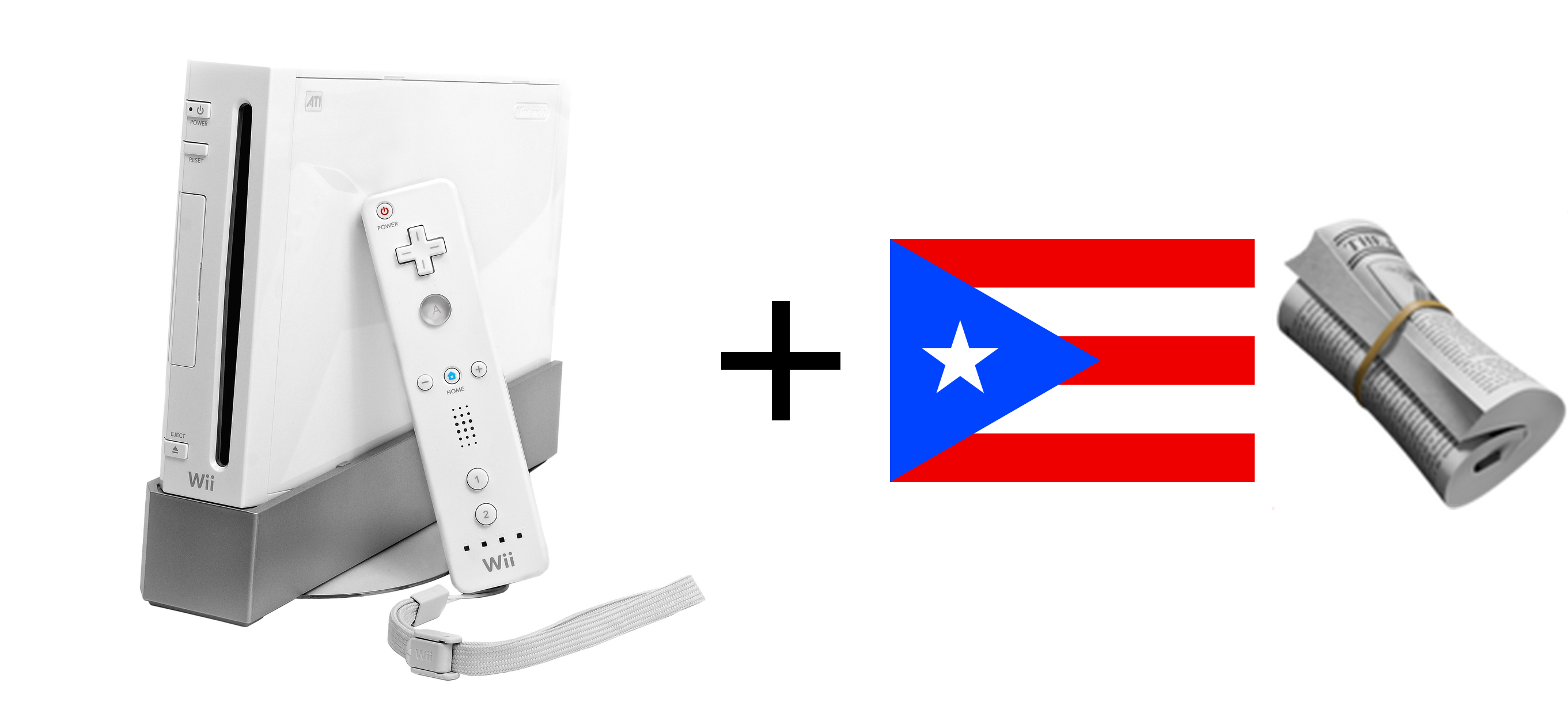
In keeping with my passion (?) for displaying local news articles in unexpected places, I figured it would be a fun project to try and see what it would take to display current local news on the Nintendo Wii console’s News Channel.
Here’s a sneak peek at the result:

In this post, I’d like to share my research and process for getting this all to work.
tl;dr - click to expand (spoilers)
-
Patched the News Channel’s hardcoded Nintendo URL to point to an S3 storage bucket using Go and
wadlibto extract the necessary binary file and edit it in-memory -
Modified WiiLink’s open-source news file generator to add “El Nuevo Día” as a news source
-
Set up AWS Lambda + EventBridge to regenerate the necessary news binary files hourly
-
Source code: WiiNewsPR and WiiNewsPR-Patcher
The Wii’s News Channel
The News Channel debuted in North America on January 26, 2007, a little over two months after the Wii’s launch. Since that date, it mostly came pre-installed with Wii consoles and was a novel way to read news from all over the world. Together with other “utility” channels like the Forecast Channel, it tried to position the Wii as more than just a gaming console.
Check out a video recording of the service from right before it was discontinued on June 27th, 2013:
How the News Channel fetches content
Before we can consider displaying custom news on it, we have to figure out how the News Channel actually fetches content. We know that it must have fetched news somehow since it displays a “Downloading…” splash screen on startup.

Luckily for us, the Wii natively supports proxying via its internet connection configuration settings! Meaning we can set up something like mitmproxy on a local machine and observe its HTTP behavior.

We can start mitmproxy’s web interface for a more screenshot-friendly UI:
mitmweb --listen-port 8080
If we run a man-in-the-middle proxy for the News Channel on an unmodified Wii, we will observe that, on channel startup, it attempts to obtain a news.bin.00 file from http://news.wapp.wii.com/v2/1/049/news.bin.00 via a plain HTTP request.

URL path explainer (we’ll see later how I found this out):
1corresponds to “English” as the configured console language. See conf.h indevkitPro(the Wii homebrew community’s de-facto development toolchain) for the possible values.
049is the Wii’s country code for “United States”. Check out the full list of Wii country codes on wiibrew.org.
Once it fails to fetch this file, the News Channel displays an error. What might these binary files be? In any case, seeing the Wii perform an HTTP request to fetch news data is a good sign for us. It means we might be able to serve our own data.

By the way, if you run an internet connection test after configuring the proxy settings correctly, you’ll spot the Wii performing an HTTP request to http://conntest.nintendowifi.net. Turns out, this page is actually still online (see for yourself!)

The Wii’s internet connection test still passes to this day without any modification required. Thanks, Nintendo!
Up to this point, this is how we would expect the Wii would behave if you were running a stock console. More than 12 years ago, Nintendo discontinued support for the online functionality of the News Channel.
But as expected for a beloved retro console, community efforts have sprung up to try and preserve the previously existing functionality and allow users to continue enjoying these systems well past their intended expiration date. These sorts of unofficial software for gaming consoles are commonly referred to as “homebrew”.
Importantly for this project, the WiiLink team maintains servers and develops software that allows us to experience the Wii’s online connectivity features even today.
By the way, if you’re curious about how to get started with Wii console homebrew, check out https://wii.hacks.guide.
Thanks to WiiLink, we can revive the News Channel and browse up-to-date news! Just not the local news, which is our real goal.

How WiiLink patches the News Channel
After going through the WiiLink install process, if we fire up mitmproxy and take a look at what the Wii is doing now, we’ll see that it’s actually requesting files from a different domain: “news.wiilink.ca”. But this time, it manages to fetch news.bin.00 and keeps requesting files all the way up to news.bin.23.
The News Channel just successfully fetched 24 hours worth of news from this server.

Great! Somehow, the WiiLink folks got this all to work. And, best of all, they’ve opened-sourced their work (GitHub). The plan is looking really feasible at this point!
At a high-level, there are two steps to tackle, then:
- We have to make the News Channel fetch files from a server we control
- We need to actually generate binary files with the content we want
Step 1: Patching the News Channel to redirect to our domain
If we follow along with WiiLink’s installation guide, the critical step seems to be installing a patched version of the News Channel. Looking at their GitHub org, we find a WiiLink24-Patcher project. Searching for the “News Channel” in the source code, we find this line in patch.cs which references a VCDIFF encoded News_1.delta patch.
Side note - it’s only while writing this blog post that I realized I had been looking at the “wrong” repo; WiiLink’s guide now recommends using the Python-based WiiLink-Patcher-GUI instead of the CLI patcher.
After downloading the .delta file locally, we can use the xdelta CLI to print out some information on what the patch is supposed to do:
xdelta3 printdelta News_1.delta

VCDIFF version:               0
VCDIFF header size:           29
VCDIFF header indicator:      VCD_APPHEADER
VCDIFF secondary compressor:  lzma
VCDIFF application header:    news.dol//0000000b.app/
XDELTA filename (output):     news.dol
XDELTA filename (source):     0000000b.app
...
Okay, so we’re looking for a 0000000b.app file and want to save the patched binary as news.dol. Based on the WiiLink install instructions, we know we should be dealing with a WAD file, so let’s keep digging to see if we can find out where 0000000b.app might be hiding.
Learn more about the WAD file format on wiibrew.org.
From the repo’s README.md, we know the patcher uses libWiiSharp for it’s WAD file management during the file patching processing (source). But at this point, I’d rather avoid using C# if I can. And besides, I know for a fact we’ll want to use Go in order to more easily leverage existing tooling from the WiiLink team.
Thankfully, there’s a really handy Go library called wadlib that comes to the rescue here. We’ll be using it for all our WAD management needs.
So, where is 0000000b.app? Looking at LibWiiSharp’s WAD.cs file, we can spot how it unpacks .app files from a WAD file. Namely, it defaults to using the numeric “Content ID” inside each “Content” metadata and then converts it to an 8-digit hexadecimal string (source).
You can read more about Title metadata (“TMD”) and Content metadata (“CMD”) on wiibrew.org
Armed with this knowledge, we can use wadlib to create a quick file extraction script and see if we can find our 0000000b.app. It can go something like this:
// ignore error handling for brevity
wad, _ := wadlib.LoadWADFromFile("news.wad")
titleMetadata := wad.TMD
contentMetadata := titleMetadata.Contents

outputDir := "extracted_wad/"
os.MkdirAll(outputDir, 0755)

for i := 0; i < len(wad.Data); i++ {
  data, _ := wad.GetContent(i)

  contentID := contentMetadata[i].ID

  // "%08x" means 0-padded 8 digit hex
  filename := filepath.Join(outputDir, fmt.Sprintf("%08x.app", contentID))
  _ = os.WriteFile(filename, data, 0644)

  log.Printf("Extracted: %08x.app (size: %d bytes)",
    contentID, len(data))
}
When news.wad is the official (v7) News Channel WAD file, this script successfully extracts 12 .app files.

There’s definitely a 0000000b.app there, but could it be the file we’re looking for?
What we really need to do at this point is go ahead and apply the News_1.delta patch to this 0000000b.app file manually. That way, we can compare the before/after binaries and see what changed. We can use xdelta again to actually apply the patch. Running xdelta3 --help says:
apply patch:
  xdelta3.exe -d -s old_file delta_file decoded_new_file
So we can go ahead and run:
xdelta3 -d -s extracted_wad/0000000b.app News_1.delta news.dol
And that… seemed to work? We have a news.dol file, as expected. Now what?
Investigating binary file changes
We could do a binary diff of these files and start going through each change, but we already know at least one thing that should have changed based on our previous mitmproxy experiments: instead of performing requests to “news.wapp.wii.com”, the patched WAD should instead use “news.wiilink.ca”.
Using a tool like Hex Fiend (which also has binary diffing capabilities in case we need them), we can try searching for text inside the binary. If we try searching for “news.wapp.wii.com” on the original 0000000b.app file, we can actually find a match!

Sure enough, if we inspect the patched news.dol file we will find no mention of the original URL. Instead, the “http://news.wiilink.ca” domain is visible at the same location (offset 0x1AC37C).

Note that the URL contains only two printf-style format strings (
%dand%03d); the News Channel itself must be appending the hourly suffix (like.00) when fetching data.
If we’re lucky, simply overwriting the binary file’s original URL with our own custom URL might do the trick. It’s worth a try!
In order to validate this hypothesis, I wrote a small Go utility for performing the necessary text replacement. Here’s an excerpt of the important bits:
// ignoring error handling for brevity
const OriginalURL = "http://news.wapp.wii.com/v2/%d/%03d/news.bin"
const NewURL = "http://wii.rauln.com/news/%d/%03d/news.bin"

wad, _ := wadlib.LoadWADFromFile(wadPath)

// Get decrypted content at index 1 (record with ID "0000000b")
content, _ := wad.GetContent(1)

// byte slice of 44 bytes
originalContent := []byte(OriginalURL)

// 43 bytes in our URL's case
newContent := []byte(NewURL)

// Pad the new URL to match original length (44 bytes)
paddedURL := make([]byte, len(originalContent))
copy(paddedURL, newContent)

// Find the offset (index) of the URL to patch inside the byte slice
offset := bytes.Index(content, originalContent)

// Patch the URL
copy(content[offset:offset+len(originalContent)], paddedURL)
_ = wad.UpdateContent(1, content)

// Save the updated WAD file
_ = os.WriteFile(outputPath, wadBytes, 0644)
Check out the full source on GitHub: WiiNewsPR-Patcher
If we run the utility like:
go build
wiinewspr-patcher news.wad patched_news.wad
It should perform the URL rewriting in memory and provide us with a valid WAD file (patched_news.wad) we can then go ahead and install on Wii hardware.
We can install the patched WAD on our Wii console using YAWM (ModMii Edition).

Finally, we can go back to running mitmproxy and opening the newly patched News Channel. Once the channel shows the “Downloading…” splash screen, we’ll spot requests going out to our expected domain.

It works! Now all we need is to… actually generate valid news files for the News Channel to work.
Step 2: Generating News Channel compatible news files
I mentioned previously that I knew using Go would come in handy later, and it’s specifically because the WiiLink team has a project called NewsChannel written in Go which contains the source code for generating the binary news files they serve from “news.wiilink.ca”.
I’m not going to go over all the implementation details here. I just want to highlight some of the main file creation steps in case you’d like to read more:
- obtain country-specific configuration (source)
- obtain articles and metadata from configured sources (like NHK, source)
- process all data in a specific order into a bytes buffer (source)
- compress the data using LZ10, sign it with RSA, then write to disk (source)
- the file name is written using a specific string interpolation (source, this is how I first found out about the language/country codes used in the News Channel data URL!)
Fun fact: LZ10 is apparently a Nintendo-specific variant of the LZ77 compression algorithm, used in some form or another on Game Boy Advance, Nintendo DS and Wii systems. wii-tools/lzx has the Go source for the LZ10 compression used here.
In any case, for our purposes, it’s doing more than we need in terms of source handling: it can generate news binaries from a variety of sources and supports different languages and regions.
For this project, I am making the following assumptions and tradeoffs:
-
I will be using “English” as the language and “US” as the country code for the source URL path since my Wii console is configured as such. There is no separate Puerto Rico country code option, which is curious considering that there is a separate option for the US Virgin Islands.
-
I am not interested in supporting any other news sources from around the world, so the “Globe” feature for the News Channel will not be useful.
-
I’m hardcoding the latitude and longitude of Puerto Rico’s capital into the binary file to avoid having to process or guess location data from each article entry.
Modifying WiiLink’s generator to support Puerto Rican news
I went ahead and forked the NewsChannel repo into WiiNewsPR, added flag support to control article caching and binary output paths (you’ll see why this was necessary soon), removed all the existing sources and added a new one: El Nuevo Día (“ENDI”).
I picked ENDI only because it’s the only local newspaper website I could find which still supports RSS. Unfortunately, the feeds only contain a snippet of the actual article. On the bright side, most articles do contain images and we can use separate feeds to help categorize articles in the News Channel (source).
By the way, I experimented with GoOse for (spanish language) article extraction on other news websites and the results were… unsatisfying, to say the least.
Final setup requirements for proper News Channel support
Two quick things we’ll need in order to get this all to work:
- We need to sign each binary news file with a custom RSA key for the Wii to process the file (source). We can use
opensslfor this (note the-traditionaloption):
openssl genrsa -traditional -out Private.pem 2048
- We need a (really) low quality logo for our source. ImageMagick easily solves for this:
magick logo.svg -quality 30 -resize 200x200 -strip logo.jpg
Then, we can use Go embeds to include the logo in the Go binary (source).
Finally, we can build the Go binary and run it in order to generate a news binary in ./v2/1/049:
This successfully generates a news.bin.NN file.
Now we just need 24 of these, since the News Channel will actually fail to load if not provided with all 24 files. We could run this script every hour for the next 24 hours… or, we could take the shortcut of copying the current hour’s file into all other hourly values.
Regardless, it’s about time to test out all this effort. With 24 files uploaded to our storage provider (AWS S3), and the patched News Channel configured to fetch these from our custom domain, we can start up the channel and observe the fruits of our labor.

After the (slow!) requests finish one by one, seeing the articles pop up was immensely satisfying. Being able to tinker with and learn more about these nostalgic consoles so many years later is a real joy for me.

Bonus step: Automating hourly news updates with AWS Lambda
Copying files into the S3 storage bucket is all well and good, but it would be great to have a continuously-updating, hands-off solution that generates the news binaries for us. A simple (and basically free) way to solve for this would be to bundle up the WiiNewsPR Go executable into an AWS Lambda function and have that run hourly via EventBride, and then uploading the generated news binaries over to our storage bucket.
Here is where the extra flags for WiiNewsPR come in: we need to be able to control file creation because /tmp is a Lambda’s only writeable file system.
Here is a snippet of the Lambda handler logic:
func Handler(ctx context.Context) error {
  cmd := exec.CommandContext(ctx, "./WiiNewsPR", "-o", "/tmp", "-c", "/tmp/cache")
  // ...

  _, err = uploader.Upload(ctx, &s3.PutObjectInput{
		Bucket:      aws.String(bucketName),
		Key:         aws.String(fmt.Sprintf("%snews.bin.%s", keyPrefix, hour)),
		Body:        file,
		ContentType: aws.String("application/octet-stream"),
	})
  // ...
}

func main() {
  lambda.Start(Handler)
}
See full Lambda handler source on GitHub: handler.go
We can then leverage the Serverless framework for a quick infra-as-code setup. Here is a snippet of the configuration:
service: wiinewspr-generator

provider:
  name: aws
  # ...
  environment:
    # ...
    TZ: America/Puerto_Rico # we need Lambda to generate files postfixed with the correct "currentHour"
    # ...
    events:
      - schedule:
          rate: cron(30 * * * ? *) # run every hour:30
          name: wiinewspr-every-30pasthour
          description: Generate Wii News PR binary file every hour at 30 minutes past
package:
  patterns:
    - bootstrap # compiled Lambda handler
    - WiiNewsPR # compiled binary news generator
    - ../Private.pem # we need to include the Private.pem file for file signing
See full
serverlessconfiguration on GitHub: serverless.yml
Some things to call out here:
- We want to make sure to run the Lambda in Puerto Rico’s timezone so that
time.Now()returns the expected hourly integer. - We want to give the Lambda a higher than expected
memorySizeso that its CPU scales accordingly; it turns out thatlz10compression is a big bottleneck on the smallest supported Lambda CPU and can easily time out at 30 seconds.
If we leave this setup running for 24 hours, our storage bucket will get populated with 24 files and continuously be updated with the latest news!

Now I can get up in the morning, grab a coffee, and browse the local news on my Nintendo Wii like it’s 2007.
Thanks for reading!
Credits
This experiment would have likely ended in disappointment if not for the amazing work by the Wii homebrew community, specifically: RiiConnect24 Team, WiiLink Team and wiibrew.org Contributors.