原文
The Starting Point
“Create a web-based game that leverages the accelerometer creatively.”
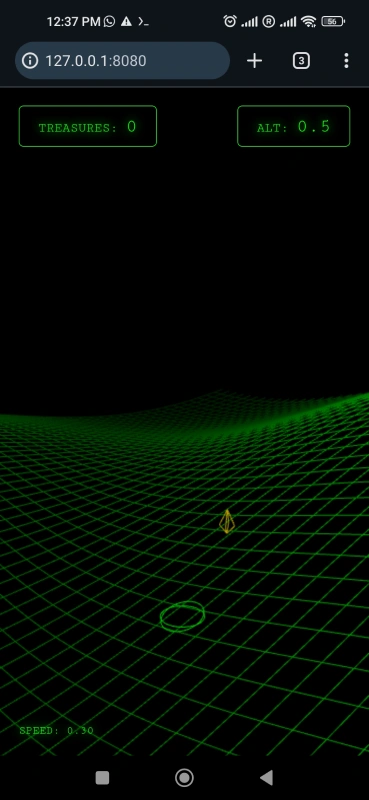
That was the entire spec. No wireframes, no design doc, no feature list. I typed this into Claude Code running on my Redmi Note 9 - a 4-year-old Android phone with 4GB RAM. Three hours later, I had Inertia - a WebGL marble game with procedural terrain and dynamic camera. The interesting part isn’t the game itself. It’s that I didn’t know I was building a marble game until iteration 4.
This Isn’t Vibe Coding
“Vibe coding” typically means: you know what you want to build, you just let AI handle the implementation details. You have a mental image of the end product - maybe a todo app, a chat interface, a dashboard - and you describe it loosely while the AI figures out the code.
What I’m describing is different. I’ll call it Vibe Discovery: you don’t know what you’re building. The requirements themselves are undefined. You’re not just discovering implementation - you’re discovering what the product should be.
The distinction matters:
| “Build me a todo app with drag-and-drop” | “Build me something fun with the accelerometer” |
| Requirements known, implementation fuzzy | Requirements unknown, discovered through building |
| AI translates intent to code | AI proposes, human reacts, product emerges |
| End state imagined upfront | End state discovered through iteration |
In Vibe Discovery, you’re not directing - you’re reacting. Each prototype teaches you what you actually want.
The Setup
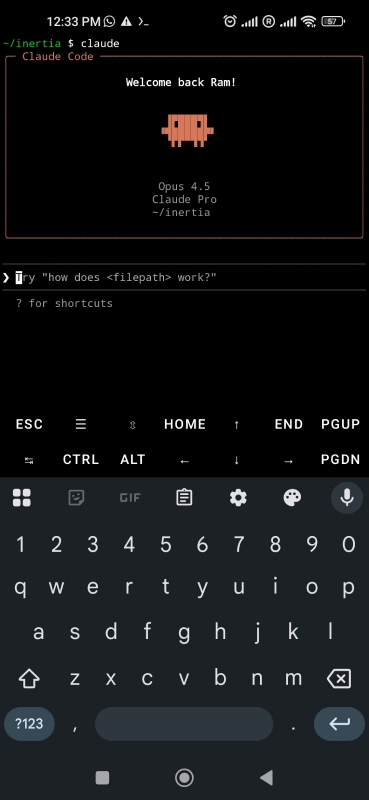
The whole thing ran on a Redmi Note 9 - a 5-year-old basic Android phone with 4GB RAM. Termux for the terminal, Claude Code for the AI, Node.js http-server for testing, GitHub for deployment. The entire feedback loop - build, test, react, iterate - happened in seconds on a single device. That speed is what makes Vibe Discovery work.
Why the Phone?
You might ask: “Why not just do this on a laptop?”
- Sensor Loop: I was building a game that relies on the accelerometer. Developing on a laptop would mean a painful “Code → Deploy → Pick up phone → Test” loop. Coding directly on the device meant the dev environment was the test environment.
- The “Lying Down” Factor: This is purely subjective, but my ideas flow differently when I’m lying down. It puts me in a “tinkering” mindset rather than a “working” mindset. A laptop forces you to sit up and be productive. A phone lets you relax and discover.
One caveat: Termux isn’t compatible with Android’s voice typing feature. If you want to use voice input, you need to voice-type into a notes app and paste into Termux. It’s an extra step, but workable. On the flip side, editing text in vim mode is surprisingly efficient on a phone keyboard - the modal editing paradigm actually works well with touch input.
Why Not Just Use v0, Lovable, or Cloud Agents?
You might ask: “Why hack around in a terminal on a tiny screen when tools like Lovable, v0, or Bolt.new exist?”
It comes down to one thing: Environment Ownership.
Web-based generators are incredible, but they are “Sandboxed Gardens.” They own the runtime. If you want to run a custom Python script to generate sound assets, use a specific linter, or pipe a log file into a debugger, you can’t. You are limited to the tools they built into their UI.
Cloud-based agents (like Jules or browser-based IDEs) often suffer from the “Git Anchor” problem. To maintain state between sessions, they usually require you to attach to a GitHub repository immediately. The “Vibe Discovery” phase is transient; I don’t want to create a repo on Github just to get started. Moreover, Jules and Claude Code Web are in the ‘research preview’ phase and they don’t always work as expected.
Termux + Agent is different:
- I own the runtime: I can open
neovimto tweak a config file manually while the AI is thinking. - Tooling Freedom: The AI isn’t stuck in a browser tab. It has access to the actual OS. If I want it to use
gh clito create a PR or run a local script, it just does it. - Local First: The state lives on my device, not in a temporary cloud container that might time out.
In short: Generators give you a fish. Local Agents give you a fishing rod, a boat, and the entire ocean.
Six Iterations, Six Discoveries
Here’s how requirements emerged from nothing:
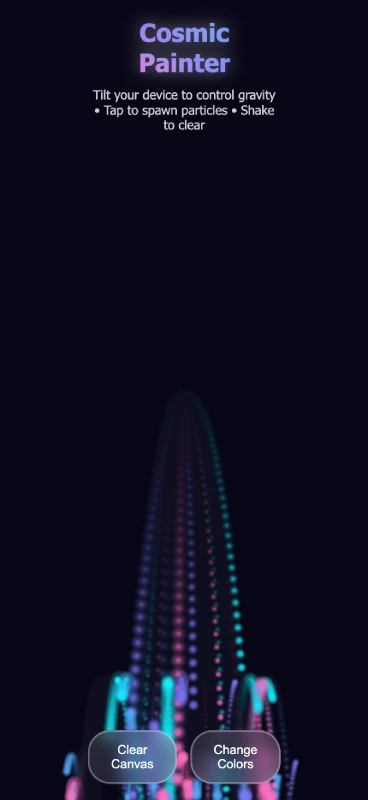
Iteration 1: “Accelerometer game, surprise me” → Claude builds particle art tool with tilt-controlled gravity → I try it: “Okay-ish. Not really a game though.” → Discovered: I want gameplay, not just visuals
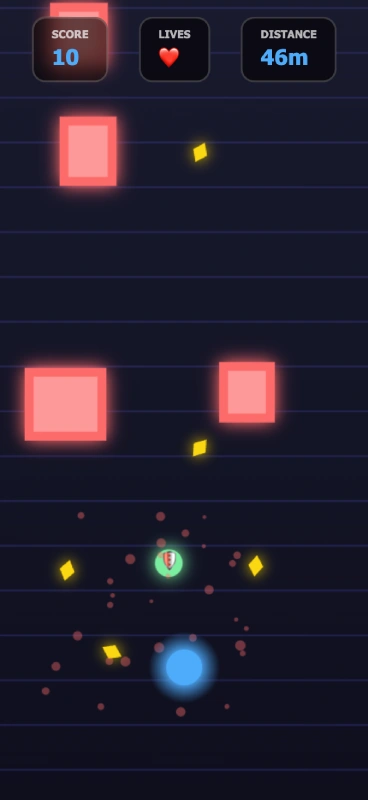
Iteration 2: “Something more fun” → Endless runner with tilt controls → “Better! But I want something more complex” → Discovered: I like objectives, want more depth
Iteration 3: “More complicated, different art style” → Isometric puzzle game with physics → “Love the physics, but the tilt controls are confusing” → Discovered: Good mechanics can’t overcome bad feedback
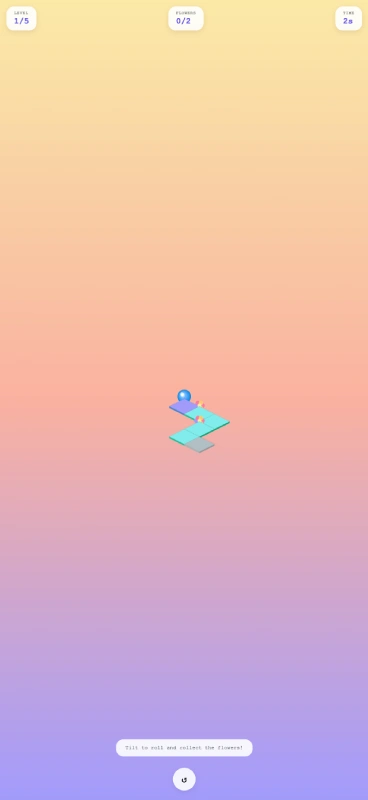
Iteration 4: “Keep the physics, make controls intuitive” → Sandbox with tilt indicator → “The indicator works but the perspective is wrong” → Discovered: I want a marble game with 3rd-person view
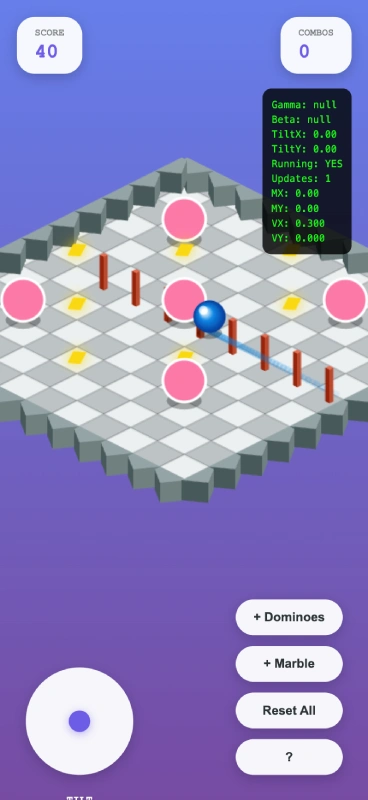
Iteration 5: “3rd-person marble game” → Marble game with calibration system → “Close! Controls are too sensitive, movement feels sticky” → Discovered: Fine-tuning matters more than features
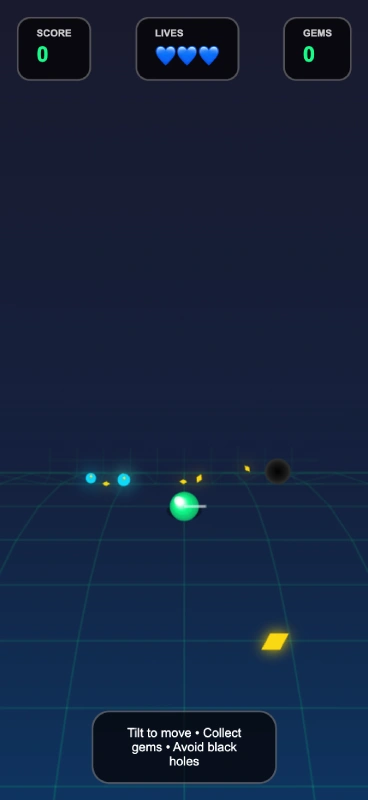
Iteration 6: “Make it beautiful, show acceleration visually” → Wireframe game with procedural terrain → “Terrain looks flat, camera should follow like driving” → Discovered: Need WebGL for proper 3D, dynamic camera sells the experience
Notice what happened: the final product (WebGL marble game with ring-sphere player and dynamic camera) wasn’t anywhere in my head at the start. Each feature emerged from reacting to the previous prototype. “The terrain looks flat” led to WebGL. “Can’t tell which way I’m accelerating” led to the ring-sphere design. “Camera feels static” led to the dynamic look-ahead system.
I didn’t design the product. I discovered it.
Why This Works
The feedback loop is fast enough that you can think by building:
- Describe what’s wrong (takes 5 seconds)
- Claude implements a fix (takes 30-60 seconds)
- Test it (takes 10 seconds)
- React to the result
- Repeat
Traditional development has too much friction for this. By the time you’ve written a spec, assigned the work, reviewed the PR, and deployed, you’ve forgotten what you were reacting to. Vibe Discovery keeps the reaction immediate.
It also works because AI can interpret vague feedback. “Make it more fun” isn’t actionable for a human developer without a long conversation about what “fun” means. But Claude can just try something - add obstacles, change mechanics, adjust physics - and I can react to the result. The conversation happens through prototypes, not words.
The Interesting Implication
Right now, Vibe Discovery needs a human in the loop. Someone has to play the game and say “this feels sticky” or “the camera is weird.” That’s the bottleneck.
But that feedback could come from other sources: - Automated testing (“users drop off after 30 seconds”) - Analytics (“no one uses feature X”) - Simulated users (“agent reports confusion at step 3”)
The pieces exist: AI that codes, systems that deploy, tools that measure. What’s missing is the orchestration layer that ties them together. Such an orchestrator would also ensure that the feedback loop isn’t tightly fit to one person’s taste.
What’s Next? Reality Check
Now that I’ve indulged my prophetic streak, it’s time for a reality check. Next, I’ll be putting Vibe Discovery to test along two different dimensions -
- Taking over “Inertia” and refining it by hand.
- Vibe discovering with a rather picky co-creator - my 6-year-old daughter - as we collaborate with AI for building a game called “Man and the Apple”.
These adventures will be the subject of subsequent blog posts. Stay tuned!
Technical Notes
The final game uses: - WebGL 1.0 with custom shaders - Device Orientation API with calibration - Procedural terrain from layered sine waves - Dynamic camera (height and distance scale with speed)
Deployment was gh repo create + GitHub Pages API. Under a minute from local to production.
The repository includes all six iterations as separate HTML files, so you can see the evolution.
Try It
Play: https://kikkupico.github.io/inertia/
(On a laptop, you can still play the game using the arrow keys. Of course, the controls will be much less intuitive than tilt controls on a phone.)
Code: https://github.com/kikkupico/inertia
Replicate:
# On any Android phone with Termux
pkg install nodejs git
npm install -g @anthropic-ai/claude-code
claude
# Start with a vague idea. See what emerges.