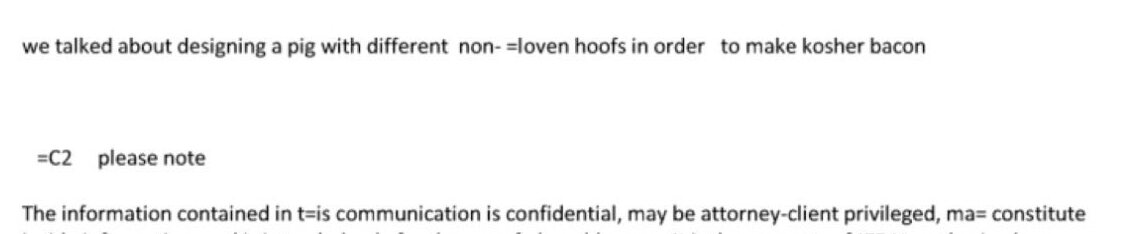
For some reason or other, people have been posting a lot of excerpts from old emails on Twitter over the last few days. The most vital question everybody’s asking themselves is: What’s up with all those equals signs?!
And that’s something I’m somewhat of an expert on. I mean, having written mail readers and stuff; not because I’ve been to Caribbean islands.
I’ve seen people confidently claim that it’s a code, or that it’s an artefact of scanning and then using OCR, but it’s neither — it’s just that whoever converted these emails to a readable format were morons.
What’s that you say? “Converted?! Surely emails are just text!!” Well, if you lived in the stone age (i.e., the 80s), they mostly were, but then people invented things like “long lines” and “rock döts”, and computers had to “encode” the mail before sending.
The artefact we see here is from something called “quoted printable”, or as we used to call it when it was introduced: “Quoted unreadable”.
To take the first line. Whoever wrote this, typed in the following in their mail reader:
we talked about designing a pig with different non- cloven hoofs in order to make kosher bacon
We see that that’s a quite a long line. Mail servers don’t like that, so mail software will break it into two lines, like so:
we talked about designing a pig with different non- =
cloven hoofs in order  to make kosher bacon
See? There’s that equals sign! Yes, the equals sign is used to say “this should really be one single line, but I’ve broken it in two so that the mail server doesn’t get mad at me”.
The formal definition here is important, though, so I have to be a bit technical here: To say “this is a continuation line”, you insert an equals sign, then a carriage return, and then a line feed.
Or,
=CRLF
Three characters in total, i.e., :
... non- =CRLF
cloven hoofs...
When displaying this, we remove all these three characters, and end up
with:
... non- cloven hoofs...
So what’s happened here? Well, whoever collected these emails first converted from CRLF (i.e., “Windows” line ending coding) to “NL” (i.e., “Unix” line ending coding). This is pretty normal if you want to deal with email. But you then have one byte fewer:
... non- =NL
cloven hoofs...
If your algorithm to decode this is, stupidly, “find equals signs at the end of the line, and then delete two characters, and then finally the equals sign”, you should end up with:
... non- loven hoofs...
I.e., you lose the “c”. That’s almost what happened here, but not quite: Why does the equals sign still remain?
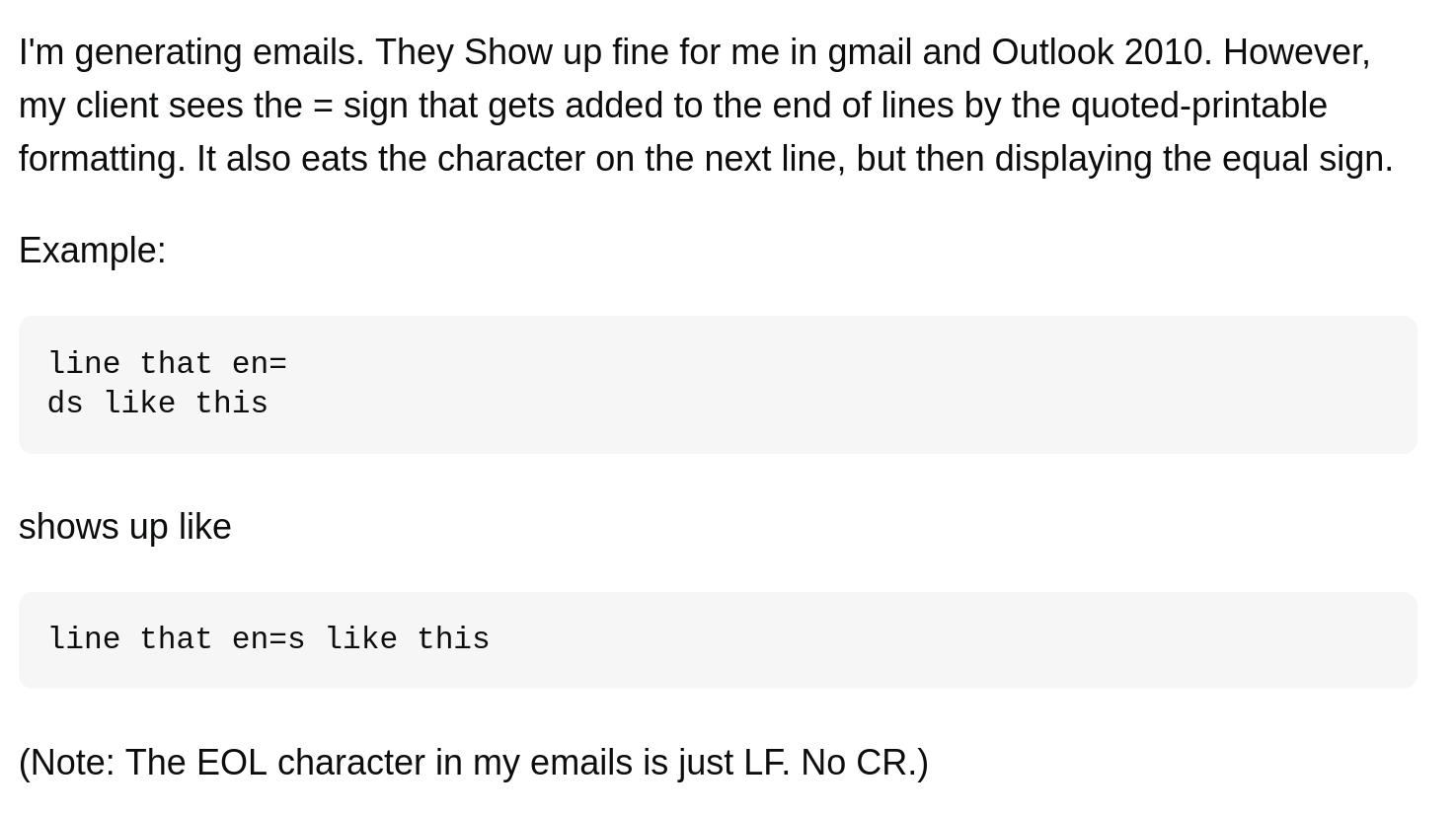
This StackOverflow post from 14 years ago explains the phenomenon, sort of:
Obviously the client notices that = is not followed by a proper CR LF sequence, so it assumes that it is not a soft line break, but a character encoded in two hex digits, therefore it reads the next two bytes. It should notice that the next two bytes are not valid hex digits, so its behavior is wrong too, but we have to admit that at that point it does not have a chance to display something useful. They opted for the garbage in, garbage out approach.
That is, equals signs are also used for something else besides wrapping long lines, and that’s what we see later in the post:
=C2 please note
If the equals sign is not at the end of a line, it’s used to encode “funny characters”, like what you use with “rock döts”. =C2 is 194, which is a first character in a UTF-8 sequence, and the following char is most likely a =A0: =C2=A0 is “non-breakable space”, which is something people often use to indent text (and the “please note” is indented) and you see =A0 in many other places in these emails.
My guess is that whoever did this part just did a search-replace for =C2 and/or =A0 instead of using a proper decoder, but other explanations are certainly possible. Any ideas?
Anyway, that’s what’s up with those equals signs: 1) “it’s technical”, and 2) “whoever processed these mails are incompetent”. I don’t think 2) should be very surprising at this point, do you?