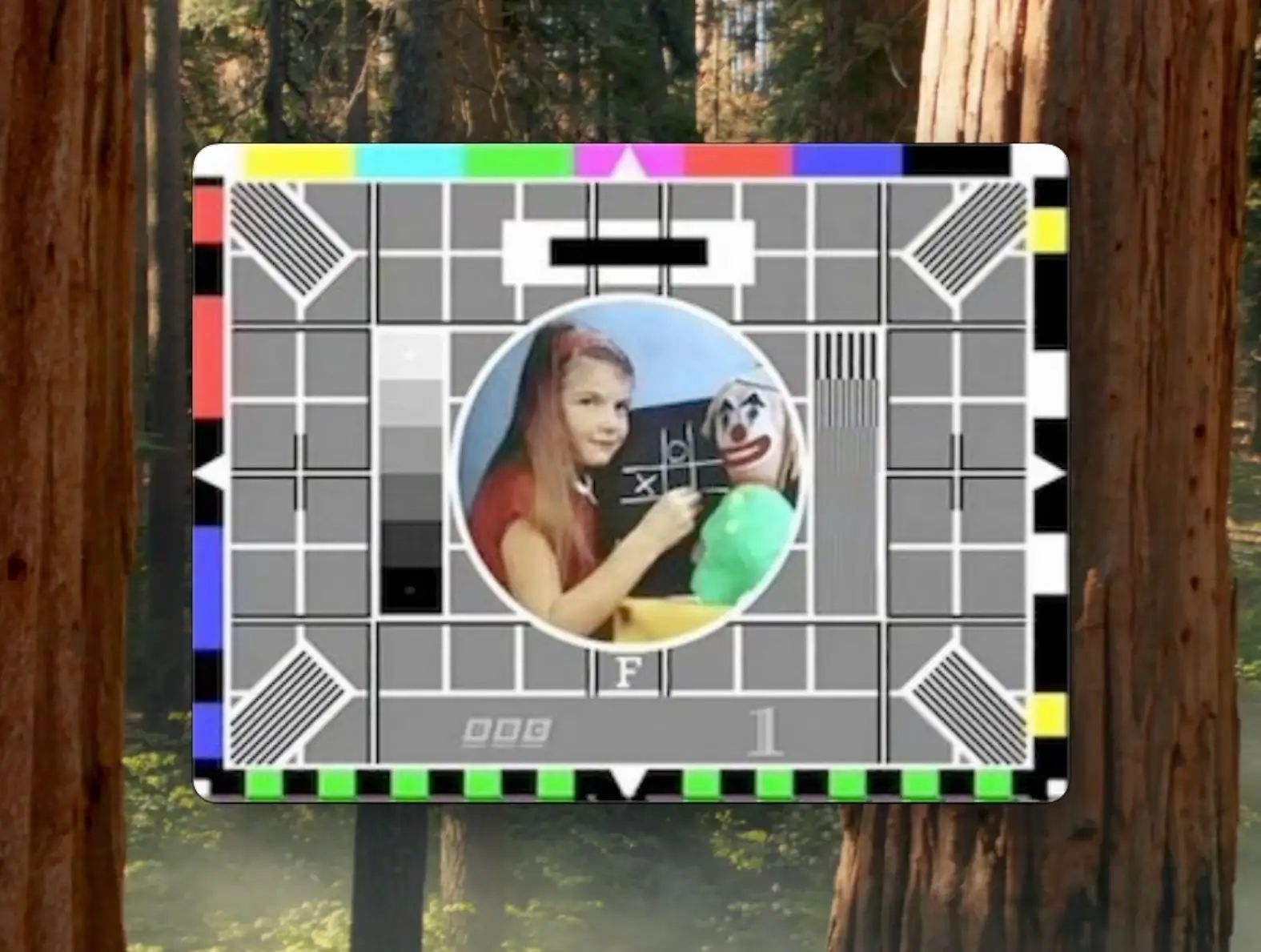
- The ESP32-S3 (and other Espressif modules - at time of writing: H4, P4, S3, S3) can act as a USB webcam using the standard UVC protocol
- There is no camera connected — all frames are generated in software
- We start with a static JPEG, move to animated GIFs, and finish with Pong running in real time
- Video is sent as MJPEG (a stream of JPEG images) over USB
- JPEG encoding on the ESP32-S3 is fast enough to make this practical
In this project, we turn an ESP32-S3 into something your computer happily believes is a USB webcam — even though there’s no camera connected at all.
For these set of projects, instead of streaming video from a sensor, the ESP32 generates frames in software, encodes them as JPEGs, and sends them over USB using the standard UVC (USB Video Class) protocol.
We build this up in three stages:
- A static test card (boring but does show it working)
- Animated GIF playback using MJPEG (kind of fun)
- A real-time game of Pong streamed as live video (forget TFT and OLED displays - just use your computer!)
You can find all the source code here.
At a high level, a USB webcam is just a device that:
- Enumerates as a USB UVC device
- Negotiates resolution and frame rate with the host
- Sends a video stream to the host
In our case:
- The ESP32-S3 provides native USB support
- Espressif’s USB UVC device component handles enumeration and protocol details
- We provide the video data — whether that’s a static JPEG, decoded GIF frames, or a game framebuffer
With Espressif’s usb_device_uvc component, we can do either MJPEG or H264. The underlying libary, TinyUSB, does have support for more formats.
MJPEG (Motion JPEG) is exactly what it sounds like: a sequence of individual JPEG images sent one after another. There’s no inter-frame compression — every frame stands alone.
The nice thing is, our computer doesn’t really care about the hardware - if it presents itself as a USB UVC device then our computer will see it as a web cam.
I did have some weird issues getting Isochronous mode working on the UVC component - I got very random frame stalls and glitches. This is likely to be somethign that I am doing in the code.
For all the demos I switched over to Bulk mode (this is set in menuconfig).
The simplest possible (albeit most boring) webcam is one that just shows a static image.
For the first demo, we embed a single JPEG — a classic BBC test card — directly into the firmware. Whenever the USB host requests a frame, we return the same JPEG data.
This proves:
- USB enumeration works
- The host accepts the device as a valid webcam
- MJPEG streaming is functional
Implementation Notes
We’re using the Espressif IDF for this project. This uses CMake and it’s pretty easy to embed binary data into our firmware.
idf_component_register(SRCS
                       "main.cpp"
                       "uvc_streamer.cpp"
                       PRIV_REQUIRES spi_flash
                       INCLUDE_DIRS ""
                       EMBED_FILES "test_card.jpeg")
And then you can reference it in code:
extern const unsigned char jpeg_start[] asm("_binary_test_card_jpeg_start");
extern const unsigned char jpeg_end[]   asm("_binary_test_card_jpeg_end");

const size_t jpeg_data_len = jpeg_end - jpeg_start;
const uint8_t *jpeg_data = jpeg_start;
Setting up the uvc component is as simple as providing it with a set of callbacks:
uvc_device_config_t config = {
    .uvc_buffer = uvc_buffer_,           // pointer to a buffer - this should be big enough for one of your JPEG frames
    .uvc_buffer_size = jpeg_data_len_,   // the length of the buffer
    .start_cb = camera_start_cb,         // called when things start up
    .fb_get_cb = camera_fb_get_cb,       // request for a new frame of data
    .fb_return_cb = camera_fb_return_cb, // the frame has been sent
    .stop_cb = camera_stop_cb,           // called when things stop
    .cb_ctx = nullptr,                   // passed into all the functions
};
The crucial callback to implements is camera_fb_get_cb. This returns a populated framebuffer that is sent over the wire to our PC.
uvc_fb_t *UvcStreamer::camera_fb_get_cb(void *cb_ctx) {
  uint64_t now_us = esp_timer_get_time();
  memset(&fb_, 0, sizeof(fb_));
  fb_.buf = const_cast<uint8_t *>(jpeg_data_);
  fb_.len = jpeg_data_len_;
  fb_.width = kFrameWidth;
  fb_.height = kFrameHeight;
  fb_.format = UVC_FORMAT_JPEG;
  fb_.timestamp.tv_sec = now_us / 1000000ULL;
  fb_.timestamp.tv_usec = now_us % 1000000ULL;

  return &fb_;
}
At this point, the webcam is extremely boring - it doesn’t actually move. But it does work!

A static image is fine, but webcams are meant to move.
For this demo:
- An animated GIF is embedded into the firmware
- Each GIF frame is decoded and then re-encoded as a JPEG at boot time
- The JPEG frames are sent over USB at the correct times
To get the gif down to a sensible size to fit in the flash I used ezgif to resize and optimize it to 320x240.
GIF Decoding
We use Larry Bank’s excellent AnimatedGIF library to extract frames and timing information .
Even though this is a highly optimised library, decoding gifs is surprisingly intensive - with our 320x240 images it takes on average just under 33ms per frame.
JPEG Encoding
Each decoded frame is then encoded as a JPEG. We use the Espressif esp_new_jpeg component for this. According to the docs this should be able to encode a 320x240 images at 40fps.
In my tests we got around 23ms per frame - which is pretty impressive and would be 45fps!

So, can we use our “webcam” for something more fun? How about as a real time display of a game?
For something real time and interactive like a game we need to be getting close to at least 30 FPS.
At 30 FPS we have a budget of 33ms per frame. Given our JPEG encoding takes around 23ms we only have 10ms per frame for everything else!
Game Loop Constraints
Each frame must:
- Update game logic
- Render the framebuffer
- Encode the frame as JPEG
- Send it over USB
Pseudo code for this is below:
// simplified main loop
while (true) {
    wait_for_host_frame_request();
    update_game();
    render_frame();
    jpeg_encode();
    send_jpeg();
}
With careful tuning, this just about works — and the result is a fully playable game of Pong streamed through a standard webcam interface. The key detail is that the host paces the loop: the ESP32 renders/encodes a new frame when the UVC stack asks for one.
In my initial tests I got just under 29FPS. After some recent optimisations (I got the JPEG encoding down to around 21ms) I hit a solid 30 fps! Not a bad result.

In a follow-up project, we’ll replace the generated frames with a real camera sensor - it should be pretty straightforward.