Terminals should generate the 256-color palette from the user's base16 theme.
If you've spent much time in the terminal, you've probably set a custom base16 theme. They work well. You define a handful of colors in one place and all your programs use them.
The drawback is that 16 colors is limiting. Complex and color-heavy programs struggle with such a small palette.
The mainstream solution is to use truecolor and gain access to 16 million colors. But there are drawbacks:
- Each truecolor program needs its own theme configuration.
- Changing your color scheme means editing multiple config files.
- Light/dark switching requires explicit support from program maintainers.
- Truecolor escape codes are longer and slower to parse.
- Fewer terminals support truecolor.
The 256-color palette sits in the middle with more range than base16 and less overhead than truecolor. But it has its own issues:
- The default theme clashes with most base16 themes.
- The default theme has poor readability and inconsistent contrast.
- Nobody wants to manually define 240 additional colors.
The solution is to generate the extended palette from your existing base16 colors. You keep the simplicity of theming in one place while gaining access to many more colors.
If terminals did this automatically then terminal program maintainers would consider the 256-color palette a viable choice, allowing them to use a more expressive color range without requiring added complexity or configuration files.
The 256-color palette has a specific layout. If you are already familiar with it, you can skip to the next section.
The first 16 colors form the base16 palette. It contains black, white, and all primary and secondary colors, each with normal and bright variants.
- black
- red
- green
- yellow
- blue
- magenta
- cyan
- white
- bright black
- bright red
- bright green
- bright yellow
- bright blue
- bright magenta
- bright cyan
- bright white
The next 216 colors form a 6x6x6 color cube. It works like 24-bit RGB but with 6 shades per channel instead of 256.
You can calculate a specific index using this formula, where R, G, and B range from 0 to 5:
16 + (36 * R) + (6 * G) + B
The final 24 colors form a grayscale ramp between black and white. Pure black and white themselves are excluded since they can be found in the color cube at (0, 0, 0) and (5, 5, 5).
You can calculate specific index using this formula, where S is the shade ranging from 0 to 23:
232 + S
The most obvious problem with the 256-color palette is the inconsistency with the user's base16 theme:
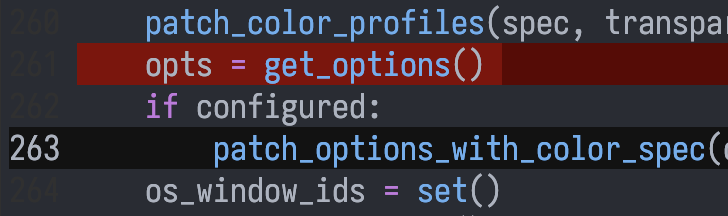
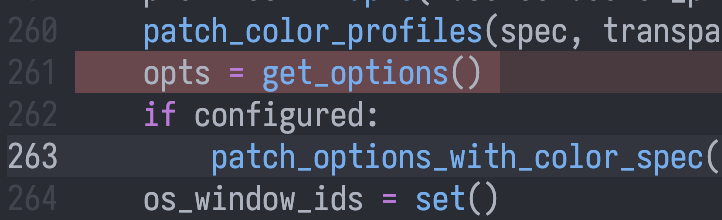
Using a custom 256-color palette gives a more pleasing result:
The default 216-color cube interpolates between black and each color incorrectly. It is shifted towards lighter shades (37% intensity for the first non-black shade as opposed to the expected 20%), causing readability issues when attempting to use dark shades as background:
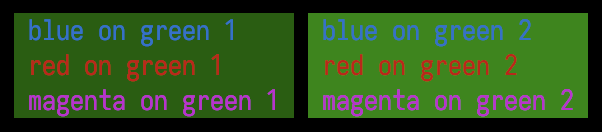
If the color cube is instead interpolated correctly, readability is preserved:

The default 256-color palette uses fully saturated colors, leading to inconsistent brightness against the black background. Notice that blue always appears darker than green, despite having the same shade:
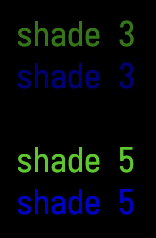
If a less saturated blue is used instead then the consistent brightness is preserved:
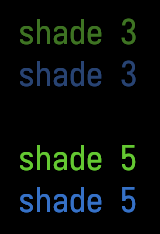
These problems can be solved by generating the 256-color palette from the user's base16 colors.
The base16 palette has 8 normal colors which map to the 8 corners of the 216-color cube. The terminal foreground and background should be used instead of the base16 black and white.
These colors can be used to construct the 216-color cube via trilinear interpolation, and the grayscale ramp with a simple background to foreground interpolation.
The LAB colorspace should be used to achieve consistent apparent brightness across hues of the same shade.
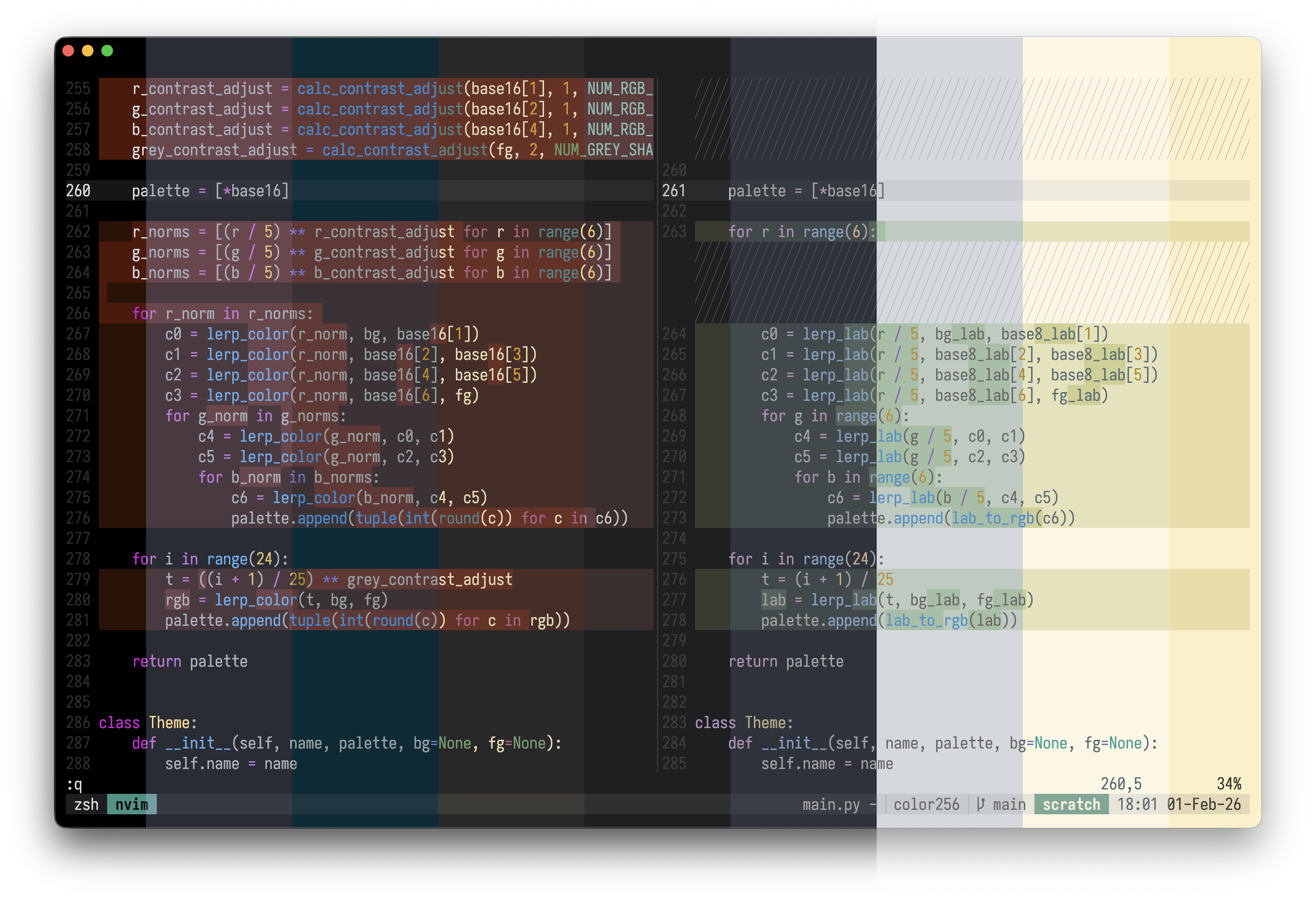
Solarized with RGB interpolation:

Solarized with LAB interpolation:

Combined image of many generated themes:
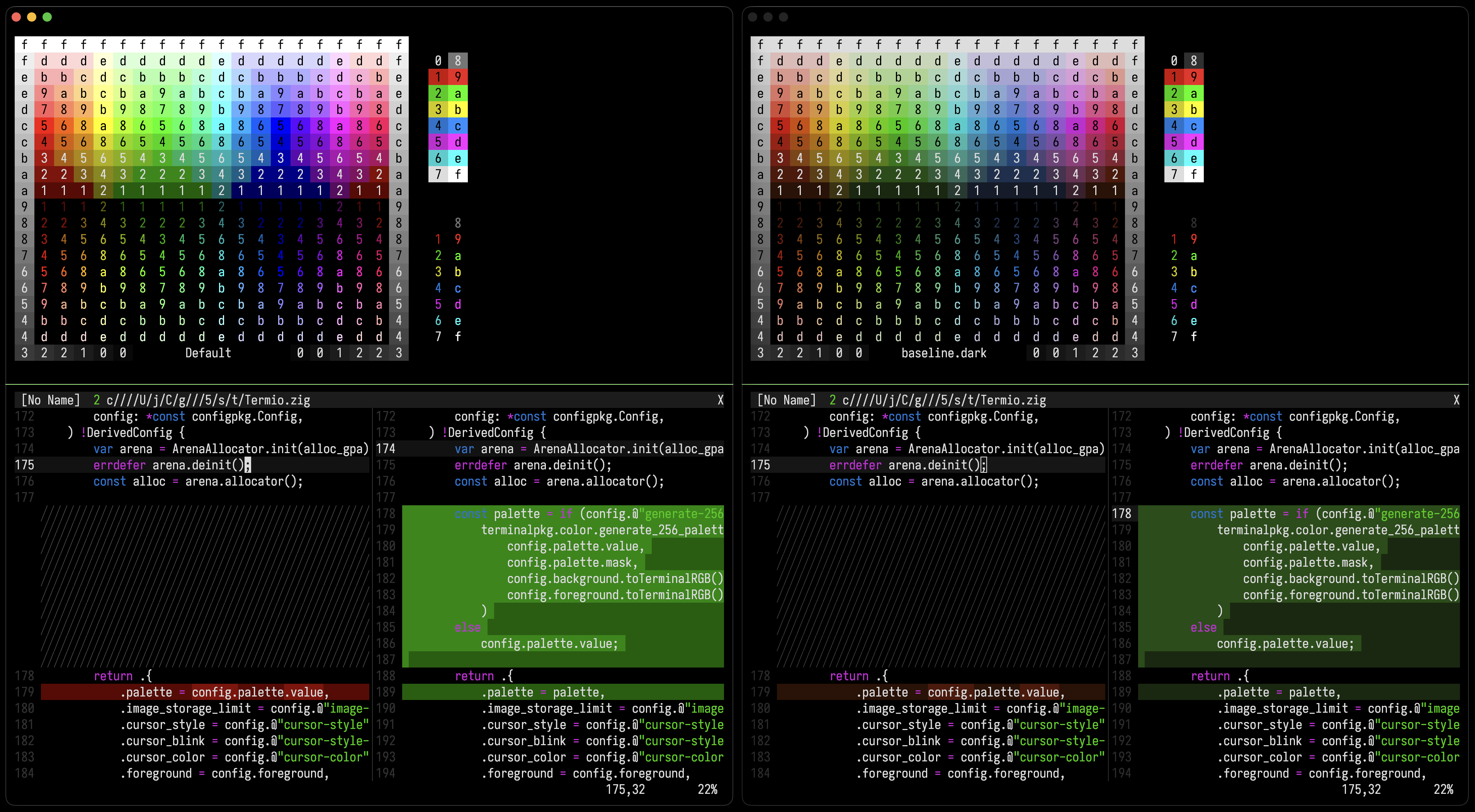
Before and after using 256 palette generation with default colors:
This code is public domain, intended to be modified and used anywhere without friction.
def lerp_lab(t, lab1, lab2):
    return (
        lab1[0] + t * (lab2[0] - lab1[0]),
        lab1[1] + t * (lab2[1] - lab1[1]),
        lab1[2] + t * (lab2[2] - lab1[2]),
    )

def generate_256_palette(base16, bg=None, fg=None):
    base8_lab = [rgb_to_lab(c) for c in base16[:8]]
    bg_lab = rgb_to_lab(bg) if bg else base8_lab[0]
    fg_lab = rgb_to_lab(fg) if fg else base8_lab[7]

    palette = [*base16]

    for r in range(6):
        c0 = lerp_lab(r / 5, bg_lab, base8_lab[1])
        c1 = lerp_lab(r / 5, base8_lab[2], base8_lab[3])
        c2 = lerp_lab(r / 5, base8_lab[4], base8_lab[5])
        c3 = lerp_lab(r / 5, base8_lab[6], fg_lab)
        for g in range(6):
            c4 = lerp_lab(g / 5, c0, c1)
            c5 = lerp_lab(g / 5, c2, c3)
            for b in range(6):
                c6 = lerp_lab(b / 5, c4, c5)
                palette.append(lab_to_rgb(c6))

    for i in range(24):
        t = (i + 1) / 25
        lab = lerp_lab(t, bg_lab, fg_lab)
        palette.append(lab_to_rgb(lab))

    return palette
The default 256-color palette has room for improvement. Considering its poor readability and its clash with the user's theme, program authors avoid it, opting for the less expressive base16 or more complex truecolor.
Terminals should generate the 256-color palette from the user's base16 theme. This would make the palette a viable option especially considering its advantages over truecolor:
- Access to a wide color palette without needing config files.
- Light/dark switching capability without developer effort.
- Broader terminal support without compatibility issues.