


finalrun.app • Blog • Cloud Device Waitlist • Join Slack Community


finalrun-agent is an AI-driven CLI for mobile app testing. You define repo-local tests in YAML, run them against Android or iOS targets, and inspect local run artifacts from the terminal.
Run the installer to set up everything — Node.js, the CLI, skills, and platform tools:
curl -fsSL https://raw.githubusercontent.com/final-run/finalrun-agent/main/scripts/install.sh | bashThe installer checks for Node.js (installs via nvm if missing), installs the finalrun CLI globally, adds FinalRun skills for Claude Code / Codex, and walks you through Android and iOS tool setup.
The package installs the finalrun command and also exposes finalrun-agent as an alias.
During global installation, FinalRun stages its native driver assets under
~/.finalrun/assets/<version>/. Run artifacts are stored separately under
~/.finalrun/workspaces/<workspace-hash>/artifacts. In your app repo, .finalrun/
holds YAML specs, environment binding files (.finalrun/env/*.yaml), and config.
Secret values and API keys belong in workspace-root .env files (see
Important: Environment variables and .env files), not in YAML.
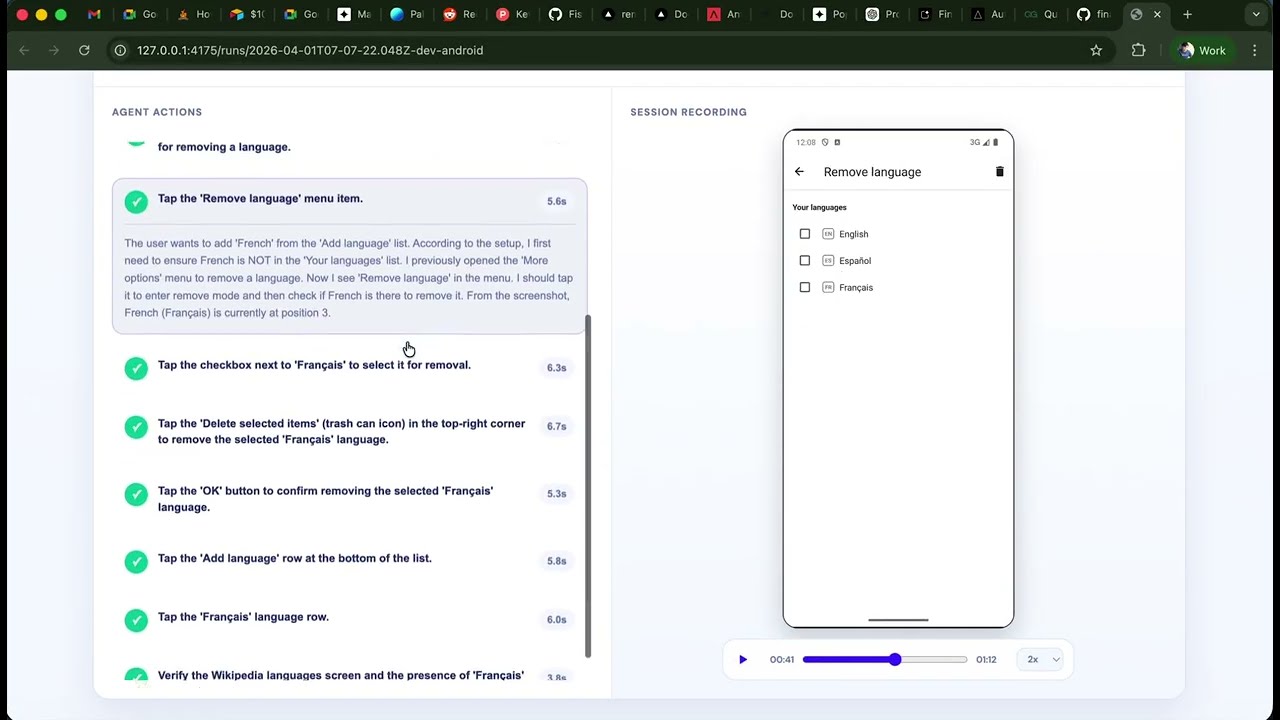
Watch the demo on YouTube: https://www.youtube.com/watch?v=q6CFoN-ohT4
- Run the install script (see above) to set up the CLI and platform tools.
- Create a
.finalrun/workspace in the mobile app repo you want to test. - Add at least one YAML spec under
.finalrun/tests/. - Configure the AI provider key you want to use.
- Validate the workspace with
finalrun check. - Run a test with
finalrun test.
Example workspace layout (workspace root is the directory that contains .finalrun/):
.env                 # optional; shared defaults (do not commit — see .gitignore below)
.env.dev             # optional; values when using env name "dev" (do not commit)
.finalrun/
  config.yaml
  tests/
    smoke.yaml
    auth/
      login.yaml
  suites/
    smoke.yaml
  env/
    dev.yaml
Minimal test spec:
name: login_smoke
description: Verify that a user can log in and reach the home screen.

steps:
  - Launch the app.
  - Enter ${secrets.email} on the login screen.
  - Enter ${secrets.password} on the password screen.
  - Verify the home screen is visible.
Optional environment file:
secrets:
  email: ${TEST_USER_EMAIL}
  password: ${TEST_USER_PASSWORD}

variables:
  locale: en-US
Optional workspace config:
env: dev
model: google/gemini-3-flash-preview
finalrun check reads env from .finalrun/config.yaml when --env is omitted. finalrun test reads both env and model from config when the corresponding CLI flags are omitted. Explicit CLI flags always win over config.
Validate the workspace:
Check local host readiness for Android or iOS runs:
Run a test:
finalrun test smoke.yaml --env dev --platform android --model google/gemini-3-flash-previewRun a suite manifest:
finalrun suite smoke.yaml --env dev --platform ios --model google/gemini-3-flash-previewInspect or serve reports from anywhere:
finalrun runs --workspace /path/to/mobile-app
finalrun start-server --workspace /path/to/mobile-app
finalrun server-status --workspace /path/to/mobile-app
finalrun stop-server --workspace /path/to/mobile-appImportant
Store real secrets and API keys only in workspace-root .env and .env.<name> files (the same folder that contains .finalrun/), not in .finalrun/env/*.yaml (that file only lists placeholder names like ${MY_VAR}). Add .env and .env.* to your .gitignore so those files are never committed.
- Workspace root is the folder that contains
.finalrun/. FinalRun finds it by walking up from your shell’s current directory, so dotenv paths are anchored to that root (not tocwdwhen you run from a subfolder). - Workspace root — dotenv (secrets and provider keys):
.env— optional; values merged for all runs (see load order below)..env.<name>— optional; used when that environment is active (e.g..env.devfordevfrom--env devorenv: devin.finalrun/config.yaml). The name matches.finalrun/env/<name>.yaml, not the filename alone.
.finalrun/env/<name>.yaml— bindings only: declaressecretsas placeholders like${TEST_USER_EMAIL}andvariablesas plain values. The CLI resolves eachsecretsplaceholder from the shell environment and from workspace-root.env/.env.<name>(see below). Do not put real secrets inside this YAML.
For a resolved environment name N, the CLI loads variables from .env.N, then fills missing keys from .env, then applies process.env (which wins if the same name is set in both a file and the environment).
That single workspace-root dotenv setup is used for:
- Resolving
${secrets.*}references defined in.finalrun/env/*.yaml. - Reading AI provider API keys (
OPENAI_API_KEY,GOOGLE_API_KEY,ANTHROPIC_API_KEY) forfinalrun testandfinalrun suite.
When no FinalRun environment is in use (env-free workspace), the CLI does not require a .env.N file for YAML bindings; you can still use process.env or .env for keys if applicable.
Do not commit .env files. Add the following to your app repository’s .gitignore (or equivalent):
That ignores .env, .env.dev, .env.staging, and similar. The finalrun-agent monorepo uses the same pattern in its root .gitignore.
FinalRun specs are plain YAML files stored under .finalrun/tests/.
name: stable identifier for the scenariodescription: short human-readable summarysteps: ordered natural-language steps executed by the agent
Environment placeholders are supported:
Suite manifests live under .finalrun/suites/ and list YAML files, directories, or globs that resolve under .finalrun/tests/.
name: auth_smoke
description: Covers the authentication smoke scenarios.
tests:
  - auth/login.yaml
  - auth/logout.yaml
In standard usage:
finalrun test auth/login.yamlresolvesauth/login.yamlfrom.finalrun/tests/finalrun suite auth_smoke.yamlresolvesauth_smoke.yamlfrom.finalrun/suites/
Explicit .finalrun/tests/... and .finalrun/suites/... paths still work for compatibility when you want them.
finalrun check
- Validates the
.finalrunworkspace, environment bindings, selectors, and suite manifests. - Uses
.finalrun/config.yamlenvas the default when--envis omitted.
finalrun test
- Executes one or more YAML specs from
.finalrun/tests. - Requires a model from
--model <provider/model>or.finalrun/config.yaml. - Supports
--env,--platform,--app,--suite, and--api-key, with CLI flags taking precedence over config.
finalrun suite
- Executes a suite manifest from
.finalrun/suites. - Requires a model from
--model <provider/model>or.finalrun/config.yaml. - Supports
--env,--platform,--app, and--api-key, with CLI flags taking precedence over config.
finalrun test --suite <path> remains supported as a compatibility path, but finalrun suite <path> is the preferred standard.
finalrun doctor
- Checks host readiness for local Android and iOS runs.
finalrun runs
- Lists local reports from the workspace-scoped artifact store at
~/.finalrun/workspaces/<workspace-hash>/artifacts. - Supports
--workspace <path>so you can inspect a workspace from anywhere.
finalrun start-server
- Starts or reuses the local report UI for a workspace.
- Supports
--workspace <path>,--port <n>, and--dev.
finalrun server-status
- Shows the current local report server status for a workspace.
- Supports
--workspace <path>.
finalrun stop-server
- Stops the current local report server for a workspace.
- Supports
--workspace <path>.
finalrun report serve
- Removed as a breaking CLI change. Use
finalrun start-serverinstead.
See command help for full options:
finalrun --help
finalrun test --help
finalrun suite --help
Tip: The install script (
curl -fsSL .../install.sh | bash) handles most of these automatically. The details below are for reference.
Using FinalRun has two layers of setup:
finalrun checkrequires the CLI, a.finalrun/workspace, and any needed config or secrets.- Local
finalrun testandfinalrun suiteruns additionally require host tooling for the target platform. finalrun doctoris the source of truth for local host readiness.
- Node.js
>=20 npm- Install the published CLI:
npm install -g @finalrun/finalrun-agent - Run from a repository that contains
.finalrun/ - At minimum,
.finalrun/tests/must exist - For
finalrun testandfinalrun suite: a configured model from--model <provider/model>or.finalrun/config.yaml - For
finalrun testandfinalrun suite: the matching provider API key inprocess.env,.env, or.env.<name>
finalrun check does not require Android or iOS host tools.
adbavailable throughANDROID_HOME,ANDROID_SDK_ROOT, orPATHemulatoronPATH; the current Android preflight requires it to discover and boot Android Virtual DevicesscrcpyonPATH; FinalRun uses it for Android screen recording during local runs and treats it as required- Bundled FinalRun Android driver assets present; the published CLI installs them automatically
- macOS
- Xcode command line tools with
xcrun xcrun simctlunzip/bin/bashplutil- Bundled FinalRun iOS driver archives present; the published CLI installs them automatically
ffmpegcompresses iOS recordings after captureapplesimutilsenables simulator permission helperslsof,ps, andkillhelp with stale iOS driver cleanup
Verify local host readiness with:
finalrun doctor
finalrun doctor --platform android
finalrun doctor --platform ios
If you're developing from this repo instead of using the published package, build the native driver artifacts with:
FinalRun requires a provider/model value from --model <provider/model> or .finalrun/config.yaml. It currently supports exactly openai, google, and anthropic, and resolves API keys in this order:
openai/...:OPENAI_API_KEYgoogle/...:GOOGLE_API_KEYanthropic/...:ANTHROPIC_API_KEY
Keys are read from process.env and from workspace-root .env / .env.<name> (same rules as in Important: Environment variables and .env files). You can still pass --api-key to override.
Examples:
finalrun test smoke.yaml --platform android --model google/gemini-3-flash-preview
finalrun suite smoke.yaml --platform ios --model anthropic/claude-sonnet-4-6
Contributor setup, monorepo structure, build commands, and testing expectations live in CONTRIBUTING.md.
For source development in this monorepo, install workspace dependencies first:
If you use git worktrees, do this once per fresh worktree before running npm run build, npm run test, npm run dev:cli, or any local finalrun-dev wrapper that executes the TypeScript sources directly.
Project policies: