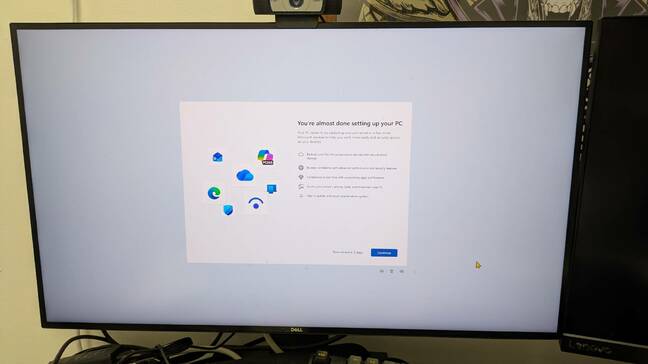
opinion You’ve had your laptop for months, and you’ve always made sure it installed Microsoft updates. Then one day you boot up, and Windows 11 greets you with a confusing message: “You’re almost done setting up your PC.”
Almost done? What could that possibly mean? You set up your computer on Windows 11 a long time ago, but here it is telling you that your installation never actually finished. What other completed task will you next learn you haven’t actually finished? Did you perhaps forget to sign your marriage license five years ago, initial the deed to your home of 10 years, or miss a critical turn in the driving test you took back in 2003? Are you sure you’re named as the parent on your child’s birth certificate?
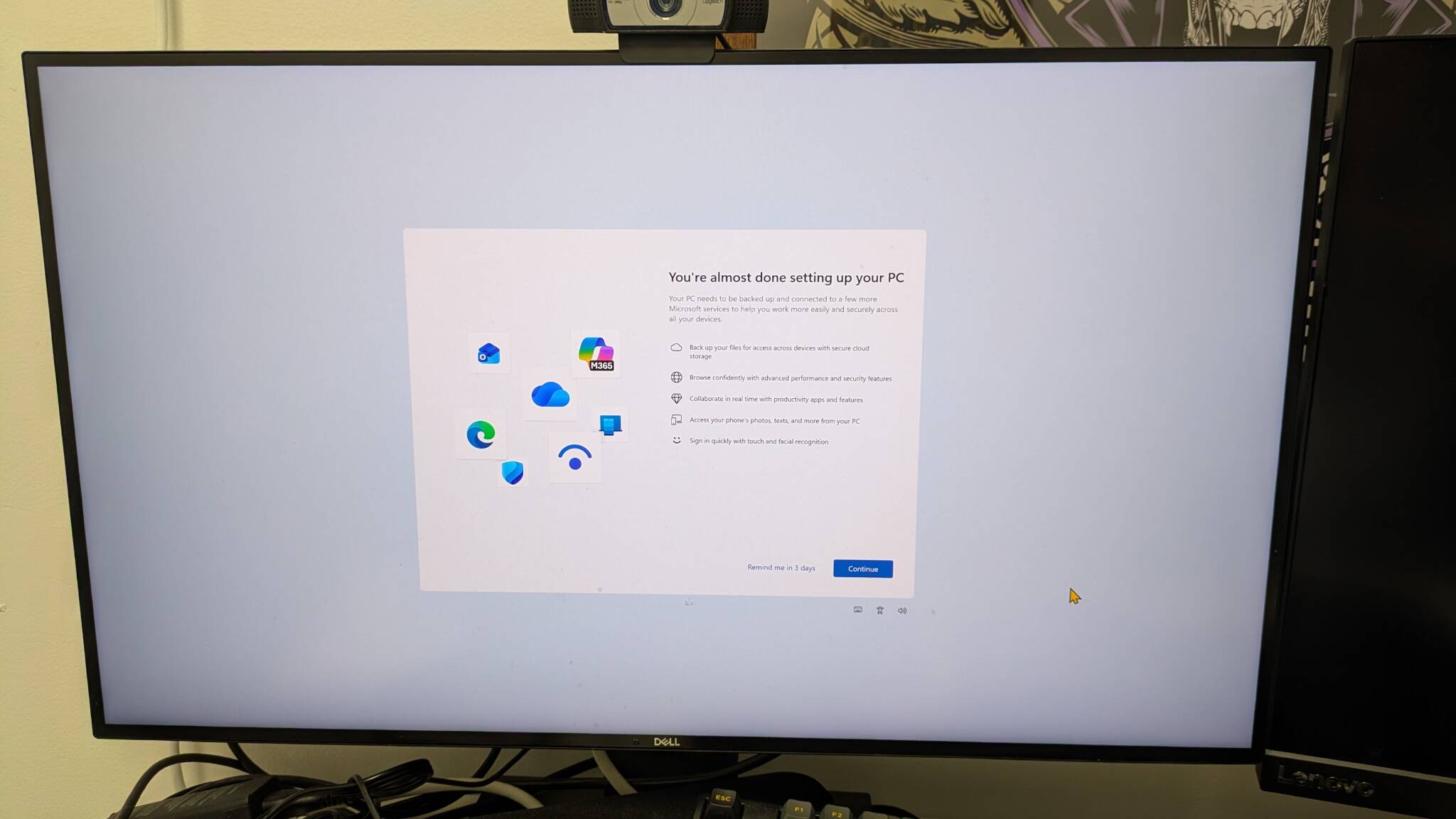
You're almost done setting up your PC screen - Click to enlarge
So you click the Continue button that appears at the bottom of the dialog box and Windows asks you if you’d like to use Microsoft’s recommended browser settings. You’re not sure what the settings are, but you hit the Use recommended settings button, because it all sounds above board and there’s no “Don’t use recommended settings” button (there’s a toggle in another part of the screen but that’s confusing). It's not clear what effect this has - in our recent test, it did not change the default browser from Google Chrome to Microsoft Edge, but your mileage may vary.
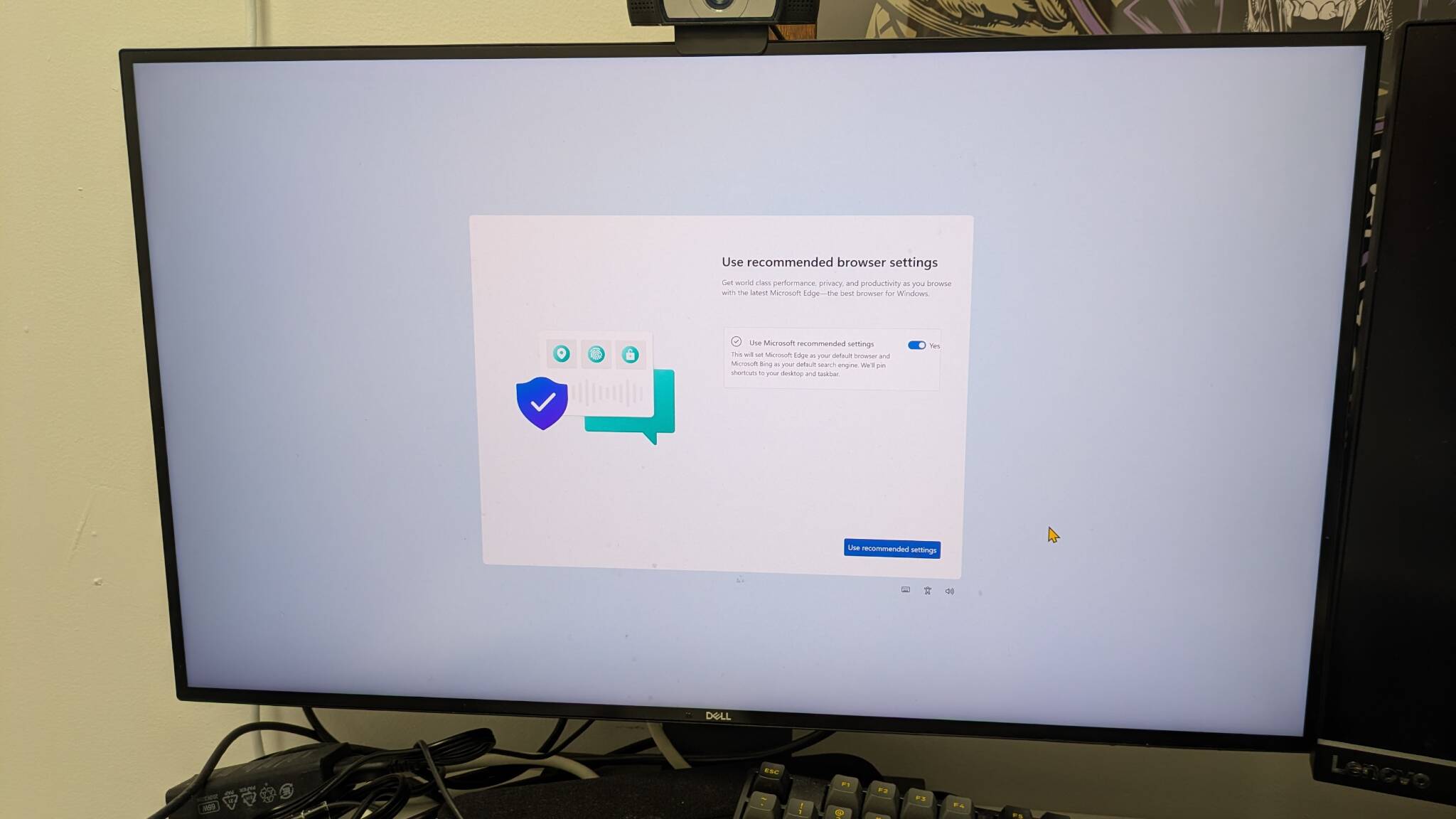
Screen asks you to use recommended browser settings - Click to enlarge
Next, you’re presented with a screen that encourages you to link your phone with your PC so you can get SMS messages on your desktop. This seems innocent enough, but you see and hit the Skip link (as opposed to the Next button which is yes) because you don’t want to do this right now.
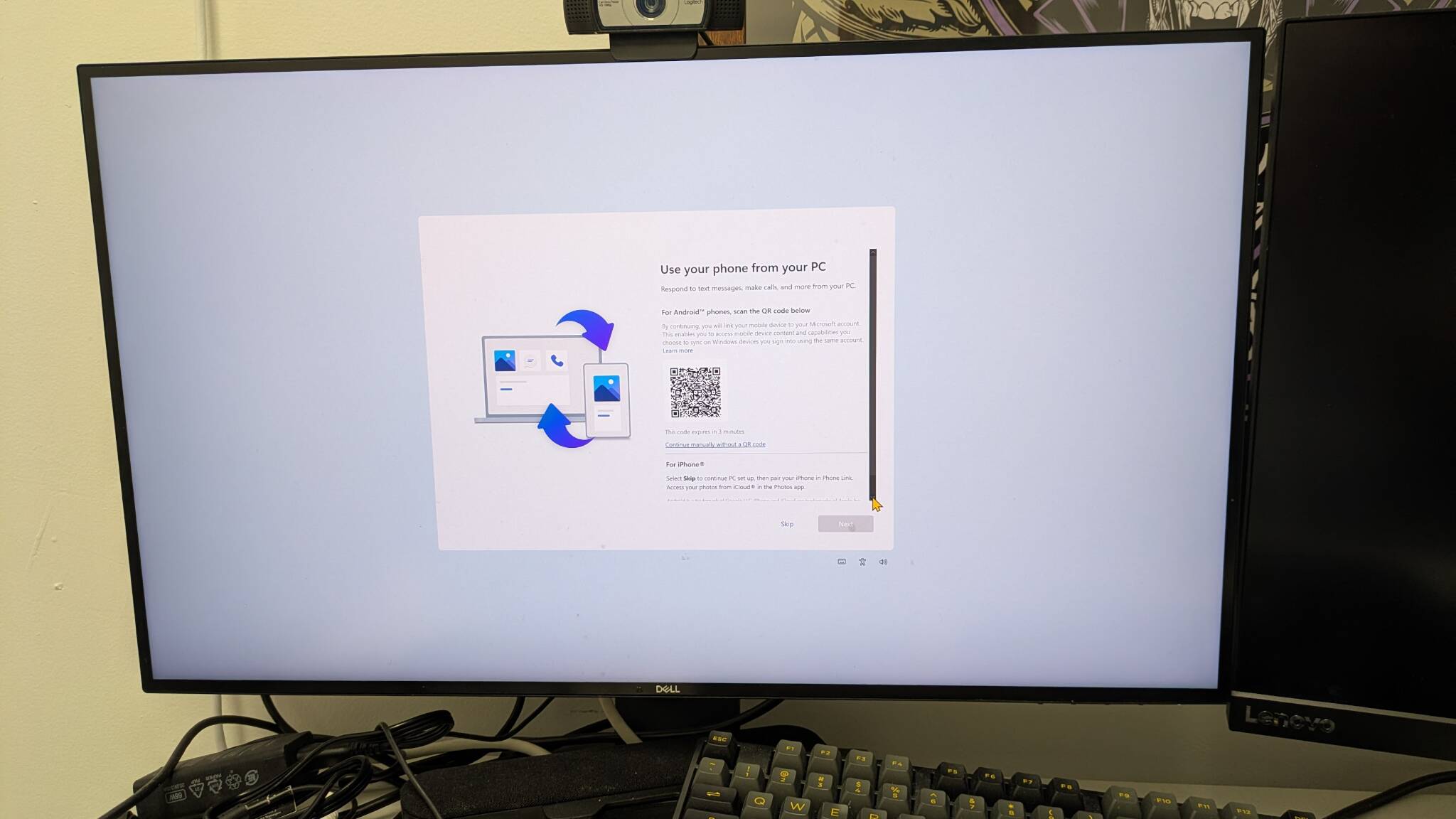
Screen asks you to set up phone connection to your PC - Click to enlarge
You’re then hit with another screen that reminds you that you have Office installed and makes you click another button that says “Got it.” Now, you start to wonder if Microsoft is in league with the American Academy of Orthopaedic Surgeons and is just trying to make you click until you get carpal tunnel syndrome. But if you didn’t have MS Office, this might be the place where Microsoft tries to sell you a subscription.
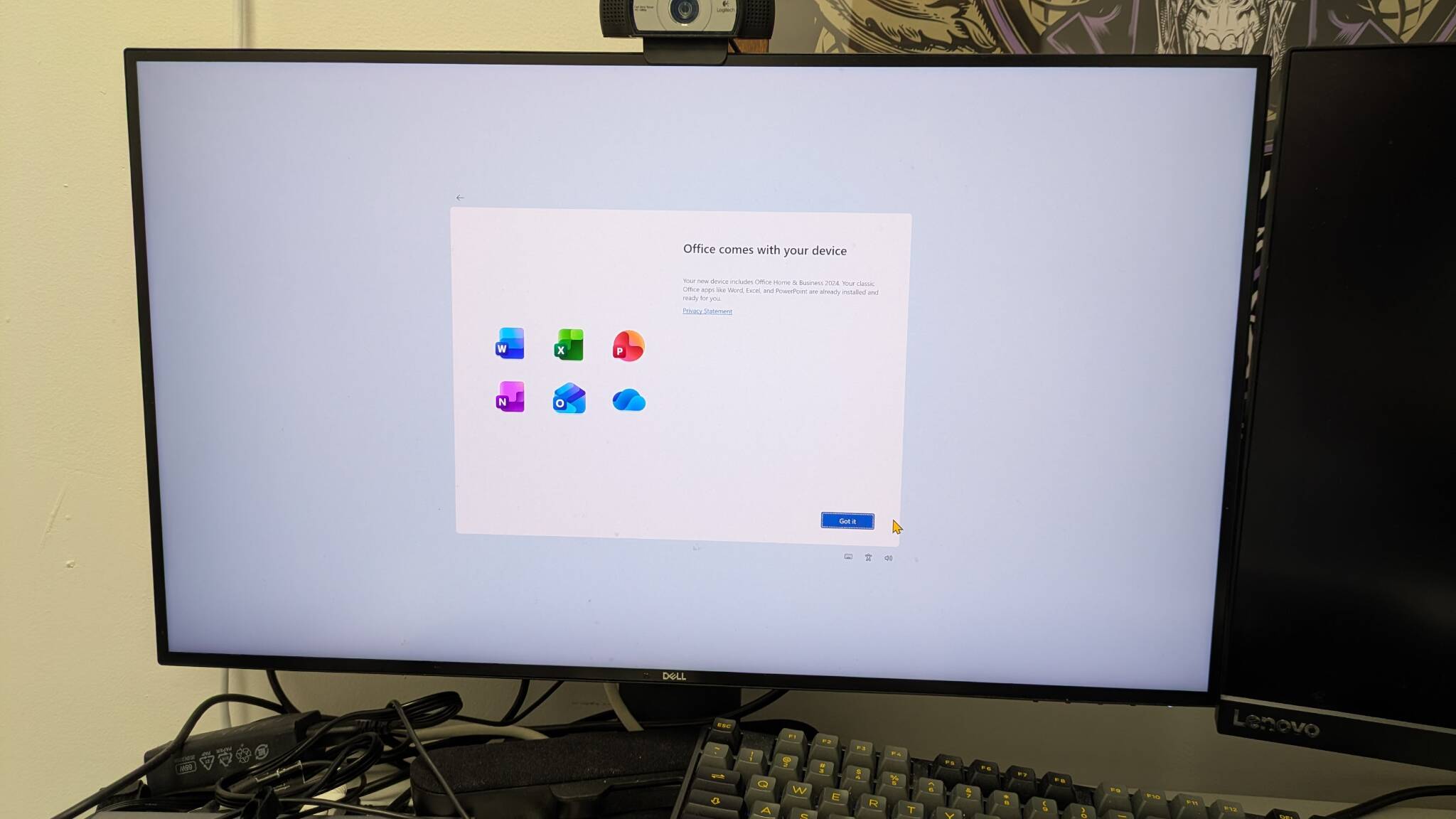
This screen would try to sell you Office 365 if you didn't already have it installed - Click to enlarge
Finally, the next screen shows you exactly why Microsoft is making you go through this entire setup process. It’s an advertisement for Xbox Game Pass Premium, which now costs $14.99 a month (if you’re in the US). “But I chose not to sign up for Xbox Game Pass a long time ago,” you think. “Also, this is my corporate PC.”
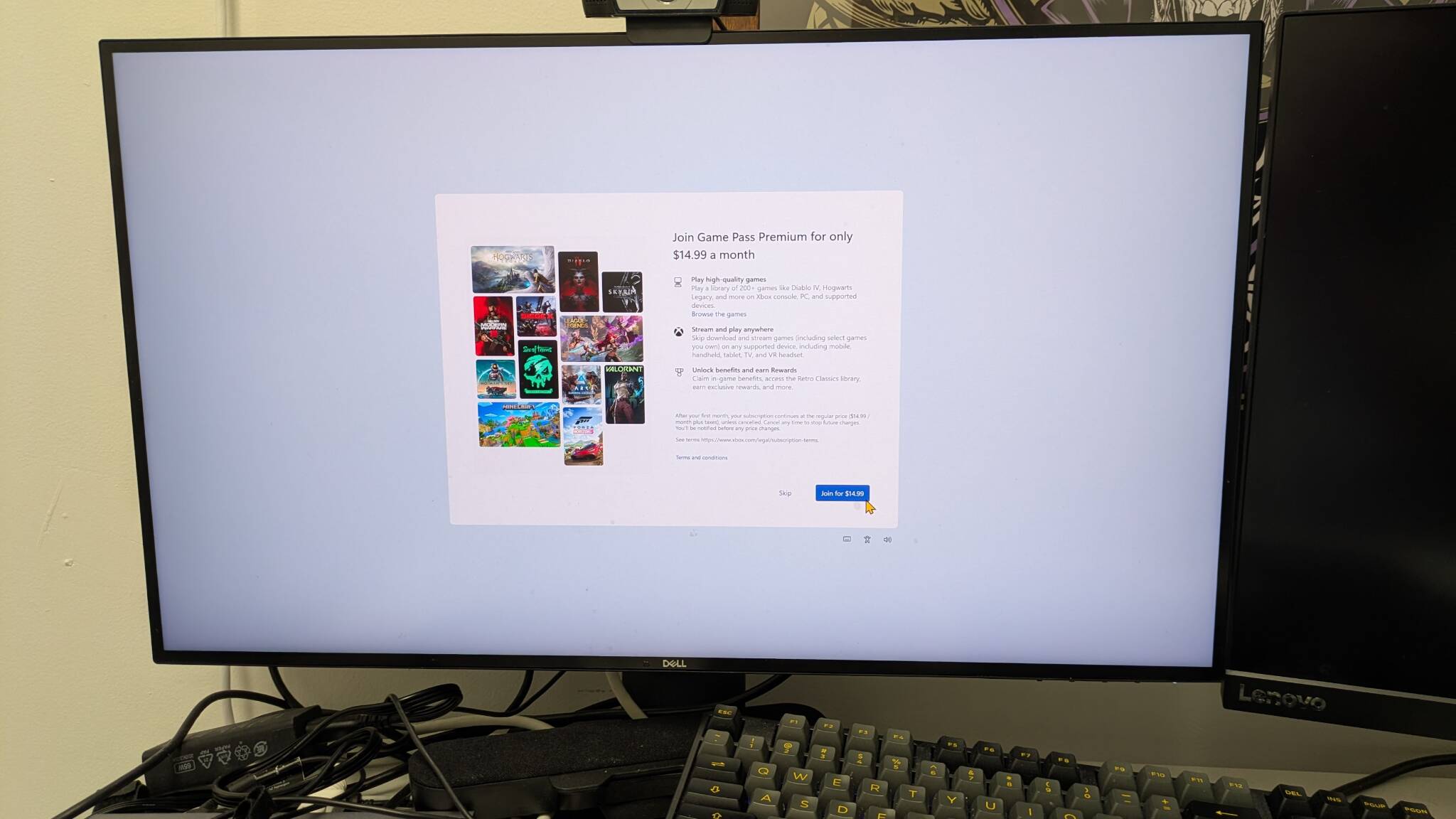
Screen attempts to sell you a subscription to Xbox Game Pass - Click to enlarge
Again, you’re free to hit the Skip link, even though the "Join for $14.99" button is much more prominent on the screen. If you’re lucky, there’s only one more screen after this one and it offers you the chance to see some unnecessary Windows tips, which it will launch in your browser if you click Yes.
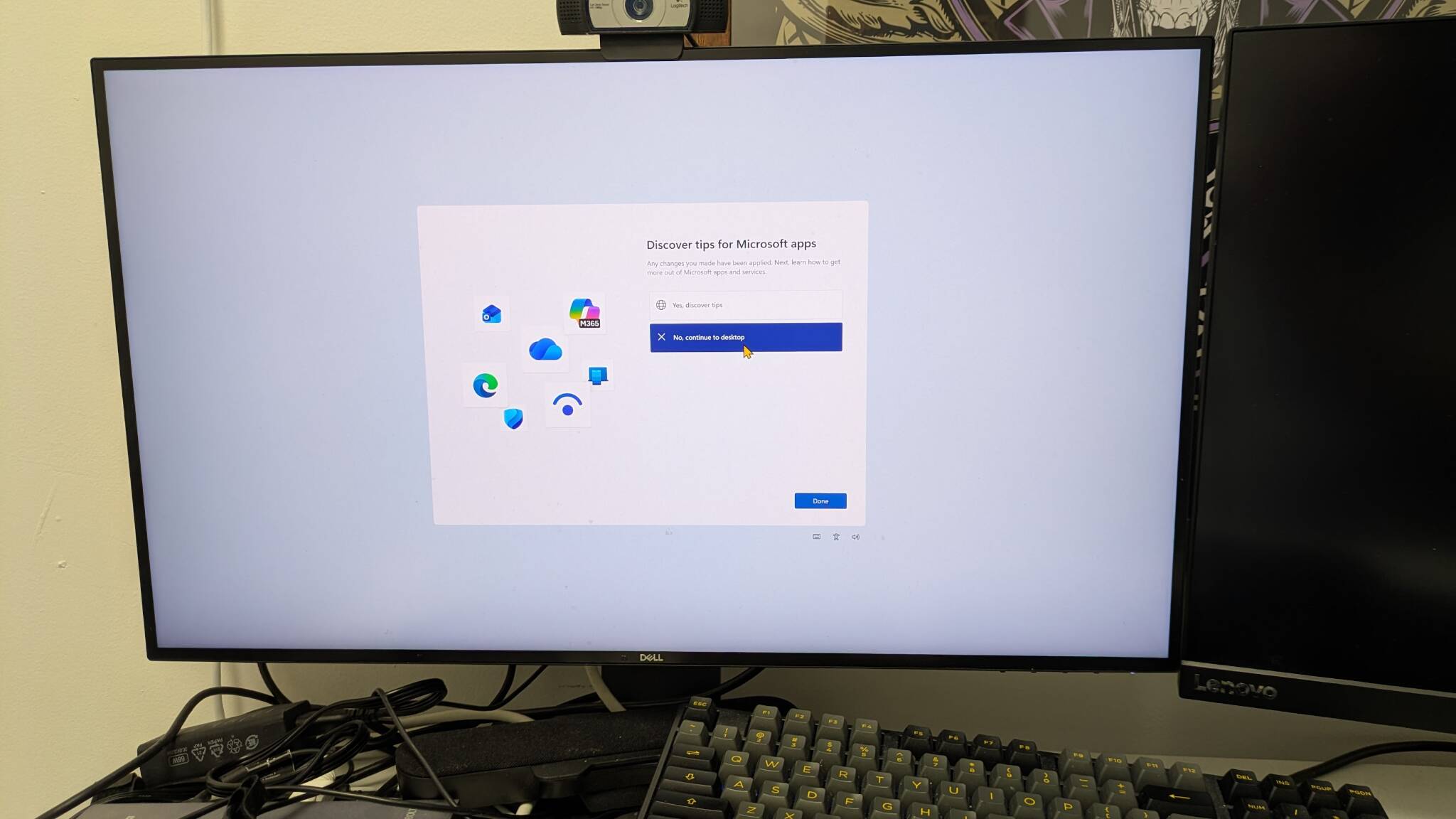
Really unnecessary screen asks you if you'd like some Windows tips - Click to enlarge
What you’ve just experienced is Windows 11’s Second Chance Out of Box Experience (SCOOBE), a deeply deceptive and unethical attempt on Microsoft’s part to con you into buying more monthly services or using settings that Redmond wants you to have. SCOOBE can launch months or even years after you’ve first set up your PC and you can get it multiple times in your PC’s lifecycle, often after a Windows update. It’s the dictionary definition of enshittification, a naked attempt to cajole you into giving Microsoft more money at a moment – boot up – when you’re getting ready to work or play.
But SCOOBE is more than just an annoyance and a money-grab. It’s a serious problem for organizations with managed PCs. The weird setup pattern costs more than just a minute of employee productivity. It leads to support calls, because less-tech-savvy employees think that there’s something genuinely wrong with their work computers. In communicating with dozens of IT people, I heard numerous stories about support tickets and lost time due to the SCOOBE experience.
If you haven’t heard of SCOOBE, it makes sense to call IT when your long-running computer suddenly says that it needs to complete setup. If I got it and didn’t know better, I would think that someone had just wiped my computer and reinstalled Windows. And I’d want IT to step in and get all my data back.
“SCOOBE first appeared on our devices months after their configuration. The appearance timing was especially inconvenient since they appeared on our contributors' screens who were working actively on data collection and thought that there might be a technical issue with their machines,” Hanna Parkhots, data collection project manager at Unidata, an AI training data company, told The Register. “It led to numerous support ticket increases, which we found out by reviewing three error tickets filed within a week for the same SCOOBE-related message.”
Even worse, employees may be tricked into buying or installing something that the IT department doesn’t want them to have. Users may intentionally or accidentally end up with an Xbox Game Pass or Microsoft Office subscription, along with the associated software. The organization may have its own preferred browser settings that Microsoft fools the user into overriding.
A number of IT people I communicated with also cited the very negative effects of SCOOBE distractions on clients, patients, or others needing to receive immediate service from a provider.
“The most frustrating instance was on our front-desk PC mid-consultation with a wedding client,” said Tatiana Egorova, a florist with Flowers N Baskets, who does her own IT support. “The screen hijacked itself, pushing Office subscriptions while we were trying to pull up venue photos. Not a great look.”
Perhaps worst of all, SCOOBE breaks user trust by using a UI to try to trick users into doing something that Microsoft wants but businesses do not.
“What makes SCOOBE especially frustrating to me is that it breaks trust in the device itself,” Athena Kavis, a web designer, told us. “It feels less like setup and more like an ad layer, and for small teams that already juggle enough, even one extra interruption can derail a task like fulfilling orders, updating branding assets, or responding to leads.”
In the end, Microsoft is putting a boost in its subscription profits for services such as Office 365 and Xbox Game Pass over its obligation to help businesses that have already paid for Windows licenses. It’s not enough that you paid once when you bought a laptop with Windows 11 on it. The company wants your users to pay again, perhaps for something that has no place on a work PC (Xbox) or something your organization would decide to license at the IT level (Office). And what if the company has chosen to go with Google Workspace and Office is forbidden?
“Enterprises tolerate SCOOBE because switching operating systems is expensive and inconvenient, but smaller organizations are affected more severely since each minute counts,” said Sheraz Ali, founder of the HARO Links Builder, a marketing agency. “Imagine if Apple did something similar and forced users to subscribe to the iCloud and App Store via a macOS update? They'd probably face a congressional hearing about it.”
How to disable SCOOBE
If you’re an individual user, you can disable SCOOBE by navigating to Settings->System->Notifications->Additional settings and unchecking “Suggest ways to get the most out of Windows and finish setting up this device.”
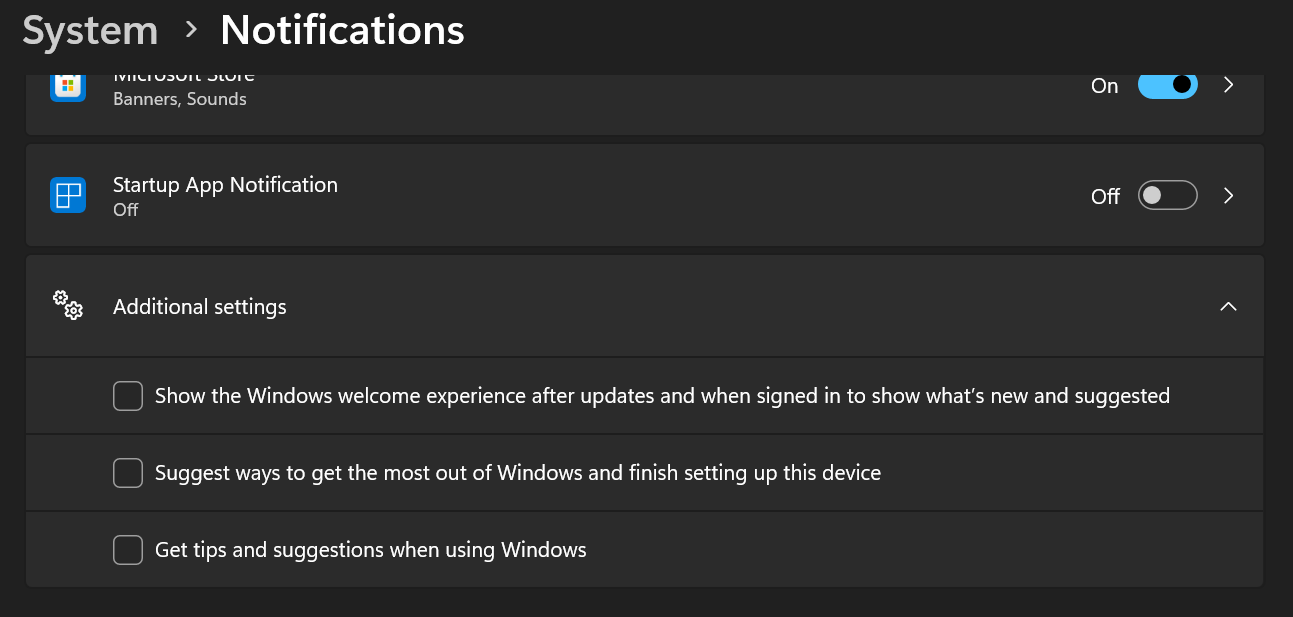
Disable Additional settings in System Notifications to get rid of SCOOBE - Click to enlarge
If you’re in IT, you’ll want to disable this via a change in Group Policy. In Group Policy Editor, navigate to Computer Configuration->Administrative Templates->Windows Components->Cloud Content and enable Turn off Microsoft consumer experiences. It might also help to enable the other options here including “Do not show Windows tips.”
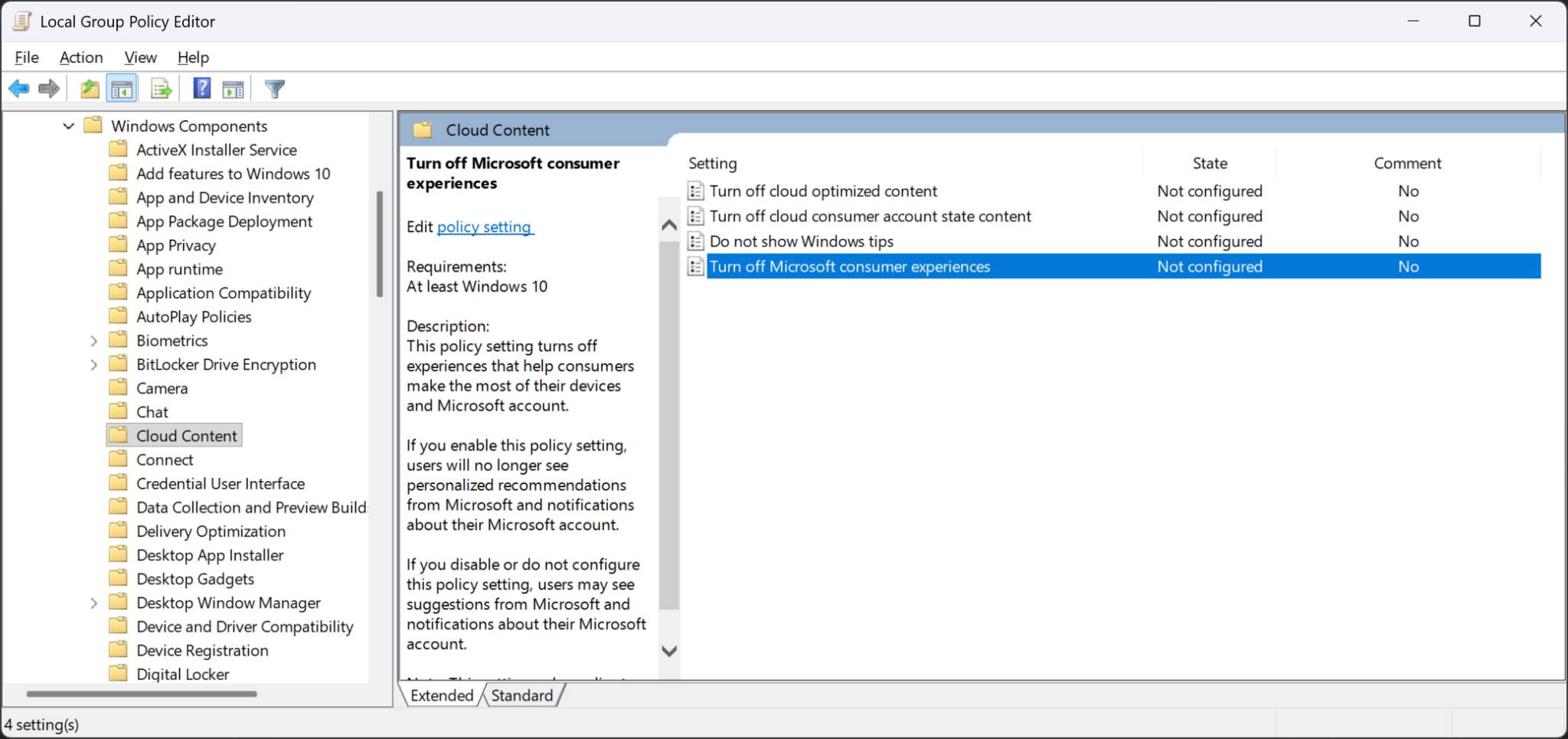
Disable Cloud Content in Group Policy Editor - Click to enlarge
Also, check the Windows Task Scheduler and see if UserNotPresentOrFirstLogon is there and disable it if so. These methods should prevent SCOOBE from popping up again. But Microsoft is slick, so it’s always possible they won’t work forever.
We did reach out to Microsoft's PR representatives to give the company a chance to defend SCOOBE and explain the benefits they believe it offers users. We'll update this story if we get a response, but we are not holding our breath. ®