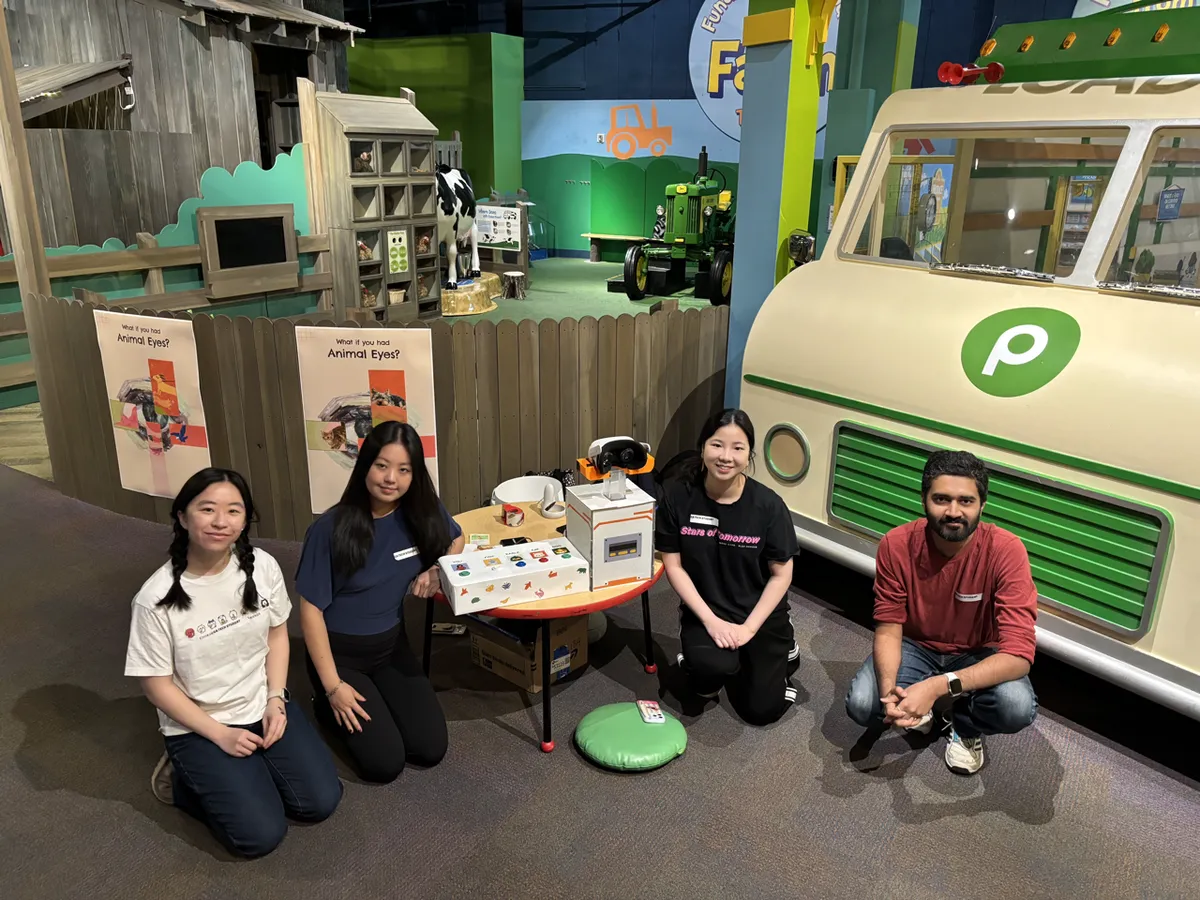
Project Report: Wild Lenses
I audited Designing for Curiosity in my final semester at Georgia Tech. The first half was seminar-style, working through foundational papers in design. At the midway point we got to talk about some of our learnings and I gave a presentation on Subverting Expectations. The second half was a group project where we designed and built a museum exhibit in partnership with the Children's Museum of Atlanta, for the toughest audience there is - children. It was a wonderful experience: to build something with my hands, to design a product with a tight feedback loop, to combine art, craft and technology, and to have it be received with such wonderful exclamations as “This is dope”.
10/10, would do it again.
Background
Wild Lenses was motivated by the possibility of sparking a child’s curiosity about how animals view the world. Rather than giving children a science course, we wanted to show them how different animals view the world and how it differs from our own perspective. We were given a few notes before we started:
- The age range is 6-12 years old, with mostly local children coming either as part of field trips or family visits
- Children are extremely strong and they will try to break your stuff so design for robustness
- Play first, teach later
Concept
Our original concept was a periscope-style enclosure mounted on a vertical pole. A VR headset inside displays either prerecorded nature footage or a live passthrough feed of the real environment, both filtered through animal vision simulations. A physical rotary dial on the enclosure switches between animals. The enclosure rotates 360° around the pole and slides continuously on a friction-based height mechanism to accommodate different age ranges.
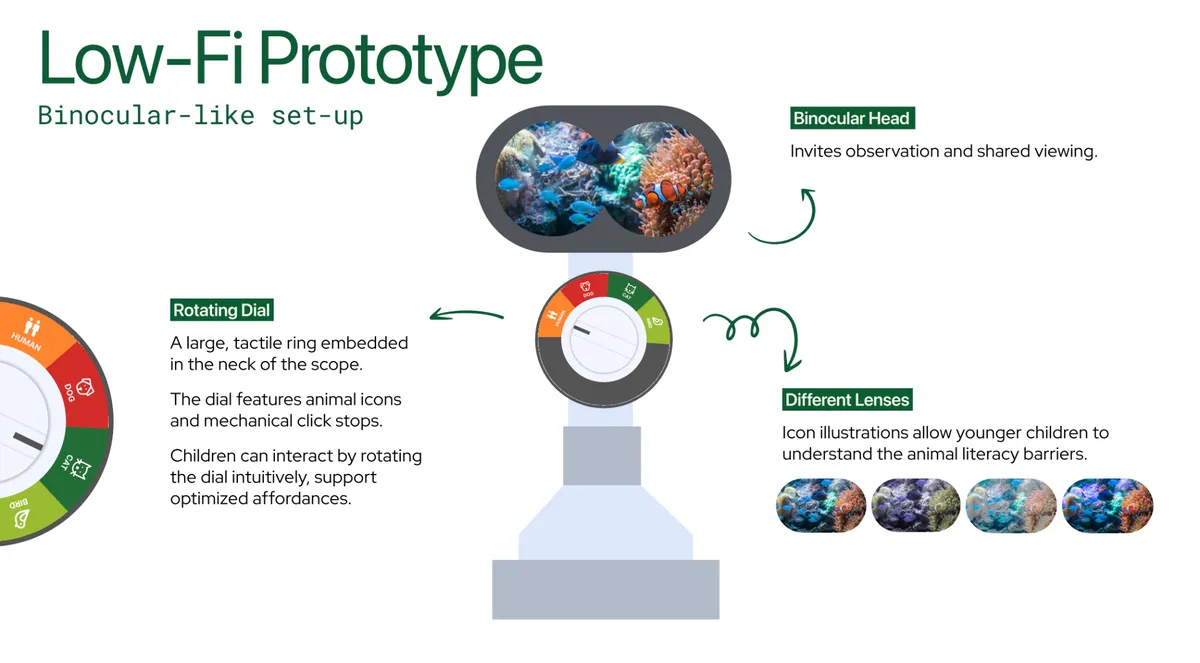
There would be Two Modes
"In the Wild" Prerecorded 4K drone/nature footage plays inside the headset with the active animal filter applied. Footage stored locally on the headset’s internal storage (Creative Commons sources).
"See Like Me" A passthrough camera streams the live museum environment in real time with the animal filter applied. Kids see their surroundings, their hands, and other people through the selected animal's vision.
Mode is toggled by a dedicated switch on the enclosure, or assigned to one dial position.
Part of the design journey is improvising. We didn’t hit the original concept but we got plenty close.
Design
After briefly thinking about an implementation with an LCD screen behind an eye piece cutout, connected to an SBC like Raspberry Pi which in turn would be wired up a rotary dial, we ditched the idea in favor of using a VR headset. Basically all of the above in one unit. Initially we considered the HTC Vive Pro but its headband was not removable, and the UX of putting your head through it when the headset is held stationary was not comfortable, let alone accessible. So we had to downgrade to the next available headset, the Meta Quest 2, which meant sacrificing a full color pass through camera for a black-and-white one.
Internal Playtesting #1
We built the prototype software experience as a website for the first internal play testing - wildlens.knhash.in; this carried pretty much exactly into the final exhibit. The Unity app for Quest 2 was a simple loop of slow moving 4K drone shots with toggles to change the video sources and filters. People understood and enjoyed the quick experience, they liked the moving video shots and pass through camera view. The headband of the VR headset was a pain to work around so we removed it going forward.
CMA Playtesting #1
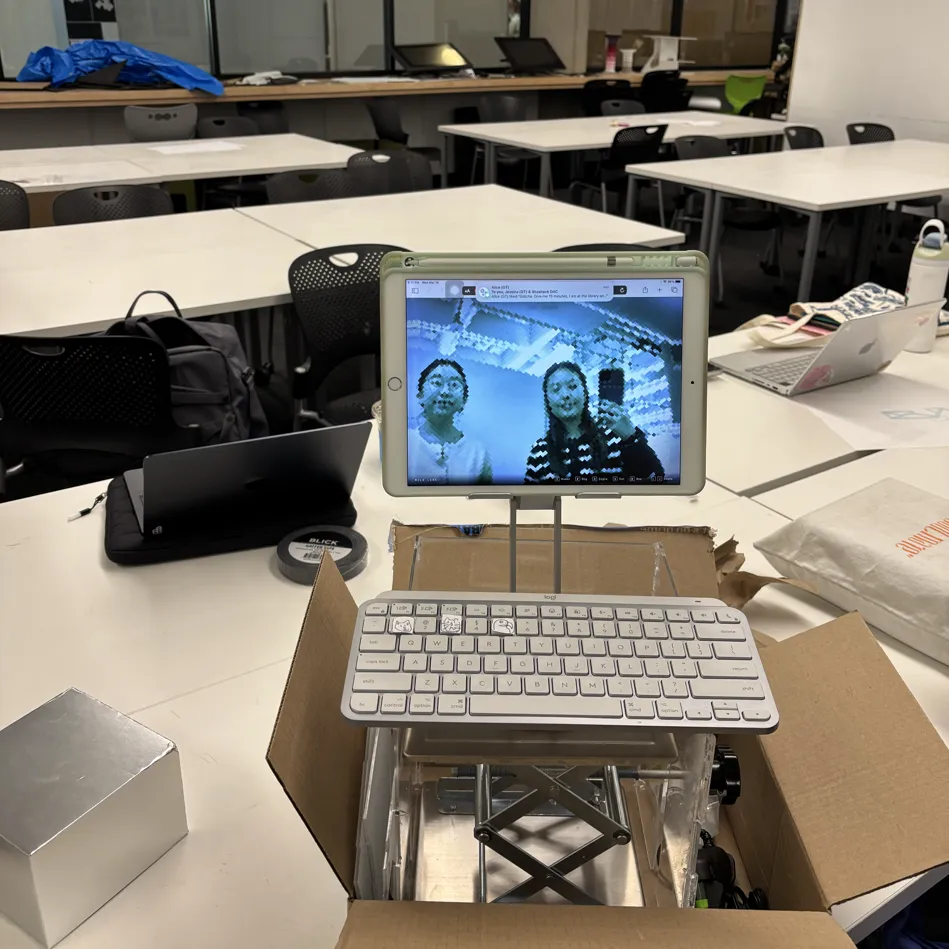
That iPad never saw the insides of the museum.
For our first play testing we had an iPad pointing to the website as a backup but thankfully were able to pull through with the Unity app. The input was via a bluetooth keyboard. We ended up Masking the other keys because they were distracting, with a collage of paper pieces, which we were later told was a brilliant idea and a standard industry practice.
Birth of a robot-looking teacher of perspective
If you squint you will see our attempts at prettifying it with Flowers and see the attention to detail on the keyboard with the glyphs and text on the keys for children - some of the kids were young enough to not yet know how to read. Also notice the stupendous amount of duct tape holding everything in place. We had the larger information cards on the side for the benefit of the chaperones.
Three things came out of this playtesting round. The stand wasn't stable enough - kids pushed against the headset hard. The exhibit didn't look inviting enough; we wanted it to look more like a robot, something kids would walk up to unprompted. And the keyboard interaction needed work: a dedicated keypad, maybe with some texture so fingers could find buttons by feel.
Providing our Wall-E lumbar support; First little crowd
Various Observed Interactions
- Kids with adults
- Asking parents to look at the headset after they’re done
- Kids with friends
- Bringing friends over to look, one at a time
- Multiple people looking through lens and also pressing buttons (everyone is interacting with it at the same time)
- Kids-general
- Pushing against the headset
- Looking down constantly to see which button to press
- Looking at one image at a time for a longer time (10+ seconds?)
Also managed to attract few older kids
A bunch of the feedback was regarding the … feedback. The buttons were confusing, the kids didn't know where to click and they tended to click on all the buttons. Few children don't even notice the buttons. The ones who did had to keep looking down to find the right one, then look back up into the headset, leading to a not so seamless experience. Maybe we could have a haptic button which they can recognize without having to look at it? The text was generally too small and too dense for consumption.
Best feedback: A kid excitedly bringing their parent to show them the view
Internal Playtesting #2
Our peers pushed us on having a cohesive narrative as well as a goal for children to work towards. From this playtest we continued to build on the stability of our stand, as well as refining our keypad, and created a zine that children could possibly peruse while waiting to use the headset.
Here's the thing about kids at a museum: the attention span and the window of curiosity in a kid is tiny, especially with so many other fun things around. We created animal "Pokemon" cards that could be displayed and shared with the children, to both entice them as well as leave them with something to carry back.
The input was changed to arcade buttons - more tactile, less distracting, an upgrade all over. After a failed attempt to have Bluetooth HID working with Arduino Uno we moved to the distinctly versatile ESP32 board, with some quick scripting it was paired with the headset as an additional input. We also scrapped the pass-through system in this version. The Quest 2's monochrome camera made it nearly useless for animal vision filters that were mostly about color.
The customary electronics spaghetti; Ready for round 2!
We also focused our interaction mechanism to have primary and secondary behaviors. The five buttons each mapped to an animal, clicking on the animal button again would change the scene. This meant less confusion in the information hierarchy while explaining it to the audience, we didn’t talk about it at all. We let the scene change play out as an emergent behavior - a little surprise when you repeatedly press the same button.
CMA Playtesting #2
In this final round of playtesting, kids showed up consistently from the start compared to our first test, where we mainly got a lot of traction towards the end of our session. The Pokemon cards were a hit. Children found the arcade buttons satisfying, their fingers finding neighboring buttons by feel without looking down. Some kids also found alternative ways to interact with the exhibit by matching the cards to the different buttons.
About half the kids figured out scene-switching on their own. The other half stuck with whatever scene loaded first and cycled through the filters.
The dream, of working in a farm
The stand was still not sturdy enough. Kids shoved their head into the headset with ever greater force, trying to grab and look around inside the VR. The exhibit needed to work without us standing next to it so we needed bigger posters, a visual storyline baked into the display and some click-this-watch-this instructions that didn't require a guide.
Better dressed, 3D-print collared, acrylic necked; More duct tape
The first time there were a couple field trips ongoing but during our second visit there wasn't one. Which meant that the amount of children were low but the age range was wider. The heights of the children varied quite a bit and we had to routinely adjust the height of the device. We had an Atlanta skyline scene this time and one kid really enjoyed it from an Eagle's point of view.
Best feedback: A kid saying "This is Dope”. The kid above.
CMA Final Exhibition
For the final exhibition, we landed with a couple of aesthetic fixes and a lot of structural improvements. We worked on making the body smoother and decorating the arcade box. We also upgraded to a more artistic poster and printed it larger to attract kids to interact with the exhibit. This time a lot of kids walked up to the exhibit on their own.
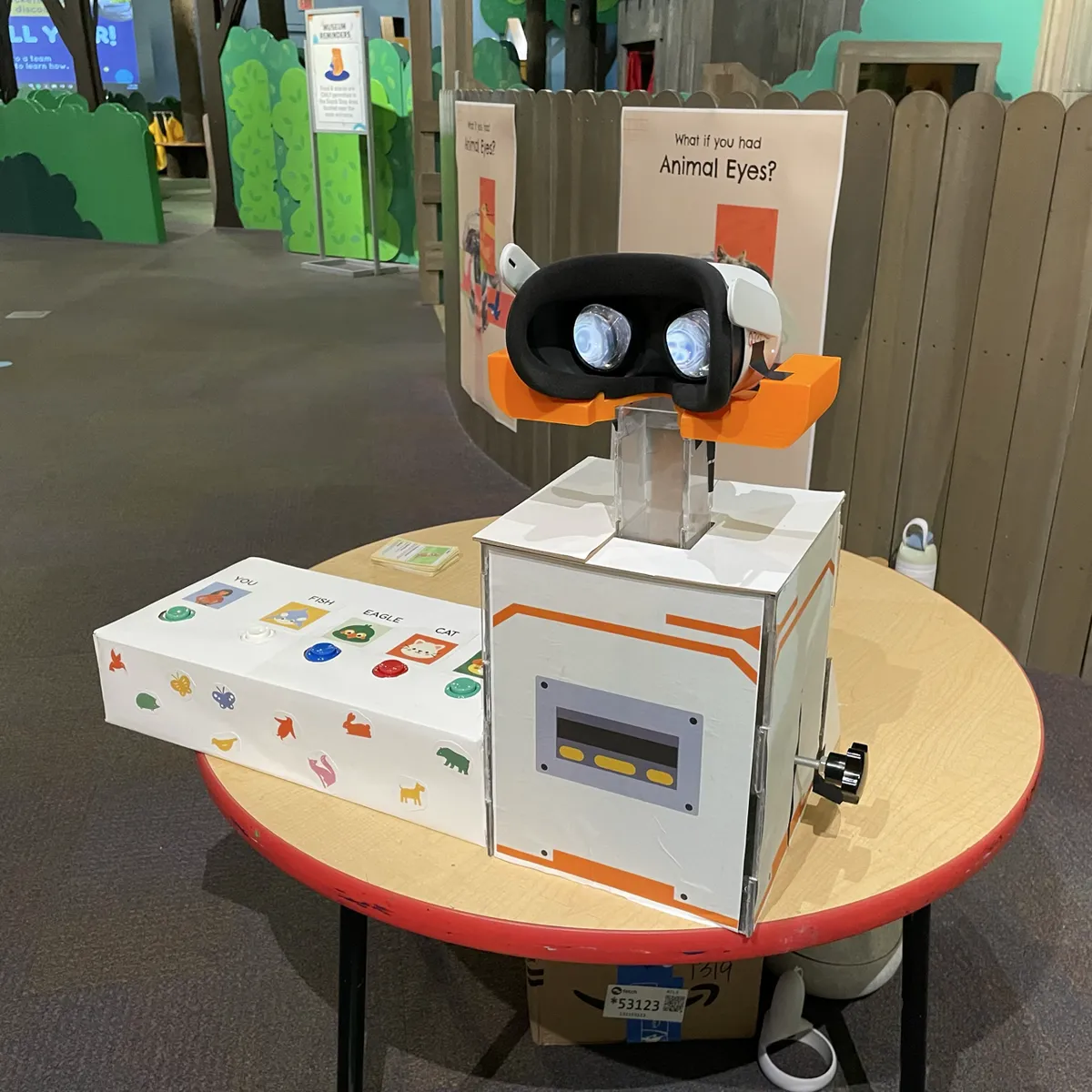
End stage evolution
One thing we hadn't planned for: most of the kids at the final exhibit were pre-K, around 4-5 years old, and couldn’t read. Which made the in-headset text labels for each animal vision useless. In one of the more enthusiastic interactions we had a dad hold up his kid to look into the lens, the kid was definitely like 2. We will call it a success that it smiled after looking into it.
A note for anyone building with a Meta Quest 2, even if you do not use the cameras Quest refuses to work if it is unable to "find itself" in the room using the cameras. Had to realign the back brace to keep cameras open. So, do not cover the cameras.
Best feedback: A kid coming back ten minutes later to re-look at the scenes
What did we learn
The children interacted with the entire object. They leaned on the headset and clicked every button. One kid found the VR headset controller I had left lying around and figured out the controls to change filters from there. Every surface a hand can reach is the interface. You sometimes don't get to choose which parts of your exhibit are interactive.
The thing that surprised me most: we built a single-viewer device, and the best moments were all between people. A kid finishing a scene and telling their parent "you HAVE to see this." A kid pulling their friend over. The exhibit was a solo experience that generated social behavior. I don't think we could have designed for that intentionally, but it's worth knowing it happened.
We hid scene-switching behind a double-press of the same button and about half the kids found it, and had a nice surprise. The half that didn't still had a complete experience. This felt like progressive discovery, the old joy of finding easter eggs in software by accident.
What did I learn
I also learnt that I find working on cross-domain projects most fun. This was art, psychology, UX, engineering, electronics, software, presentation, craft, design. I love being a jack of many trades, pulling on multiple different threads to solve problems, which gives me the ability to “yes, and” into unique solutions.
Plus, when you've worked on something long enough and know everything happening behind the curtains, it's easy to lose perspective. When your work is seen by someone new, and you see it land, you realize that maybe there is still magic.
Most importantly, if anybody out there needs help building (for a museum?) I am available with my professional design and engineering skills. I will also throw in machine learning and high performance computing for free. Full stack start-up seed engineer right here.
Indeed, this was but a long advertisement. Hire me.