At STH, we use the term “DAC” to reference Direct Attach Copper cabling dozens of times each year. Almost every time we use the term, someone asks the question, “What is a DAC?” Since at STH we believe it is important to help impart knowledge, even if many readers already know the answer, we felt like it was time for a quick guide.
What is a DAC (or Direct Attach Copper) Cable?
In simple terms, a DAC has modules at either end of a ~26-28 AWG twinax copper cable that allows direct communication between devices over copper wire. Both ends have specific connectors and the cable length is fixed. Electromagnetic shielding around the copper cable increases as the speeds increase to keep communication reliable.
In this example, we have two QSFP+ connectors on either end. There is then a fixed cable that goes between the two ends allowing devices to communicate. This cable, unlike optical transceivers, is usually a fixed length and limited in maximum length by signal integrity.
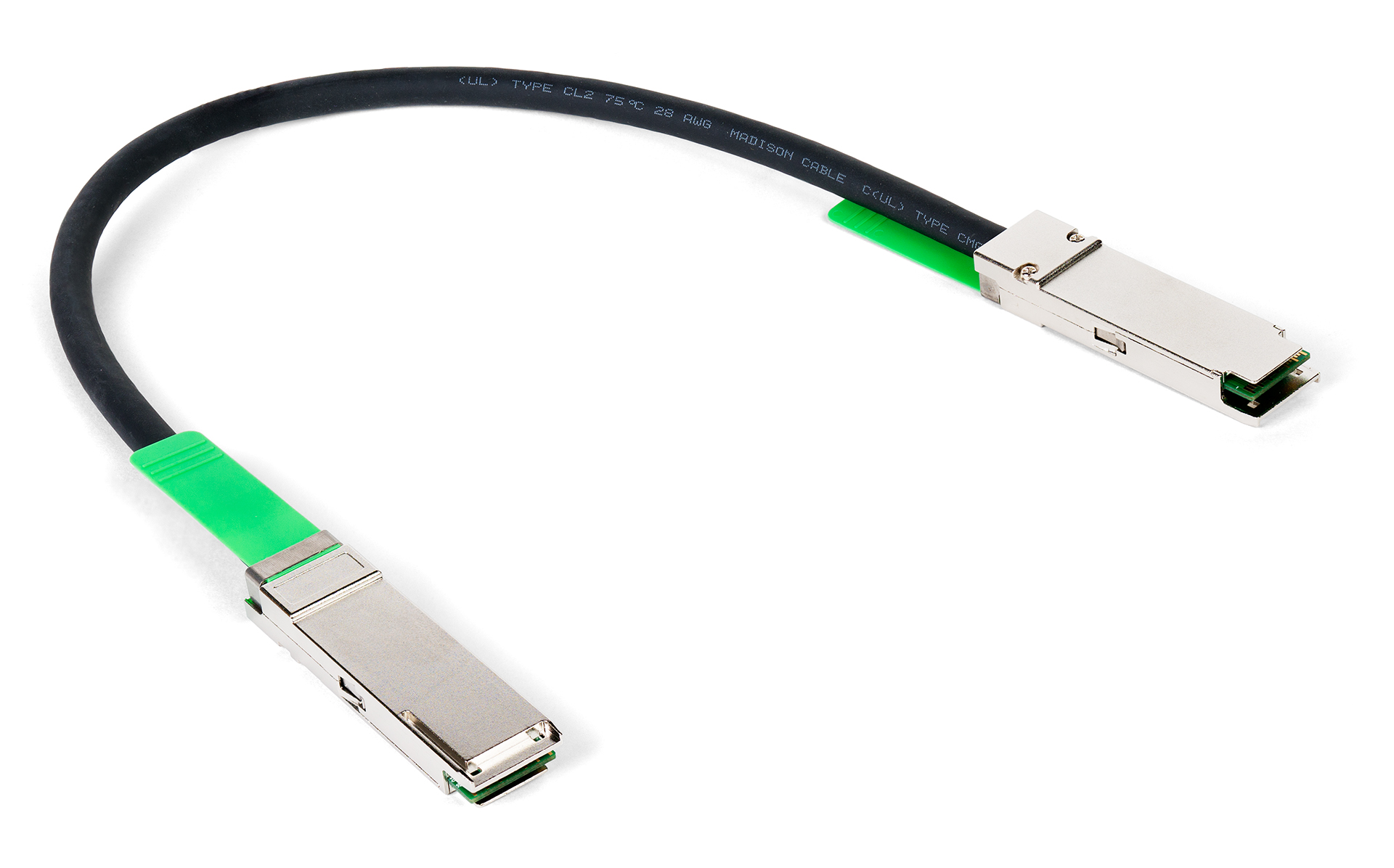
As part of our fiber optic guide series, we are mostly focusing on optics. Optical communication is essential for the long-range transmission of data. As networks get faster, and we push into the 400GbE era and beyond, the distance that copper communication can reliably and practically travel at those speeds is limited. For the next few years, we are still likely to see copper DACs between devices in a single rack, but going forward, most rack-to-rack and beyond connectivity will happen via optical communication.
What is a Breakout DAC Cable?
We are going to note that you may see one other important type of DAC cable, the breakout DAC. With modules such as QSFP+ for 40GbE networking and QSFP28 for 100GbE networking the “Q” stands for Quad. As a result, one way to conceptualize the QSFP+ connector above is that it is carrying four (quad) SFP+ channels. SFP+ is 10Gbps, QSFP+ is 40Gbps, four (quad) 10Gbps links give us 40Gbps of bandwidth. The same conceptual model holds for SFP28 and QSFP28. As a result, a somewhat common practice is to use the higher-density QSFP+/ QSFP28 form factors and split them to connect to 2-4 lower-speed devices. Here is an example with four SFP+ ends on one side and a single QSFP+ side on the other:
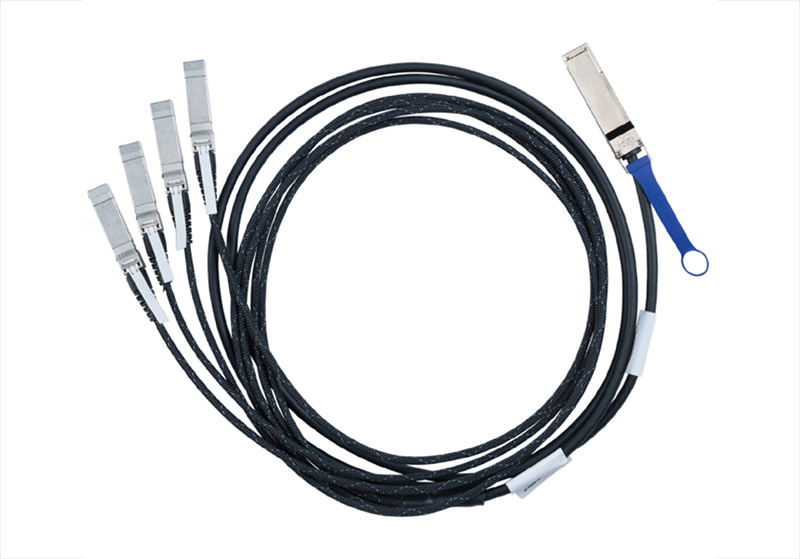
We are going to quickly note that while conceptually this works, not all switches, routers, NICs, servers, storage, and other components support breakout. These days, most do, but there are still quite a few exceptions where they do not. There are even NICs like the HPE 620QSFP28 4x 25GbE Single QSFP28 Port Ethernet Adapter, that are intended to have a QSFP28/ QSFP+ port used with DACs or as four separate connections.
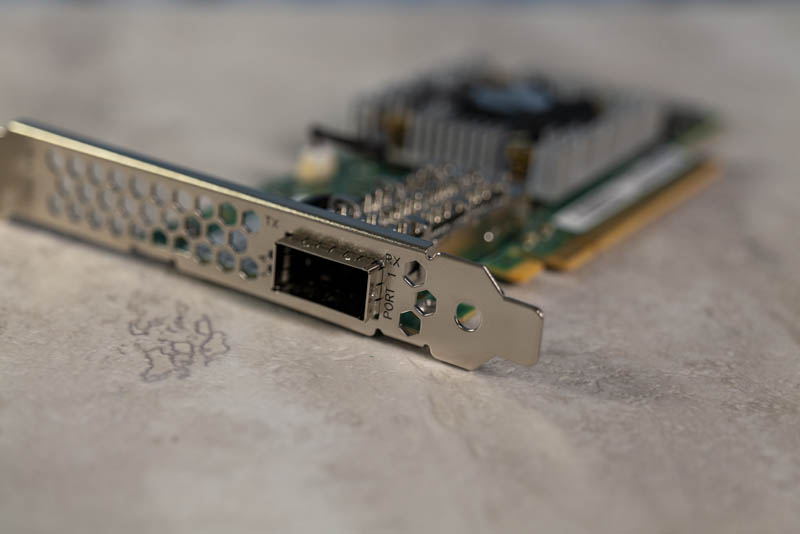
Although you can see one physical port above, you can see the NIC as four separate 25GbE devices not just a 100GbE device:
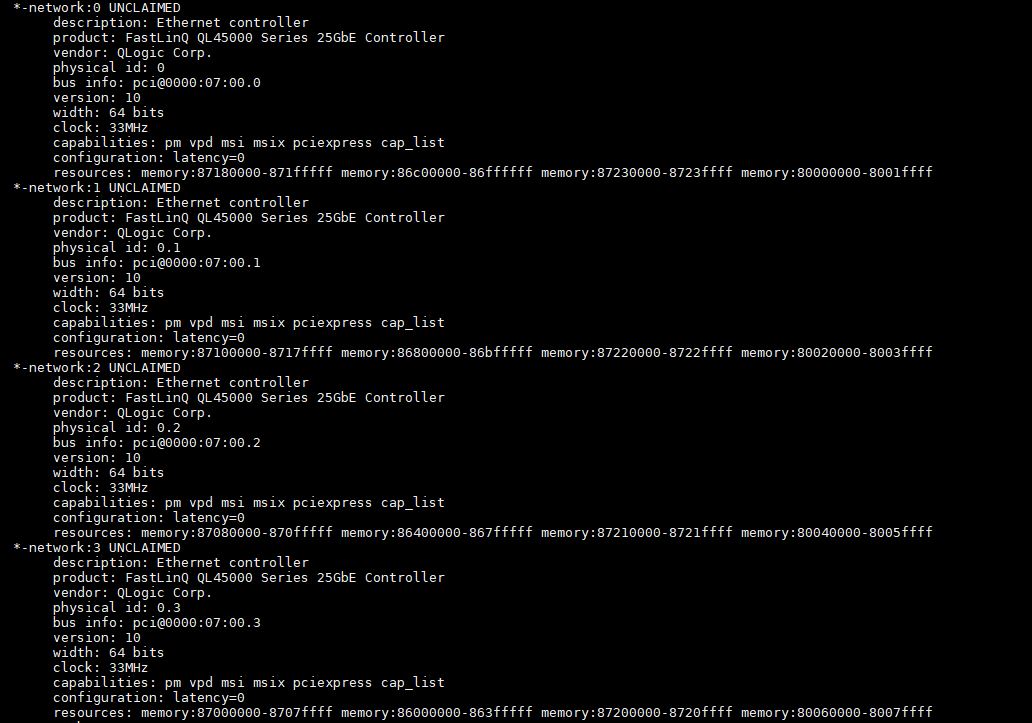
The important thing here is that DACs and this breakout DAC cable model is so prevalent that we even see specific cards using breakout DACs just to increase port density.
We will quickly note that you can get QSFP+ to 1x SFP+ or QSFP28 to 1x SFP28 DACs that perform a similar function to what we covered in our piece Using a 40GbE (QSFP+) NIC with a 10GbE Switch (SFP+).
How Far Do DACs Reach?
This is a bit dependent on the type of DAC, and the vendor. Generally speaking, we are moving into an era as we move above 100GbE speeds where DACs will be limited to 5m runs and shorter runs.
One other small note, and one that is important, is that as DACs move to higher speed, they also require more shielding. More shielding leads to a bigger cable. This in turn means that higher speed DACs are less flexible than lower speed DACs. If you look at a typical QSFP+ 40GbE DAC versus a QSFP28 100GbE DAC, you will see the one used in 100GbE networking is thicker and stiffer. That means that routing DAC cables in a rack is more challenging than it had been previously. One nice thing with DACs, unlike fiber cables, is that they are a lot less sensitive to the bend radius of the cable.
There are also two main types of DACs, active and passive. Passive use less power. Active use more power but gain a bit more distance. Still, even active DAC cables do not reach the same distances as optical connections. We will quickly note here that there are Active Optical Cables that are somewhat like DACs as being pre-assembled fixed-length solutions. They can, however, reach further distances since they use optical communication.
Why Not Just Use Optics Instead of DACs?
Perhaps the key reason is simply cost. There are really two kinds of costs that can be involved: hardware and operating costs. To get into why let us look at a conceptual model of both.
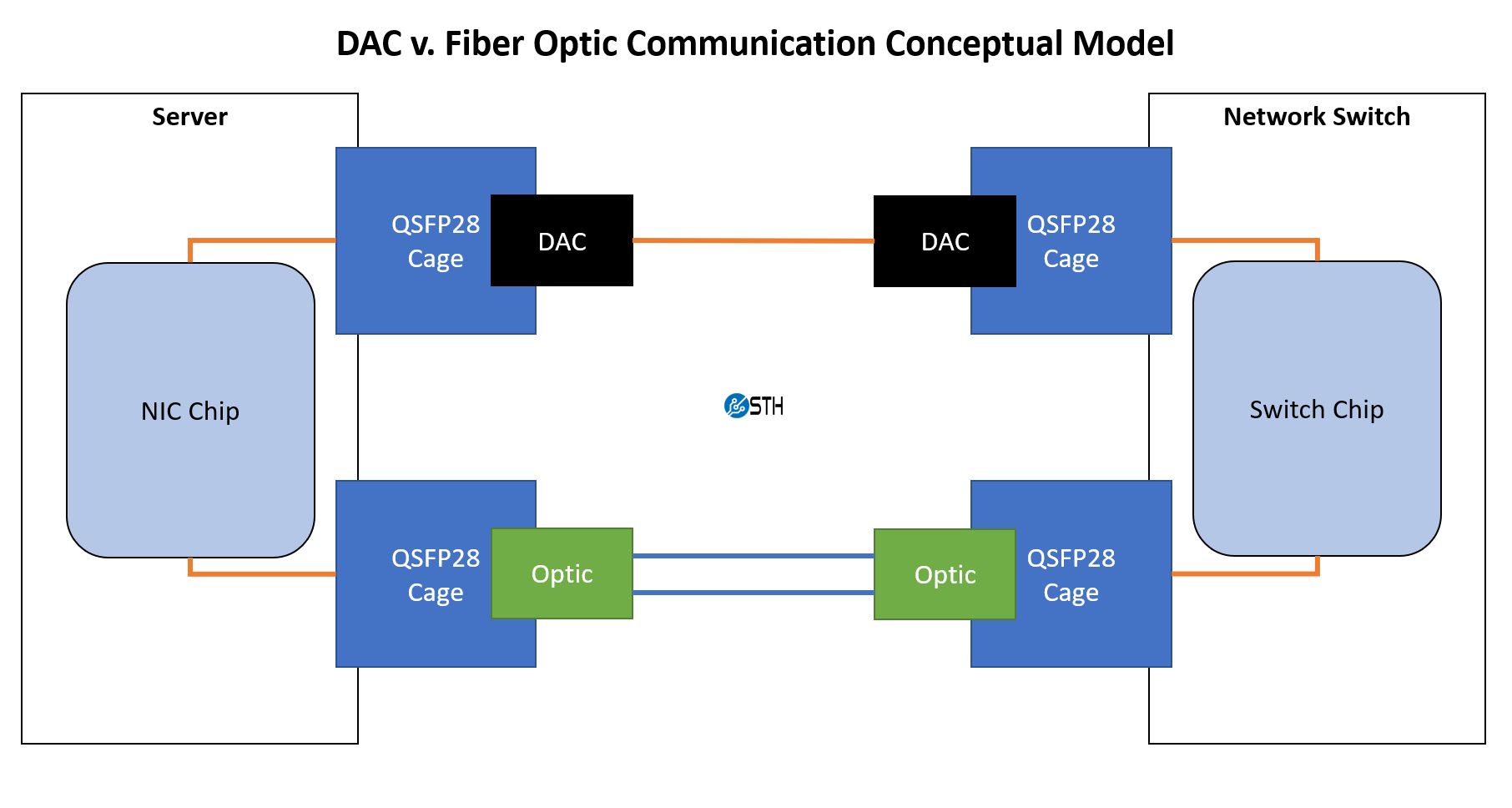
Here we are representing copper/ electrical communication with orange and the fiber is blue. Using DACs, the transition between the modules (here QSFP28) and the chips in the larger systems is copper to copper.
For optics, we must convert electrical signaling on one side to optical to transmit information over optics. We then need to have a receiving side to pick up the light patterns and convert that to electrical signaling. That conversion needs to happen in both directions.
As a result, optics tend to cost more due to their complexity, and they also tend to use more power. Additional hardware costs and power costs once deployed are the key drivers to continue using DACs within racks. Also, DACs due to their simplicity are considered very reliable.
What Kind of DAC Should You Look For?
There are two big items we would suggest looking for. The first is the speed. For Ethernet, here is the common set:
10GbE/ 40GbE Generation
- 10GbE to 10GbE: SFP+ to SFP+
- 40GbE to 40GbE: QSFP+ to QSFP+
- 40GbE to 4x 10GbE: QSFP+ to 4x SFP+
- 40GbE to 1x 10GbE: QSFP+ to SFP+
25GbE/ 50GbE/ 100GbE Generation
- 25GbE to 25GbE: SFP28 to SFP28
- 50GbE to 50GbE: QSFP28 to QSFP28
- 100GbE to 100GbE: QSFP28 to QSFP28
- 100GbE to 4x 25GbE: QSFP28 to 4x SFP28
- 100GbE to 2x 50GbE: QSFP28 to 2x QSFP28
- 100GbE to 1x 25GbE: QSFP28 to 1x SFP28
- 100GbE to 1x 50GbE: QSFP28 to 2x QSFP28
That should be most of the conversions you need to know. This model will work for generations such as QSFP56 and QSFP-DD and beyond as well.
The second item is vendor compatibility. Many switch, router, server, storage, and NIC vendors lock optics in switches to only be compatible with the vendor’s more expensive validated optics. One could connect a Cisco router to a HPE switch, for example, by placing a Cisco QSFP28 optic in the Cisco switch and a HPE QSFP28 optic in the HPE switch. Then one can run a cable between them. With DACs, it is trickier since both ends are fixed to a cable. As a result, devices can still be picky about which DACs are used, but it is not uncommon that we see devices less constraining when using DACs versus optics. Still, this is something to keep in mind when looking for cables.
Final Words
Even though we are doing a massive fiber-optic series, DACs are still extremely useful. They help cut costs significantly to the point that they are essential data center gear. Hopefully, this guide helped you understand what a direct attach copper cable is, why they are used, and what to look for.