Cut & Paste is broken in every word processor, code editor, and browser text area you've ever used. And it has been that way for decades.
Just so we are on the same page: cut & paste is the combination of two operations: cut to remove the text from the document and place it in the clipboard, and paste to insert that text at a new point in the document.
How can it be broken if it is so ubiquitous? Let me list the ways!
1. Cut is undoable
The first flaw in cut & paste is that a cut can not be fully undone. Undo (control+z or command+z) after a cut restores the text to its pre-cut state in the document, but changes to the clipboard remain. If you regret replacing your clipboard contents then too bad, they have gone poof in the digital ether. Even if you use a clipboard manager, the undo has still not cleanly undone everything that one key did.
2. Cut reflows
The second flaw is that a cut reflows the document. A cut and paste is almost always for the purposes of moving text, and yet the instant I cut, the text reflows and I have to locate the point where I want to paste all over again. A tiny cognitive burden perhaps, but I'd argue an unnecessary one.
3. Cut & Paste is not atomic
The third and final flaw is that even though a cut and paste is conceptually an action which moves text from one place to another, it can't be undone as a single step (ignoring the clipboard issue for the moment). Undoing a paste will remove the newly added text, but it requires a second undo to completely restore the text—assuming there weren't any edits between the cut and paste. If there were intermediate edits, like creating a new paragraph, then that must be undone before we even get to the original cut.
Introducing Ghost Cut
I've added a mechanism to Ishmael that "fixes" these flaws. The good news is that it doesn't require retraining muscle memory or anything more than you are doing already.
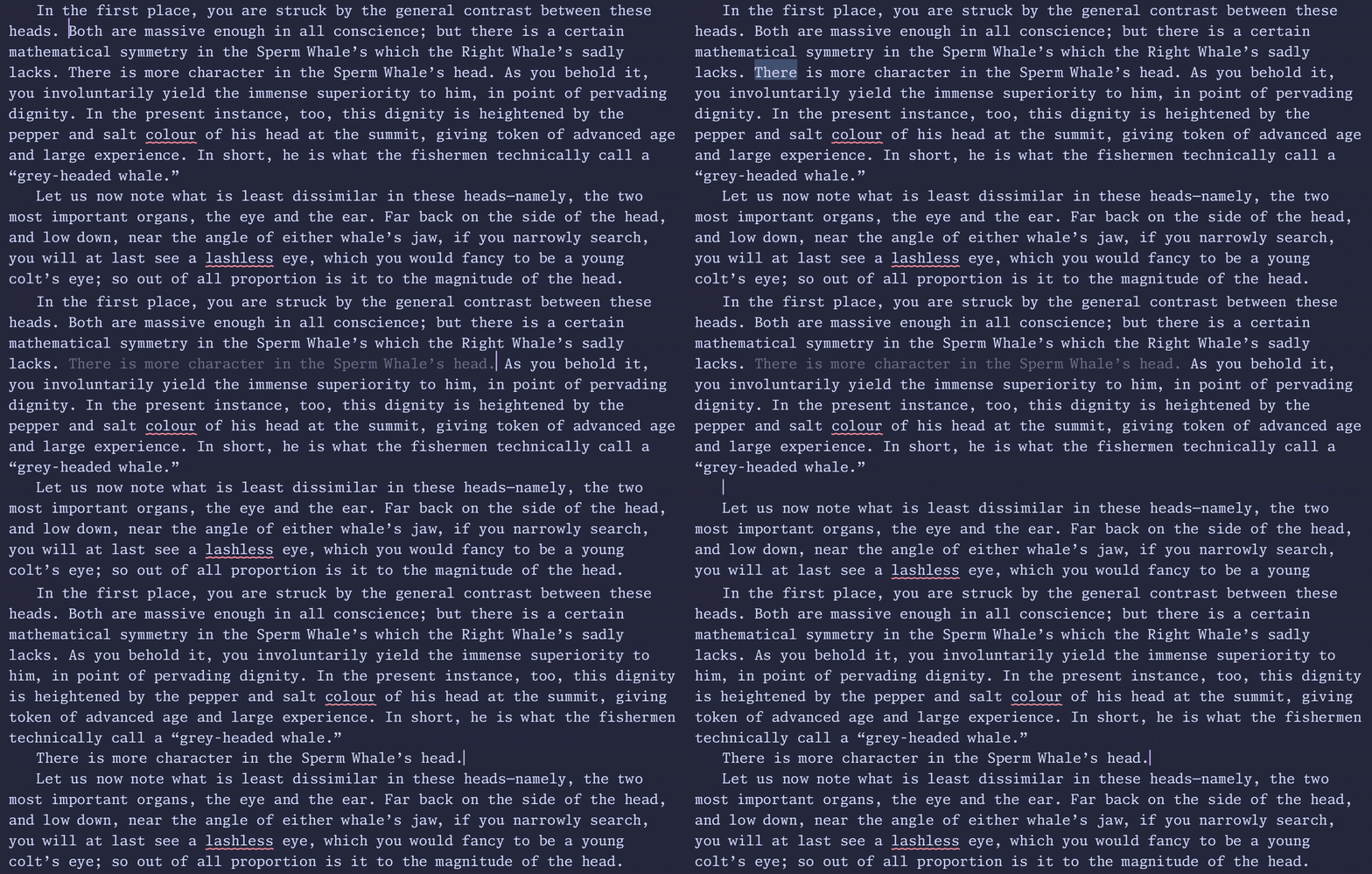
I call it "Ghost Cut", and it works like this: pressing ctrl+x fades the selected text and makes it inert—you can't click on the cut text and the cursor just kind of leaps over it, but it is still present in the document. Nothing is placed in the clipboard at this point and there is nothing to undo. If you decide you don't want to paste then hitting escape will restore the text to its active editable state.
Pasting (usual control-V or command-V) removes the ghosted span from its original location and places it at the cursor, thus creating a single atomic move operation without the clipboard involved. In other words: it is completely reversable and can be undone in one stroke without poluting your clipboard.
Here it is in action:

This is not without precedent. There are apps that do something similar, like Excel which fades cut cells, but I haven't seen this in a text editor.
Side effects
What if you want the original semantics of cut? Ghost cut makes that two keys rather than one: copy to clipboard (control-C or command-C) followed by Backspace to remove it from the original document. I so rarely use cut without paste, that this is a clear win for me.
Conclusion
I would be very happy to see all kinds of text-editors adopt this. The case isn't as strong with code editors admitedly. Code doesn't suffer from the reflow issue, but even so, if ghost cut existed for VSCode I could see myself working with it enabled.