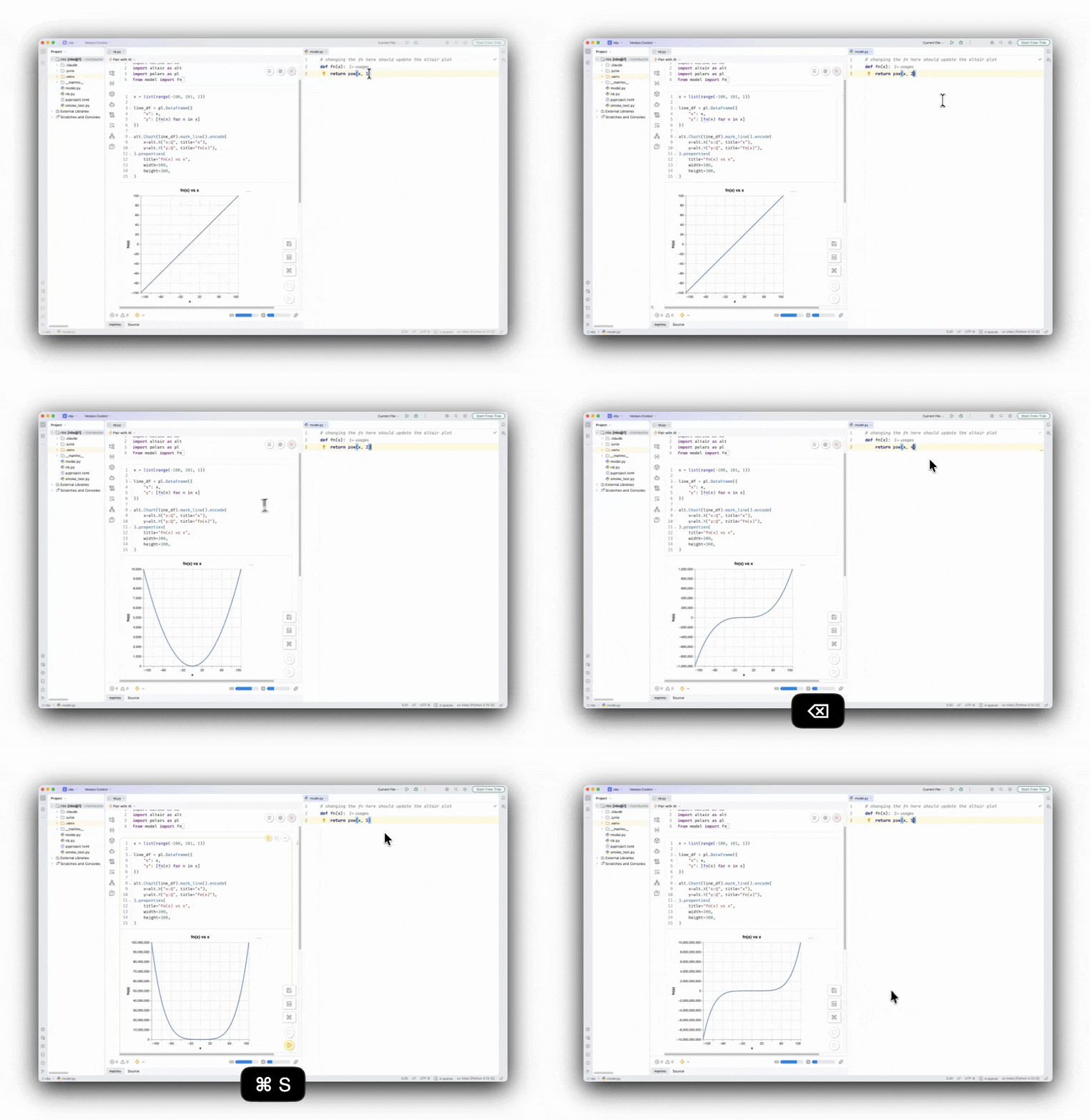
Today, we are excited to announce a first version of the marimo plugin for PyCharm. You can now add reactive notebooks to your Python projects in PyCharm and other JetBrains IDEs.
PyCharm support has been one of our most requested features, both on our issue tracker and on JetBrains’ tracker. We’re starting with the full marimo editor and plan to improve the integration over time.
Check out the video:
A live notebook next to your code, in your IDE
With the plugin, you can add a marimo notebook to an existing project and import code from the application or library you are developing. You can use the notebook as a live workspace for testing your code or as an interactive demo for it, without leaving your IDE.
marimo’s module reloader updates the notebook cells as you update the imported Python modules. That gives you a tight feedback loop: edit your library code in PyCharm’s editor and see results in a reactive notebook.

marimo notebooks are stored as plain .py files. The plugin identifies a notebook by looking for a marimo import and a matching App declaration, so ordinary Python files continue to open normally. You can switch between the marimo and Source tabs to move between the interactive notebook and native editor. Since marimo notebooks are plain Python files, they work really well with git (or any other VCS). You can use PyCharm VCS tools to version your notebooks alongside your project.
Opening a notebook file starts its local marimo server automatically and loads it in an editor tab. The plugin manages the port and process lifecycle, so there is no extra terminal or a separate browser tab to manage.
Keep your PyCharm workflow
By default, the plugin runs the notebook on your configured Python interpreter, so it uses the same environment and dependencies as your project. If marimo is not installed, the plugin offers to install it for you.
If you want to run the notebook without affecting your project environment, you can start a notebook in sandbox mode. Just choose the Start marimo in Sandbox option by right-clicking on the notebook file. This feature requires uv. With uv, marimo and the notebook dependencies run in an isolated environment; the dependencies are stored directly in the notebook using PEP 723 inline script metadata. The notebook remains self-contained and packages you install stay out of your project environment.
Your PyCharm tools stay available beside the notebook. For example, you can use PyCharm’s database tools to inspect schemas and query tables, then use the notebook to work with that data using Python or SQL.
Note: These tools work side by side rather than through a direct integration, so database connections need to be configured separately in marimo.
Pair with an agent
You can give your agent your marimo notebook with marimo-pair and jam on it together. The Pair with AI dropdown opens a PyCharm terminal and starts a marimo pair session with Claude, Codex, or opencode. You can also select Copy prompt and paste it into another agent, including Junie in PyCharm’s AI Chat.
Try it and help us with feedback
To try the plugin, install marimo from the JetBrains
Marketplace, then create a
marimo Notebook from the New menu or open an existing marimo .py file.
This is an early preview, and we’d love your feedback. Like marimo, the plugin itself is open source and available on GitHub. Share bugs and ideas in the plugin’s GitHub repository.