Remember when I mentioned I was using my Kindle as a personal newspaper? And that this solution was ideal because I didn’t need to buy another gadget?
I still stand by that, but I bought another gadget to be my “personal newspaper”: a Boox Go 10.3 (Gen II) Lumi tablet. (Phew! From here on, I’ll just call it the Boox Go.)
This brand, Boox, isn’t officially in Brazil. It specializes in Android devices with E-ink screens, the same tech as the Kindle, in different screen sizes. It’s best known for the Palma line, a digital reader the size of a phone.
My second-generation Boox Go is their most recent model. The biggest new feature is the presence of lighting in the (slightly) pricier version. It also ships with Android 15 out of the box. The previous generation shipped with, and remains on, Android 11, with no sign it’ll ever be updated.
Despite the recent Android version, Boox’s take on it has always been quite different from what you see on conventional phones and tablets. There’s its own launcher and a small selection of apps from the manufacturer itself, with expansion possible through their branded store, which recommends few apps, and the Google Play Store.
Could I have just used it that way? Sure. Except being who I am, of course I went looking for trouble by trying to strip out everything from Boox and Google. From the start, my goal was to have an ideal Android tablet.
Spoiler: I pulled it off, but not without suffering. It’s like Bruno De Blasi summed up in his account of going back to a landline (turns out there are people worse off than me):
After all, why am I pouring so much energy into these objects? Why am I so focused on things that, every so often, I complain about or say I don’t like? Until, one day, it hit me: “maybe I’m only using it because it’s there.”
***
Android tablets have never reached the same level of prestige as the iPad among developers. In practice, that translates into a notable scarcity of apps adapted for the big screen.
An E-ink tablet adds another layer to this bleak picture. Scrolling doesn’t work well on E-ink. However fast the screen’s refresh rate is, the animation looks all janky and the screen “smudges,” meaning traces of previous images linger because of how the E-ink technology works.
Good apps for E-ink screens swap scrolling for pagination, like a book (or Page Down and Page Up, for the millennials who still use a desktop). Pagination cuts down on the E-ink “smudging.” It’s also less disorienting.
That’s where the first disappointment came in: the Android app for Readeck, the read-it-later service I use, has no pagination. Truth be told, the app is rough even on regular screens, including the iOS version.
There’s an open issue in the app’s repository from December 2025, with no meaningful updates since. I wouldn’t hold my breath for such improvements, but I’ll keep half an eye on it. In the meantime, I went looking for an alternative.
An oddly fitting situation unfolded right in front of me: discovering this Readeck limitation on the eve of shutting down Wallabag in our FOSS applications server. The Wallabag app is pretty clunky too, but it does have a pagination option.
I asked Claude to write a migration script from Readeck to Wallabag and spun up an instance of the latter on my home server. It worked.
Another app that gave me a headache was a web browser. I tried EinkBro, which bills itself as optimized for E-ink screens. It does feel right at home on the Boox, but the other features leave something to be desired, or so it seemed to me at first glance. I might revisit it down the line.
I went looking for solutions among what I already knew (Firefox and Chromium) and found the aptly named Page up and down scroll buttons extension for Firefox. I installed Fennec, a decluttered Firefox fork, and problem solved. (Not that it was a huge problem; the browser is one of the things I use least on this tablet.)
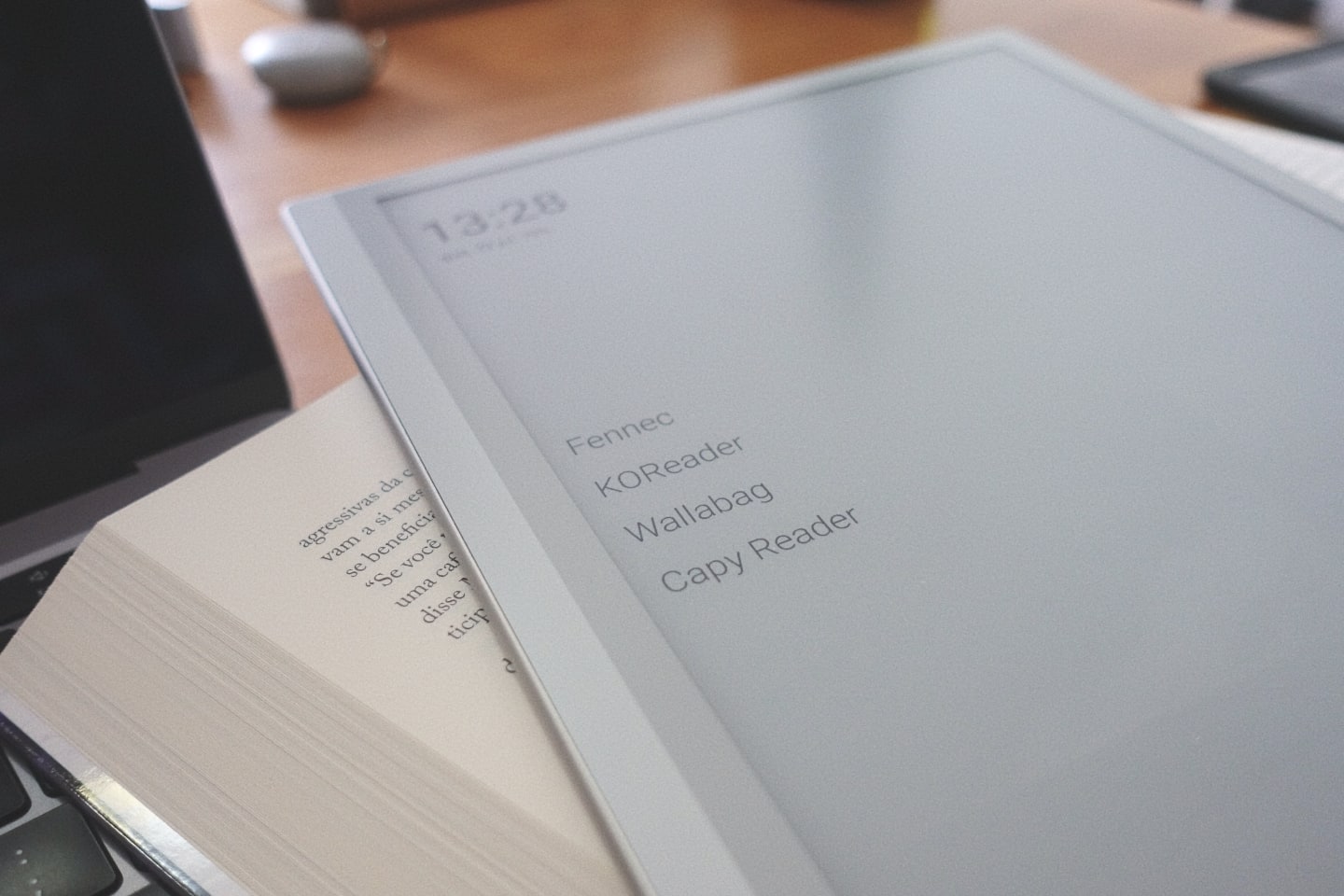
Lastly, I installed Capy Reader to read my feeds synced with Miniflux, and KOReader for ebooks. I also added BasicSync to sync my books with my computer’s library, and a plain text editor because why not, it’s always useful. To wrap things up, Olauncher with inverted colors, to make the home screen look sharp.
Honestly? I don’t think I need anything else on this tablet.
***
Adding apps was easy. I installed all of them via F-Droid. The hard part was removing the ones I didn’t want.
I turned to Universal Android Debloater NG. I removed a handful of packages and such, but the plague Boox’s software wouldn’t leave entirely.
Another problem I ran into was the periodic disabling of the apps I’d installed from F-Droid. Boox has a thing called “freezing” for apps, presumably a precaution due to the low amount of RAM (4 GB). I had to go back to the Boox launcher to turn this feature off and stop my apps from vanishing from Olauncher.
What actually helped was this tutorial. It’s not specific to the second-gen Go 10.3, but it overlaps almost perfectly. I think I only had to uninstall an extra AI-related item or two that wasn’t on the site’s list.
I should note the first few days of trying to set this up properly were pretty stressful. I can’t quite explain why, and I’m already working through it in therapy.
***
My interest in an Android tablet with an E-ink screen was sparked by the review of the TCL one with the Nxtpaper 4.0 screen, which I covered here back in early 2026. By the end of testing, I realized my use case for a tablet is just reading, and that one with the same screen as the Kindle, only bigger, would be perfect.
Sure enough, the Boox has met my expectations. I can read on it every type of material I normally read (and now *.pdf articles too!) on a comfortable screen, all synced with my computer or independent cloud services, no surprises, with very low power consumption and zero unwanted distractions.
A stylus and a magnetic case are included in the box. The stylus, unfortunately, came with a bent tip, and the spare tips got lost in transit. I have no use for the stylus, so… fine, I guess? I only use the case to carry the Boox Go around, because the tablet itself is super thin and light. I’m worried any pressure on it could bend it or worse.
Actually, it’s such a lightweight thing (364g) and well-balanced (across 10.3 inches) that you can hold it with just one hand, no problem.
I’ll keep using it for a while longer to share long-term impressions here on this same blog.