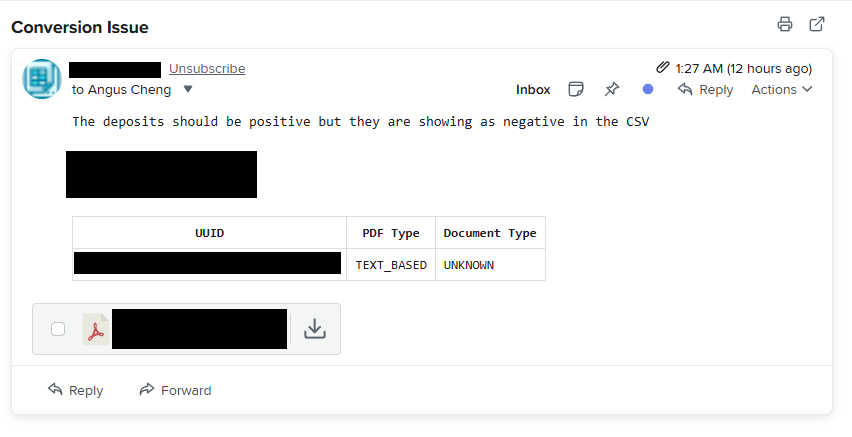

A few days ago I got this email from a customer. Something about all the amounts coming out as negative. I converted their PDF.
PDF Sample

Converted Sample

The customer was right, all amounts were coming through as negative. Pretty weird. Interestingly the column headers end with minus sign characters. I then opened up the PDF in PDFSnake to see how the text is encoded. Let’s look at how the values “$110.00-” and “$1,527.57” are encoded.
$110.00-

PDFs are made up of a series of commands. Let’s walk through the commands that appear in this segment.
BT: Begin Text. Tells the PDF renderer to enter into text rendering mode and to save the previous graphics state. Only text operators are legal when inside a Begin Text and End Text block.
ET: End Text. Tells the PDF to exit text rendering mode and restore the graphics state to what it was before the BT command.
Tf: Set text font and size.
Td: Move text position.
Tj: Show text.
g: Set grey level for non-stroking operations.
G: Set grey level for stroking operations.
The above PDF commands could be summarise as “Draw the text ($110.00). Set the grey level to 0. Draw the text (-)”
$1,527.57-

We’ve seen all these commands before and the structure is similar. However there is one key difference. The gray level is set to 0.878 when drawing the minus sign character. The gray level of the minus sign is the same gray level as the background colour. This makes the minus sign invisible. The character is there, but it is not visible and that’s why it comes through when my code processes this PDF.
Why did they encode this PDF like that?
I don’t know, but I can have a guess.
They used trailing minus signs in this PDF. Trailing minus signs make right alignment a bit difficult, because they didn’t just want basic right alignment, they wanted right alignment for the number elements ignoring the minus sign. One way you can achieve this is by always leaving space for the minus sign. But how wide is the minus sign? It depends on the font size, maybe it’s hard to predict. So instead they put in an invisible minus sign for postive values.
Great the PDF looks good, but extracting data from it is a pain. They could avoid all this if they used leading minus signs, but for some reason they wanted trailing minus signs. Okay so now we know why this problem is occuring, how can we get this PDF to convert properly. I can see two solutions.
Solution #1 - OCR the PDF
Instead of reading the text elements in the PDF I could convert the PDF into a series of PNG files and then run OCR software on the PNG files. This should work although it has some downsides. OCRing isn’t 100% accurate. It works pretty well but there’s always a chance that characters are incorrectly recognised. OCRing is significantly slower.
Solution #2 - Strip out non-black text
For this statement type only black coloured text is relevant. Text elements that are set to any other colour can be treated as invisible. This should work, however there’s one problem. When extracting text in Bank Statement Converter, I do not store the colour of the text. So I’ll need to add in code to do this. It shouldn’t be too hard though.