Roboflow Playground lets you run the same image and prompt across up to five zero-shot computer vision models side by side, covering more than 30 models from Anthropic, OpenAI, Meta, Google, and open-source providers like Florence-2. Supported tasks include object detection, image classification, OCR, captioning, and open-prompt visual question answering. It removes the setup cost of provisioning APIs or infrastructure individually, so you can compare model outputs directly before committing to one for your project.
Comparing zero-shot computer vision models – from Claude Opus 4.7 to Gemini 3.1 Pro – can be daunting. Researching the latest models to try, writing the code to call cloud APIs, provisioning infrastructure for open weight models – all of this takes time. Before you know it, a new model is out, ready for use.
With that in mind, we are excited to announce a tool to help you try, compare, and evaluate over 30 popular zero-shot vision models: Roboflow Playground.
In this blog post, we are going to walk through what Roboflow Playground is, and how to use it to test new vision models.
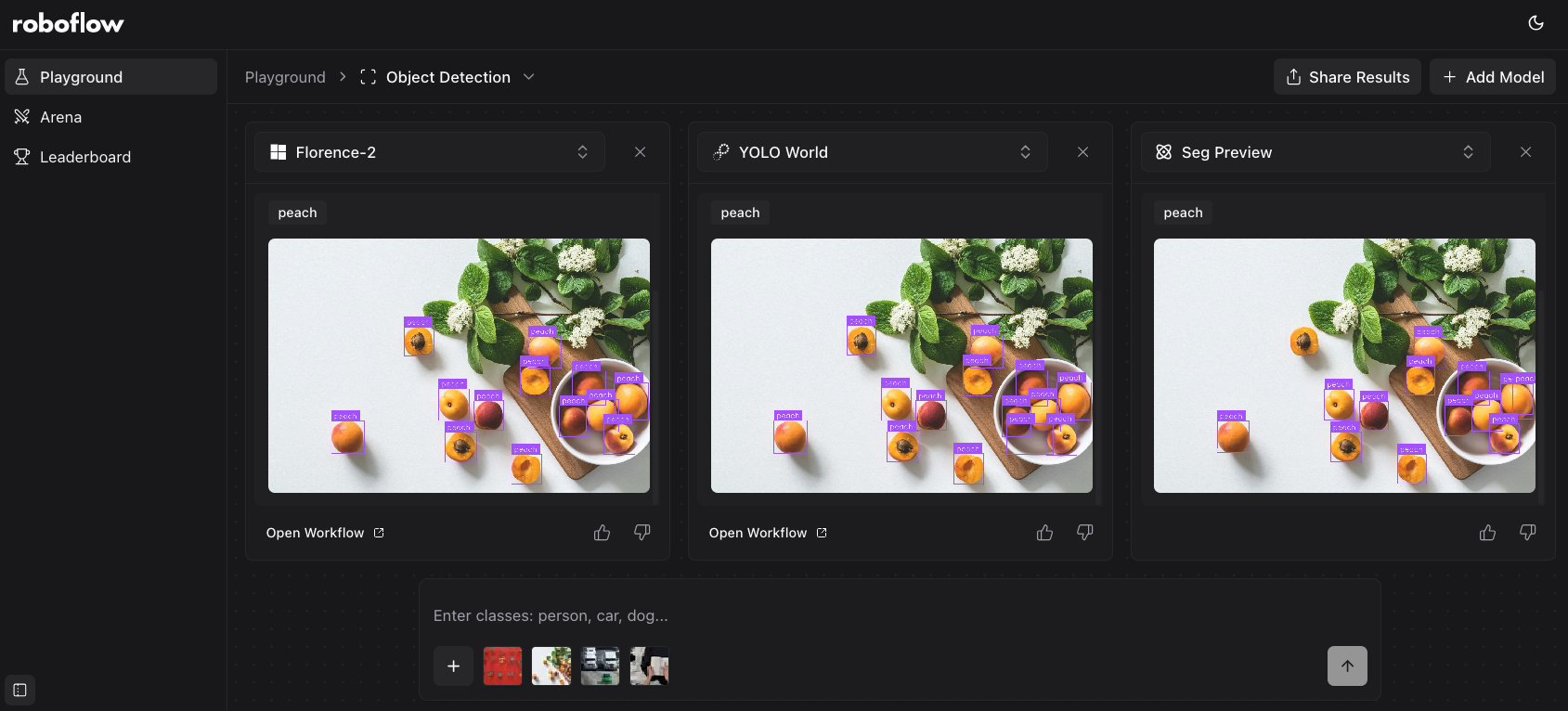
What is Roboflow Playground?
Roboflow Playground lets you compare, side-by-side, the latest computer vision models.
With Playground, you can run the same image and prompt across up to five vision models at once. Supported models range from the latest VLMs by Anthropic, Meta, OpenAI, and Google, all the way to open source models like Florence-2 and YOLO World.
To get started, go to the Roboflow Playground website. You will then be able to choose what vision task you want to run. As of today, Playground supports:
- Object detection
- Image captioning
- Image classification
- OCR
- Open prompt (VQA)
You can then choose up to five models to compare. Once you have chosen a task and a model, you can upload an image and set prompts.
The models available depend on the chosen task type. For example, you can use Florence-2 and Seg Preview for object detection because both models support object detection, but you can't use these models for VQA because they don't support this task.
Using Playground to Compare Object Detection Models
Let’s try Roboflow Playground on object detection.
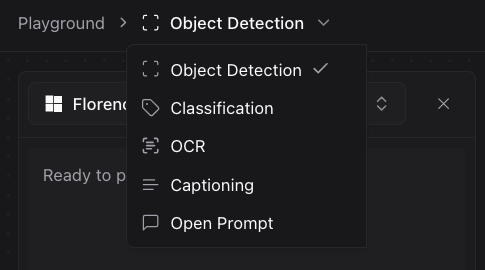
To choose a task, click “Object detection” from the list of tasks dropdown and select your chosen task:
We can then upload an image of a book and coffee and set the prompts “book” and “coffee”:
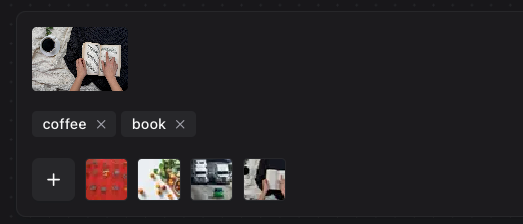
We are now ready to run our image and prompt through vision models to see the results. For object detection, Playground automatically plots the bounding boxes returned by each model.
Here is an example of the results for our prompt:
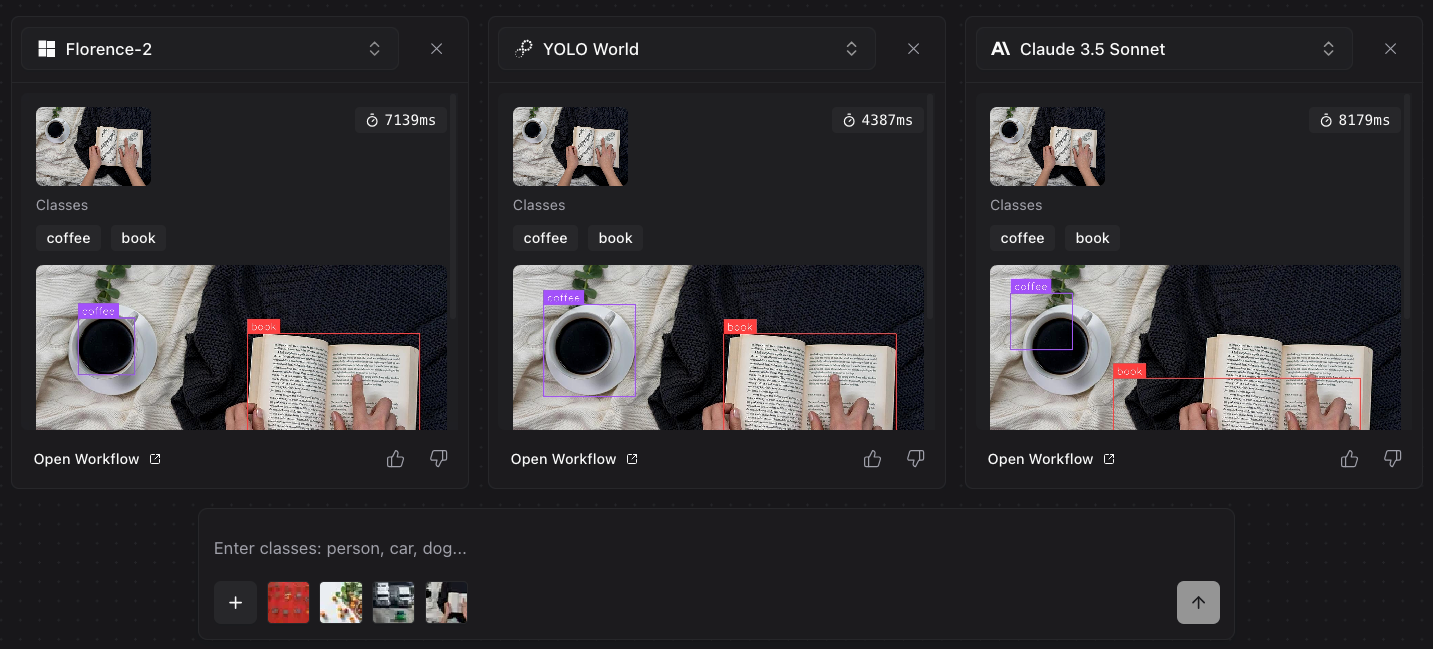
In this example, we ran our object detection prompts – “coffee” and “book – through Florence-2, YOLO World, and Claude 3.5 Sonnet. Both Florence-2 and YOLO World identified both objects and drew accurate bounding boxes; Claude 3.5 Sonnet found the general location of each object, but was unable to draw precise bounding boxes.
Using Playground with an Open Prompt
Let’s try using Playground with the Open Prompt task type. This lets us ask a question about the contents of an image. To use Open Prompt, choose “Open Prompt” from the task dropdown in the top left corner of the Playground interface, then upload an image and set a question to ask.
For this guide, let’s upload a picture of a cup of coffee on a table and ask “What is in this photo?”
Here is an example result from the Playground:
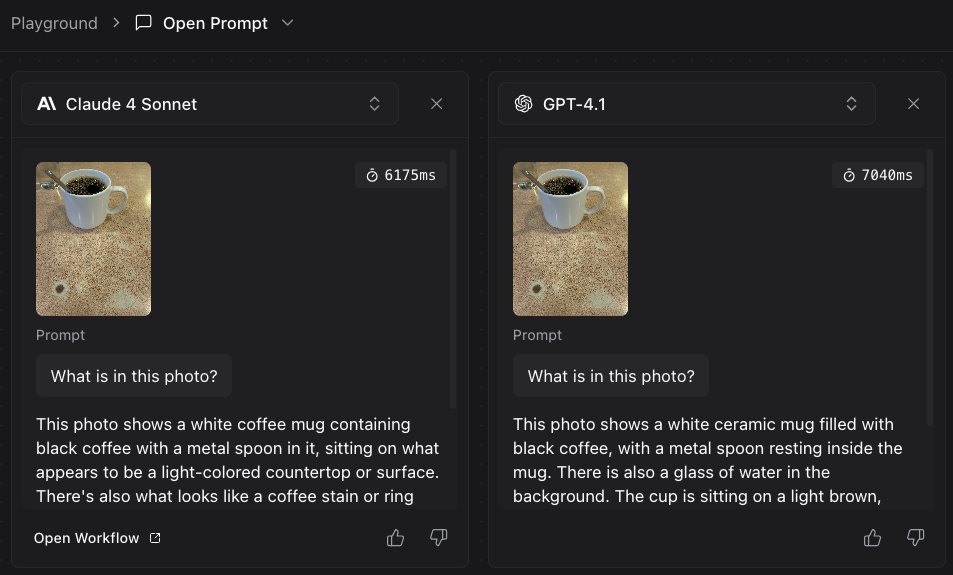
Above, results from Claude 4 Sonnet and GPT-4.1 are displayed. Both models accurately identify that the photo contains a coffee cup on a table, and include detailed descriptions of the background and surroundings.
Experiment with Playground Today
With Roboflow Playground, you can try various computer vision models and compare them side-by-side.
Today, we are launching with support for 30+ models, including the latest models by Anthropic, OpenAI, Google, Mistral, and other providers, as well as open-weights models like the latest in the Llama series.
We plan to add more models as they become available.
You can get started with Roboflow Playground today to try, compare, and evaluate supported vision models for free.
If you come up with a prompt that returns interesting results, share it on social media. You can tag us @Roboflow to let us know what you have found when playing with the latest frontier vision models.