Note: to protect the company, I swapped out anything that could point back to it for fake examples. The domain
electricscootercompany.com.br, the app package, and the user details (slug, name, and email) are all made up. None of it matches the real company.
It started with a news article. A company had just dropped a bunch of electric scooters in my city. Most people saw a new way to get around town. I saw a fleet of internet-connected devices running on a backend nobody had poked at yet.
First I needed two things: which company this was, and how the service worked for a normal user. The name was right there in the article, and a quick Google got me to their site, which laid out the flow:
open the app on your phone;
scan the scooter's QR Code;
pay to unlock the vehicle;
ride.
That's the happy path for any user. I wanted to see what was going on behind it.
Step 1: Recon
I started by mapping everything tied to electricscootercompany.com.br.
Subdomain enumeration pulled up a bunch, including:
www  app  api  privacidade  privacidade2  dev
membro  vouchers  planos  validate  painel
Not all of those were real apps. app, membro, vouchers, and planos all
served basically the same page that just pushed you to the app stores. Lots of
names, not much new to look at.
The dev host threw a 500 and set a PHP session cookie, but nothing I could use.
validate came back with Conta não localizada. // "Account not found.", though
I didn't know yet which parameter it wanted. I wrote these down and moved on.
Three things stood out:
www.electricscootercompany.com.br: WordPress marketing site;api.electricscootercompany.com.br: REST API used by clients;painel.electricscootercompany.com.br: Angular panel for operators.
Nothing on the site linked to the panel. I only found it through enumeration. Just because something isn't linked doesn't mean it's locked down.
Step 2: Opening the panel without getting in
The panel loaded for anyone: a production Angular app. I pulled down all 32 JavaScript chunks and dug through the bundles, where I found 83 endpoints for:
users and permissions;
vehicles and maps;
trip activation and finalization;
IoT devices;
garages, docks, and geofences;
vouchers, transactions, and financial modules.
That told me how juicy the target was, but it got me exactly nowhere. I hit about 38 protected routes with no valid session and every one gave me the same thing: HTTP 401.
A lot of what I tried just didn't work:
Direct route access: blocked by authentication.
Unsigned admin JWT: rejected by the backend.
Tampering with token claims: didn't produce a valid session.
SQL injection on login: ran SQLMap against the auth fields and found no injectable parameter.
Report endpoint:
php/report.phpreturned an empty 500.Classic exposed files:
.git,.env, and source maps weren't accessible.
Auth was holding up fine against the direct stuff. And the app was already pointing me at an easier road: find a real user and go after their password.
Step 3: WordPress hands over the first piece
The public WordPress REST API happily let me list authors:
GET /wp-json/wp/v2/users
GET /wp-json/wp/v2/users/1?context=view
The response gave up user ID 1, public name admin, slug
electricscootercompany. Normally that's just run-of-the-mill WordPress
enumeration. Here, I could take that same identifier and try it on the operations
panel.
The login gave different answers depending on what I fed it:
existing identity + wrong password  → "Senha inválida"       // "Invalid password"
nonexistent identity                → "E-mail não encontrado" // "Email not found"
So I didn't have to wonder if electricscootercompany was just a blog author.
The backend told me straight up that the same identity existed in the operational
system too. That turned a generic enumeration into a target list with one name
worth a lot.
Step 4: The brute force
With the user confirmed, I threw a brute force at the login. Nothing throttled the repeated tries, and a working password eventually turned up, so the panel login went through.
This is the part that really explains the root cause. With no real rate limiting, one known identity was all it took to turn a guessing loop into a valid session.
Everything after this rests on a real session I caught in Burp. The JWT decoded to an account with:
{
  "data": {
    "PK_Usuario": 2,
    "email": "electricscootercompany",
    "nome": "ElectricScooterCompany",
    "nivel": 1000,
    "fk_empresa_grupo": 1
  }
}
Level 1000 was the admin role. And the token stayed good for about 950 days, so
a session grabbed once would keep working for years unless someone went out of
their way to kill it.
Step 5: The panel stops being a hypothesis
With a valid session, everything changed at once. Routes that used to give me 401 now handed back real operational data. In the capture I logged 168 first-party requests across 118 unique host/method/path combos.
The panel gave me read access to:
fleet map at
/mapas/__veiculos;docks at
/docas;garages and operational infrastructure;
geofence polygons at
/fronteiras/__coordenadas;IoT device inventory, with identifiers and state;
individual vehicles and the full fleet;
app users, where the interface mentioned over 408,000 records;
companies, permissions, transactions, voucher batches, and financial data.
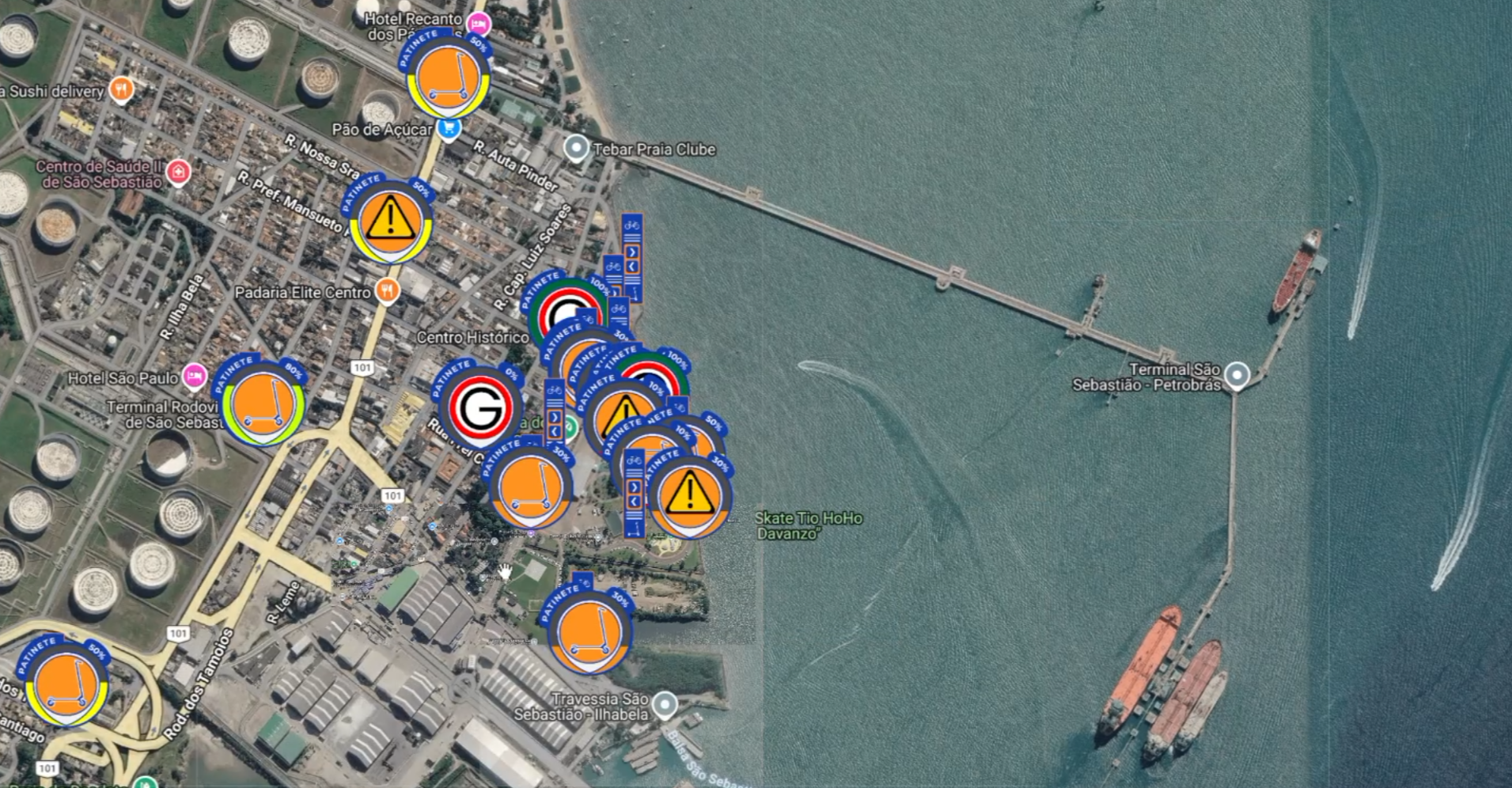
The map connected the digital side to the real operation on the ground: where the garages sat, where the docks were, which vehicles were scattered around town, and which IoT device belonged to each one.

Clicking a marker opened up the vehicle's details: code, type, and where it was sitting (a dock, for example):

Some of the responses were big enough to show how much access this was:
/docas                          ~312 KB
/mapas/__veiculos              ~593 KB
/iots/.../free/true/...        ~1.2 MB
/fronteiras/__coordenadas      ~32 KB
Burp cut off big response bodies at around 3 KB, so I don't have every full response saved, but the statuses, paths, and sizes I logged are all solid.
Step 6: It wasn't just looking
Next I wanted to know if the panel only read data or could write it too. The
session showed PUT calls against:
vehicle records;
user accounts;
voucher batches.
I could also flip the free-ride flag on test accounts. So this wasn't just reading data. I could change business rules and records too.
The vehicle registry let me look up any scooter in the fleet (the interface showed thousands of records) and open its edit form:

This form is where reading turned into control. On top of saving changes, it had Unlock, Lock, and Restart IoT buttons, and those go straight to the physical device.

The scariest part was the IoT module. The panel fired off commands like this:
POST /iot_sends/
Content-Type: application/json

{"pk_veiculo":699,"comando":"open"}
And the backend replied:
{"retorno":"comandos enviados"} // "commands sent"I fired a second command to close the same vehicle:
{"pk_veiculo":699,"comando":"close"}Same confirmation. I kept the whole test to one vehicle, pk_veiculo: 699: a
stolen admin account could unlock the scooter from anywhere and lock it right back
up.
The panel even popped a success message:

But an API response and a green message on screen don't prove much on their own. I needed to know the command actually reached a real scooter. I wasn't anywhere near one, so I got a friend to walk up to a scooter and film it the second I fired the command. And it worked: the scooter unlocked, the lights came on, and it was ready to ride, with nobody paying, scanning a QR Code, or even touching it.
What I didn't test matters just as much as what I did. I never automated this against a bunch of vehicles, and I never touched anything that could cause movement, braking, or any real-world danger. One command on one scooter was enough to show the web panel reaches actual hardware.
Dead ends worth documenting
Not every lead panned out. The dead ends are worth sharing too, because crossing them off is what steered me toward the path that worked.
Intercepting the mobile app
The Android app was Flutter and kept a lot of its logic compiled into libapp.so.
It took me a bunch of tries (emulator, certificates, repackaged APKs, traffic
capture) before I got a session I could actually intercept. A lot of proxy and
certificate combos just didn't give me the traffic I was after.
Once the capture finally worked, 33 flows showed the validateApp protection
leaned on static headers and a bearer token, not on a fresh signature per request:
app:            br.com.electricscootercompany.app
device:         <model>
uuid:           <fingerprint>@@Android
versaoapp:      2.0.58
authorization:  Bearer <JWT>
That helped me map the API, but I still needed a valid token. This bypass wasn't what got me into the panel.
Broad map queries
A normal bounding-box query gave back vehicle position and battery. When I stretched the area out to about the size of the country, the backend hit me with a 403 telling me to log in again. After that, the same JWT started getting 403s even on simple endpoints that had worked a minute earlier.
The wide query tripped some defense and killed the session, either a rough anomaly filter or a token revocation kicking in once I got greedy. It was one of the few spots where the backend actually pushed back.
Trip history
I threw vehicle references at the history endpoints and got empty sets or 400s, so
no cross access to other people's trips there. The responses did leak internal
class names and PHP/ORM messages, though, stuff like T_app_usuario_viagem and
Undefined array key 6.
SQL injection and forged JWT
I chased both of these before the credential route, and neither went anywhere. The login fields weren't injectable, and unsigned or messed-with tokens got rejected. These misses are worth writing down: the access I got in the end didn't come from SQLi or a JWT bug, it came from enumeration plus a weak password plus way too much privilege.
Root cause of the chain
None of this needed some exotic vulnerability. It all came from a pile of identity, authentication, and privilege problems stacking up:
WordPress exposes user
        ↓
login confirms the user exists
        ↓
repeated attempts allow brute force
        ↓
credential grants direct level-1000 access
        ↓
admin token lasts about 950 days
        ↓
panel concentrates data, changes, and IoT commands
        ↓
remote scooter unlock
The biggest problem is that nothing backed anything else up. The password was the only thing standing between the open internet and a button that moves physical hardware. Nowhere along the way was there a required second login or an extra confirmation on the IoT commands.
What this means in practice
With one stolen admin credential, I could get to:
the operational panel;
the map of vehicles, garages, and docks;
the operational topology and geofences;
vehicle and IoT device inventories;
broad user data and financial modules;
editing records and benefits on test accounts;
sending the
openandclosecommands to a test scooter, remotely.
In a real attack, this could turn into unauthorized fleet use, fraud, operational losses, exposed user data, and indirect physical risk, all of it doable at scale off a single credential.
Conclusion
The road to unlocking a scooter remotely didn't start with fancy reverse engineering or some rare crypto flaw. It started with a forgotten subdomain, a public user, and two different error messages.
The fancy attempts were the ones that flopped: the forged JWT got rejected, the SQL injection never showed up, and the routes kept handing back 401. The thing that actually worked was the most obvious attack there is. A known identity, a guessable password, and no second line of defense were enough to turn web access into control over a physical device.