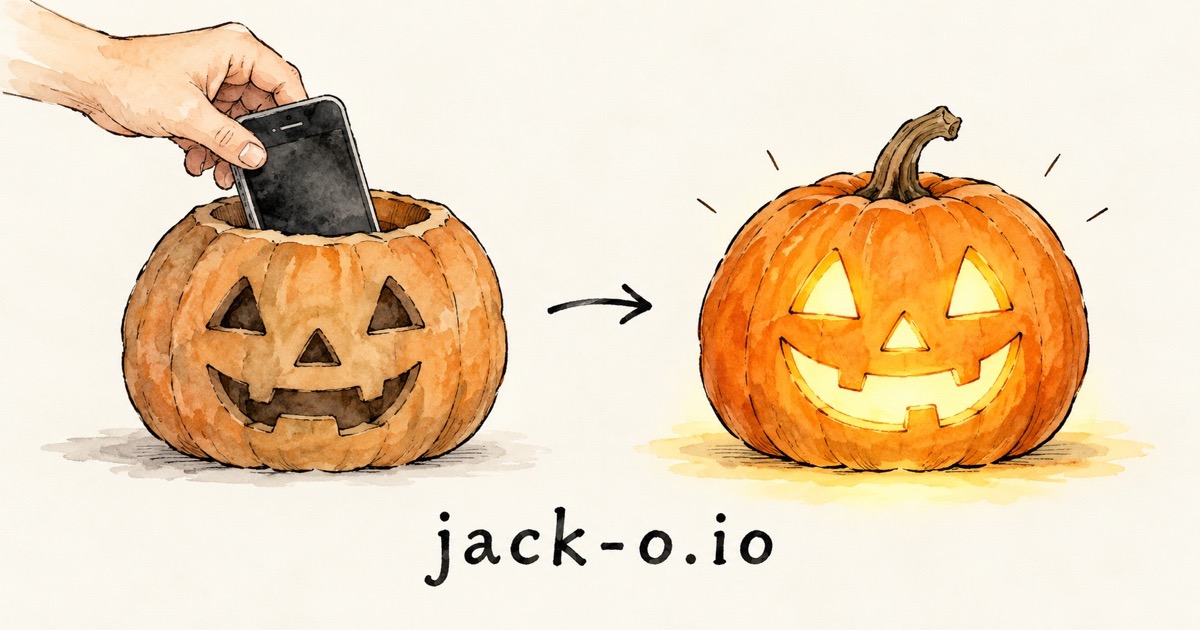

Put an old phone inside a pumpkin and it talks to trick-or-treaters. It hears them, answers out loud in character, and glows as it speaks.
- Pick a pumpkin and hear its voice.
- Tap Start. We handle the rest.
- Put the phone in your pumpkin. That's it.
1. Meet the pumpkins
Pick a character and hear it. Tap any voice to hear it too.
Try other voices
Tap a voice to hear it. The one you tap is the one it uses.
Match the visitor answers in the language people speak to it. If it switches languages by mistake, pick one language.
Lantern
The screen glows in the lantern color and gets brighter as it talks. The flashlight can flicker too (always white), but only on Android phones in Chrome. iPhones use the screen.
2. Start your pumpkin
Pumpkin Pass active. Everything's unlocked and we handle the rest.
🔋 Refill, $2.99 (about 250 replies)Moving to another phone? Tap Share my key under "Your own key" below: the code carries your pass too.
3. Set up the phone
- Turn brightness all the way up. Turn off auto-brightness.
- Stop the screen from turning off. iPhone: open Settings › Display & Brightness › Auto-Lock › Never. Also turn off Low Power Mode. Android: open Settings › Display › Screen timeout › pick the longest. Also turn off battery saver.
- Turn the volume all the way up and plug the phone in to charge.
- Optional: put yellow or orange tape over the flashlight for a warmer glow.
- Tap Start, allow the microphone when asked, and put the phone in the pumpkin with the screen facing out.
To mute it, tap the screen or say "Mute on" (or "Pumpkin, stop talking"). To unmute, tap again or say "Mute off" (or "Pumpkin, unmute"). Tap Settings in the corner to change things.
Free option: use your own Google key
Bring a free Google key (or an OpenAI key) and the basic pumpkin is free forever. The $1.99 unlock below adds every character, voice, and color.
Your own key
The pumpkin's voice and wit come from Google (or OpenAI). A "key" is a long code, like a password, that lets your pumpkin use them. Google's is free.
How do I get a key?
- Open Google's free key page and sign in with any Google or Gmail account. Agree to the terms if it asks.
- Tap Create API key.
- Tap the copy button next to the long code.
- Come back here and paste it in the box above.
How do I get a key?
- Open OpenAI's key page and sign in.
- Tap Create new secret key, then copy it. It starts with sk-.
- Add a few dollars of credit under Billing. OpenAI isn't free: about a few cents per conversation.
- Come back here and paste it in the box above.
You can save both a Google and an OpenAI key and switch between them with the buttons above.
Your key stays on this phone. It only goes to Google (or OpenAI). Don't share it with people you don't know.
Using an old phone? Get the key on your main phone first. Tap Share my key there, then tap Scan a key on the old phone and point it at the code.
Point this camera at the square code on the other phone.
On the other phone, tap Scan a key and point it here. You can also use its camera app and open the link. Anyone who scans this gets your key, so hide it when you're done.
Unlock everything
One payment of $1.99, yours to keep:
- Any voice for any character. Free characters use their own voice.
- Write your own character. Make it anyone you like.
- Lantern colors. Red, green, purple, ghostly white, or any color you pick.
How the unlock works
- It follows your key, not the phone. Paste your key in step 1 before you buy. Any phone using that key unlocks by itself, including phones you set up with Share my key.
- Changing keys is fine. If an unlocked phone switches to a new key (or from Google to OpenAI), the new key unlocks too. One purchase covers up to 6 keys.
- No account, no sign-in. We never see your key. Only a scrambled fingerprint of it, which can't be turned back into the key, is saved with your payment.
- Payment is handled by Stripe. Your card details never touch this site.
- Refunds: email [email protected] with your order number from the Stripe receipt.
Unlocked. Thank you! Every voice, your own characters, and lantern colors are yours.
Need a refund? Email [email protected] with your order number from the Stripe receipt.
It's tied to your key, so every phone using this key is unlocked too. If you switch this phone to a new key, that key unlocks as well (up to 6 keys in total).
Privacy
- When someone talks to the pumpkin, what they say goes to Google (or OpenAI, if you use an OpenAI key) so it can answer.
- This website doesn't record or keep anything. Your key and settings stay on this phone.
- With a free Google key, Google may use what it hears to improve its products.
- If you buy the unlock, Stripe handles the payment. We keep only a scrambled fingerprint of your key with it, so your phones unlock automatically. We can't turn it back into your key.
- If you came here from a Google ad, Google's ad tag notes whether that visit led to a purchase, so we can tell which ads work. It doesn't see what the pumpkin hears.
- Put a small "talking pumpkin" sign nearby so people know it's listening.
Stream mode
The pumpkin answers your TikTok LIVE chat out loud instead of people in the room. Only this phone is affected.
Up to 3, separated by commas. The pumpkin answers their viewers and talks to them by name. Clear this when the pairing ends.
Not connected.