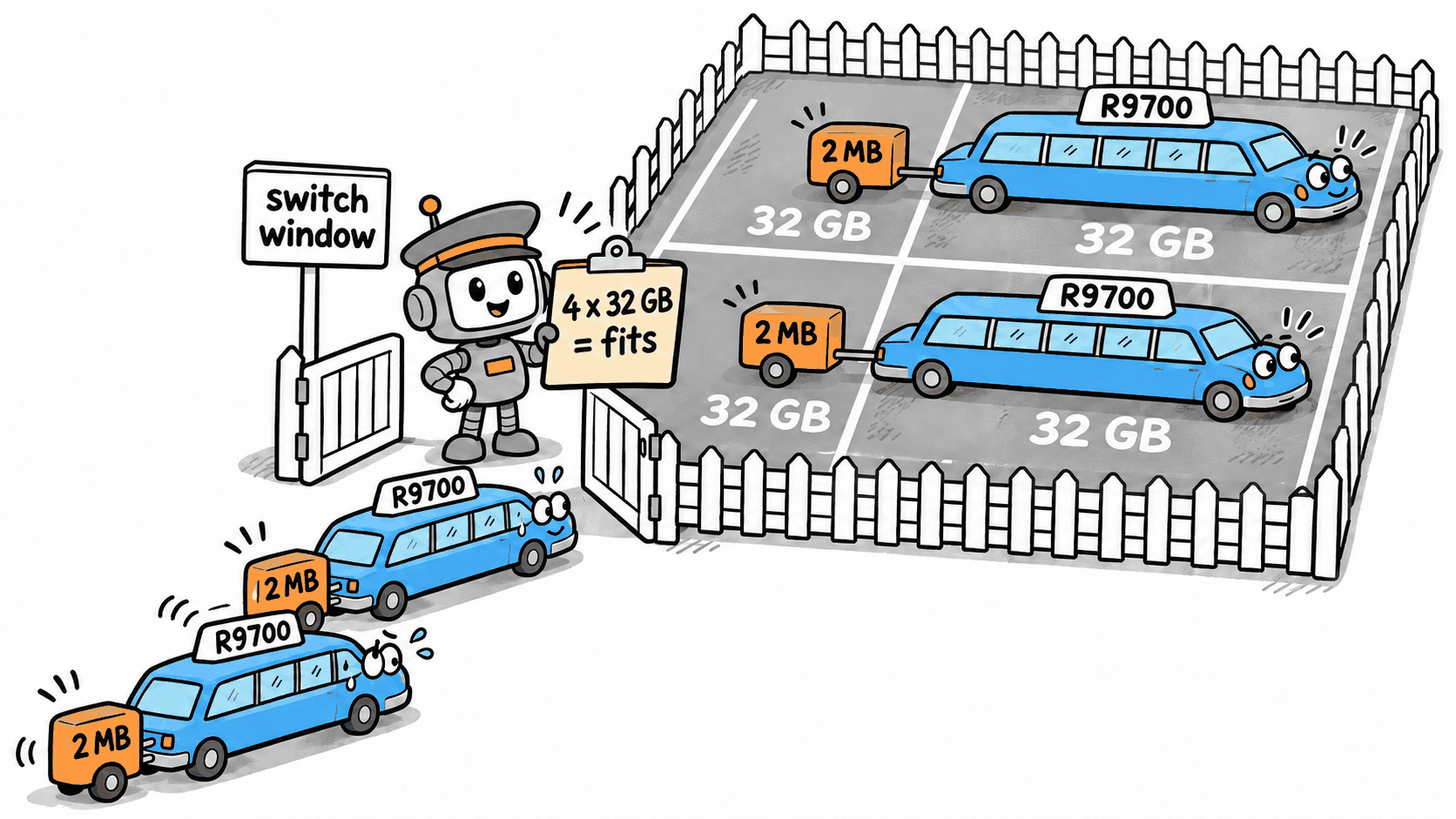
My PCIe switch is a Broadcom PEX88096 in the board’s one x16 slot, with four AMD Radeon AI PRO R9700s and the two RTX 3090s from my PCIe splitter post behind it, and the build post has the whole box.
The switch gives each card eight lanes and lets the cards copy to each other without going through the CPU. AMD’s ROCm calls that peer-to-peer (P2P), and it only turns it on when each card’s whole 32 GB is mapped. On Linux, that means a 32 GB Resizable BAR on every card. A base address register, or BAR, maps a range of the CPU’s address space onto a device’s memory. Resizable BAR is the BIOS option that lets a card’s BAR be the full 32 GB instead of the default 256 MB.
A few people asked for the module after the build post, so it’s on GitHub as
gpu-rebar-layout. It leans on kernel internals that
could change in any release, so read the README before you load it. A patch series on the mailing
list fixes the sizing bug, but this board will still need the module’s resize and rescan after it lands,
with its padding turned off (pad=0).
Why the BIOS can’t map six 32 GB BARs 🔗
With the 3090s added, the board stopped at the white VGA light on its POST LEDs, because every 32 GB BAR takes up 64 GB of the BIOS’s address space. The address space post has the math.
Linux 7.0’s bridge window sizing bug: can’t assign; no space 🔗
This board’s BIOS has no per-card Resizable BAR setting. Linux can give large BARs to some cards and leave others small, as long as it does it before any GPU driver loads. With all six cards in and Resizable BAR off, I wanted Linux to do the allocation. The plan was to set each R9700’s BAR size register to 32 GB, remove the CPU port the switch hangs off, and rescan, so the kernel lays out the whole switch again from the new sizes.
Each R9700’s 32 GB BAR is followed by a doorbell BAR, for registers the driver writes to tell the card there’s new work. With Resizable BAR on, the BIOS makes it 256 MB. Linux leaves it at 2 MB.
The kernel gave the switch a window of about 128.6 GB. With the doorbell placed after each BAR, the way Linux 7.0 lays them out, the four windows span 224 GB (three 64 GB slots plus the last card’s 32 GB and its doorbell). Two R9700s got their BARs, and the rest of the switch got nothing.
pci 0000:1b:00.0: bridge window [mem size 0x800200000 64bit pref]: can't assign; no space
That was on 7.0.6. The unpatched v7.4-rc1 kernel placed three of the four in the control run that the Linux kernel patch-testing post (coming soon) covers.

0x800200000 is 32 GB plus 2 MB, one card’s window. The kernel had sized the switch’s window as the plain
sum of its children: four of those plus the two 3090s’ 288 MB windows.
The function is pbus_size_mem() in drivers/pci/setup-bus.c. For each child of a bridge it adds the
child’s size, or its alignment if that’s bigger, to the total.
r_size = resource_size(r);
size += max(r_size, align);
That leaves no gap when every child’s size is a multiple of its alignment, which is true for ordinary BARs because they’re powers of two. A GPU’s window here is 32 GB plus 2 MB with a 32 GB alignment, so the sum leaves out the gap of almost 32 GB between one card’s doorbell and the next card’s start.

It’s a known regression. Nikolas Britton reported it on linux-pci in September, and the thread’s title describes my problem almost word for word.
Ilpo Järvinen, who maintains this code, has a fix in a 14-patch series of resource placement fixes, at v5 as of November 6 and not merged yet. I tested it and sent a Tested-by to the linux-pci mailing list. With it, all four R9700s get their 32 GB.
Even with the fix, this board still needs something to set the BAR sizes and rescan before the GPU drivers load, because amdgpu’s resize at load time can’t grow a window that other cards already sit in.
A kernel module that pads the BARs 🔗
The kernel already knows how to raise a BAR’s alignment without changing its size, but naming a device
in the pci=resource_alignment= boot option uses the resizing mode instead. Asking for 32 GB alignment
on an R9700 would also grow its small BARs, including the 512 KB register BAR, which can’t be aligned to
32 GB below 4 GB.
The workaround is an out-of-tree module that runs from the initramfs, the tiny early-boot filesystem the kernel starts from, before any GPU driver loads. For each matching card it sets the BAR size register, then it removes the root port above the switch and rescans.
Between the scan and the address assignment it walks every bus segment under the switch. It raises each smaller 64-bit prefetchable BAR’s alignment to the size of the largest 64-bit prefetchable BAR on that segment, and does the same for the other memory BARs as a separate group. Each R9700 window becomes exactly 64 GB and each 3090 window exactly 512 MB. Once every window is a multiple of its alignment, the kernel’s allocator does the rest.
After a reboot the R9700s sat at 160, 224, 288, and 352 GB, the 3090s just above them, and amdgpu reported the whole card.
amdgpu 0000:14:00.0: [drm] Detected VRAM RAM=32624M, BAR=32768M
With the ACS redirect setting
the box already had (pci=disable_acs_redir= on the R9700 switch ports), P2P between the R9700s ran
at 14.0 GB/s for every pair, which is what an eight-lane gen4 link delivers in practice, and all four
copying in a ring at once moved 54.7 GB/s.
If your GPUs won’t all get their BARs 🔗
- Search the linux-pci mailing list for your
can't assignerror first. Someone may have already reported it, or even fixed it. - Resize the BARs and rescan before the GPU drivers load, which means doing it from the initramfs.
- Don’t remove or rescan a GPU that already has its driver loaded. That locked up my box.
- If one card gets its BARs and the next one doesn’t, look at the small BARs next to the big ones.
- Check the cards again a few minutes after boot, in case they go to sleep and don’t wake back up.
I had help with this one. Claude wrote the module with me, ran the commands and tests on the box over SSH, and helped me draft this post. I did the physical work, read all the words, checked the numbers, and rewrote anything that sounded like a chatbot, so the mistakes are mine.