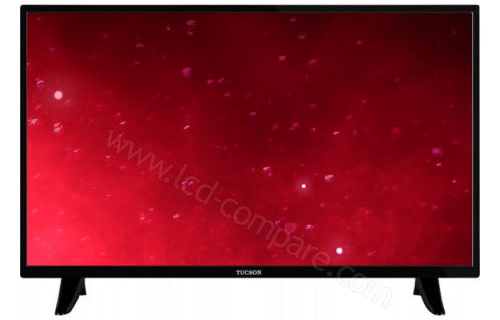
I own an old, cheap TV. It has no Internet connection, no fancy smart features that make you want to install a Pi-hole, and no ask-me-again-later updates.

However, it is connected to my own desktop computer through an HDMI cable, so I can watch movies and TV series from the couch. Setting it up used to involve going to my desk, enabling the secondary monitor, opening the relevant application, moving its window to the secondary monitor, setting it in fullscreen, going back to the couch, remembering I forgot my wireless keyboard, getting off the couch, grabbing my wireless keyboard, going back to the couch again, and then pressing the Space bar.
The most important quality of a programmer is laziness.
So, of course, I vowed never to get off the couch unnecessarily. And that meant controlling everything from the TV remote.

So, I got myself an IR transmitter and an IR receiver to tinker with:
Then, I fished out an ESP32-C3 Mini devboard, a mini-breadboard, and a handful of jumper wires, and made the most basic device that could solve my woes:

I have played around with Espressif MCUs before, including for early versions of the OmniMorse, but I must admit that Claude is just faster at it than I am. With the help of Opus 5.5, I identified the RC-5 IR codes for each remote button, and set up a few scripts so that a single button press on the remote would do the whole dance I described above.
Problem solved!
But this first success unlocked much more.
I also own a bunch of old consoles. Getting everything hooked up is a chore, and makes a mess of wires. It would be much simpler to run an emulator on my computer and show it on the TV.

Thus, I installed DuckStation, PCSX2, Dolphin, Cemu and ES-DE, configured two Xbox controllers on each of them, and got Claude to start everything from a single button on the remote.

At this point, I was using two of the four colored buttons of the TV remote. So, of course, I had to come up with two more modes. I got Claude to add a Fireplace mode, which just plays 10-hour videos, the most important one being a fireplace. And also Steam, in Big Picture mode.
Soon, there were regular issues with windows opening on the wrong screen, so I switched approaches. Instead of a large desktop on two screens, I resorted to multiseat, which I had always wanted to use, with two separate X sessions, one on each screen. This also allows using both screens at the same time without interference.
But that did mean I could not directly control the windows on the TV from my regular session. So, again, I got Claude to make me an admin panel:

The virtual TV remote actually works, by sending directly through the device I cobbled together. The device also tracks volume being changed from the real remote, so things stay in sync. The rest is just commands to my computer, including a virtual gamepad, and a real-time stream of what is being displayed (mouse clicks work too!). Also, turning on an Xbox controller switches to the emulator or Steam mode, and turning the last one off goes back to the fireplace.
Last, but not least, I took a significant amount of time making (telling Claude to make) everything fast. The whole thing took me about 10 hours in total, most of which was setting up console emulators.
Claude still needs to be kept on a tight leash: it sometimes wanted to go in the wrong direction, left obvious bugs, or suggested fixes that did not address the root cause. However, it saved me a bunch of time on the original problem, and lowered the effort enough to go above and beyond!