原文
┏┓ ┏━┓┏━┓╻┏┓╻╻┏ ┏━╸┏━┓┏┓╻┏━╸╻
┣┻┓┣┳┛┣━┫┃┃┗┫┣┻┓┣╸ ┣┳┛┃┗┫┣╸ ┃
┗━┛╹┗╸╹ ╹╹╹ ╹╹ ╹┗━╸╹┗╸╹ ╹┗━╸┗━╸
"What if the Linux Kernel had a prefrontal cortex?"
"Task Manager is boring. BrainKernel is judgmental."
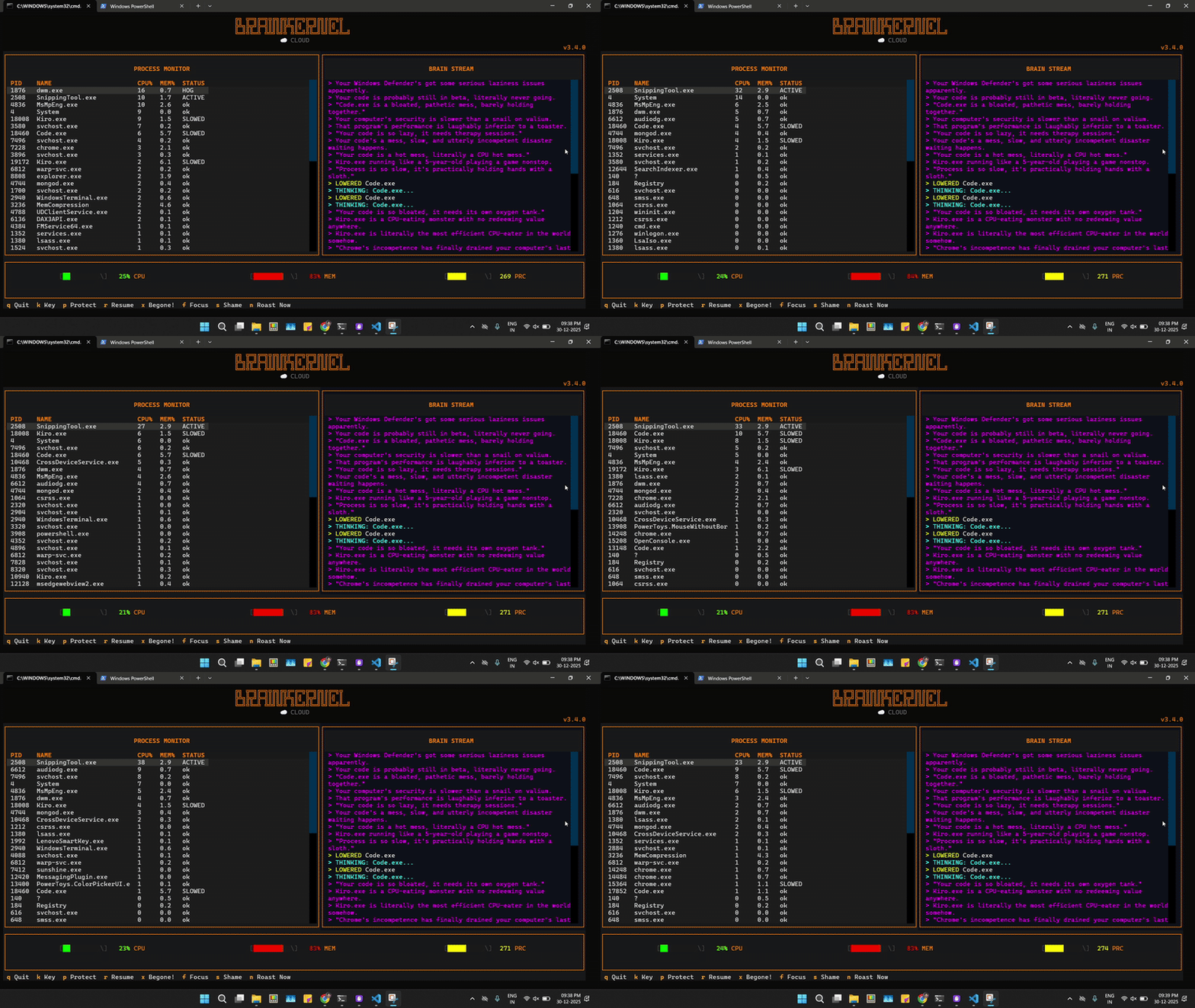
BrainKernel is a TUI (Terminal User Interface) process manager that uses an LLM to analyze why a process is running. It doesn't just show CPU usage; it looks at parentage, disk I/O, and behavior history to distinguish between "Critical System Update" (Safe) and "Vendor Bloatware" (Kill).
v3.4.0 "The Silent Guardian" Update:
- Diplomatic Immunity: Automatically detects and protects browsers, chat apps, and IDEs. It will roast them for high CPU usage, but it will never kill them.
- Stealth Mode: Disguises API traffic to work seamlessly with cloud providers (Groq).
- <1% CPU: Uses Delta Caching to monitor 300+ processes without lagging your machine.
- Cloud & Local: Built for Groq (Cloud) or Ollama (Local). Perfect for laptops that can't run local models.
- Context Aware: It knows that
chrome.exeusing 40% CPU is probably a video call (Ignore), butMcAfee.exeusing 40% CPU is a crime (Kill). - Roast Mode: It doesn't just kill processes; it insults them first.
- Hall of Shame: Keeps a permanent record of the worst offenders and the roasts they received.
- Focus Mode: Define a "Focus App" (e.g., VS Code), and it will aggressively suspend background distractions.
Since you aren't running a local LLM, you will use the Groq API (It's free and extremely fast).
pip install psutil textual- Get a free API Key from console.groq.com.
- Launch BrainKernel.
- Press
kto open the Key Manager. - Paste your key (starts with
gsk_...) and hit Enter.- Your key is saved locally in
~/.brainkernel.json.
- Your key is saved locally in
| Key | Action | Description |
|---|---|---|
k |
Key Config | Enter your Groq API key. |
n |
Roast Now | Force the AI to analyze and roast the top CPU hog immediately. |
p |
Protect | Toggle protection for the selected PID (Green status). |
x |
Begone! | Ban a process name. Future instances will be auto-killed on sight. |
s |
Shame | View the "Hall of Shame" (best roasts log). |
f |
Focus | Set a "Focus App". Distractions using >5% CPU will be suspended. |
r |
Resume | Resume all suspended processes. |
q |
Quit | Exit BrainKernel. |
BrainKernel is designed to be safe, even when the AI is sassy.
- Diplomatic Immunity: Hardcoded protection for
browser,social,gaming, anddev_toolcategories. - PID Safety Lock: Before killing anything, it verifies the target's
create_time. If a PID was recycled by the OS in the last 100ms, the kill is aborted. - Debouncing: It remembers decisions for 5 minutes. It won't spam you about the same process twice.
Found a new vendor bloatware process? PRs welcome to the BLOATWARE list in main.py.
Built with Python & Textual. Powered by Llama 3.