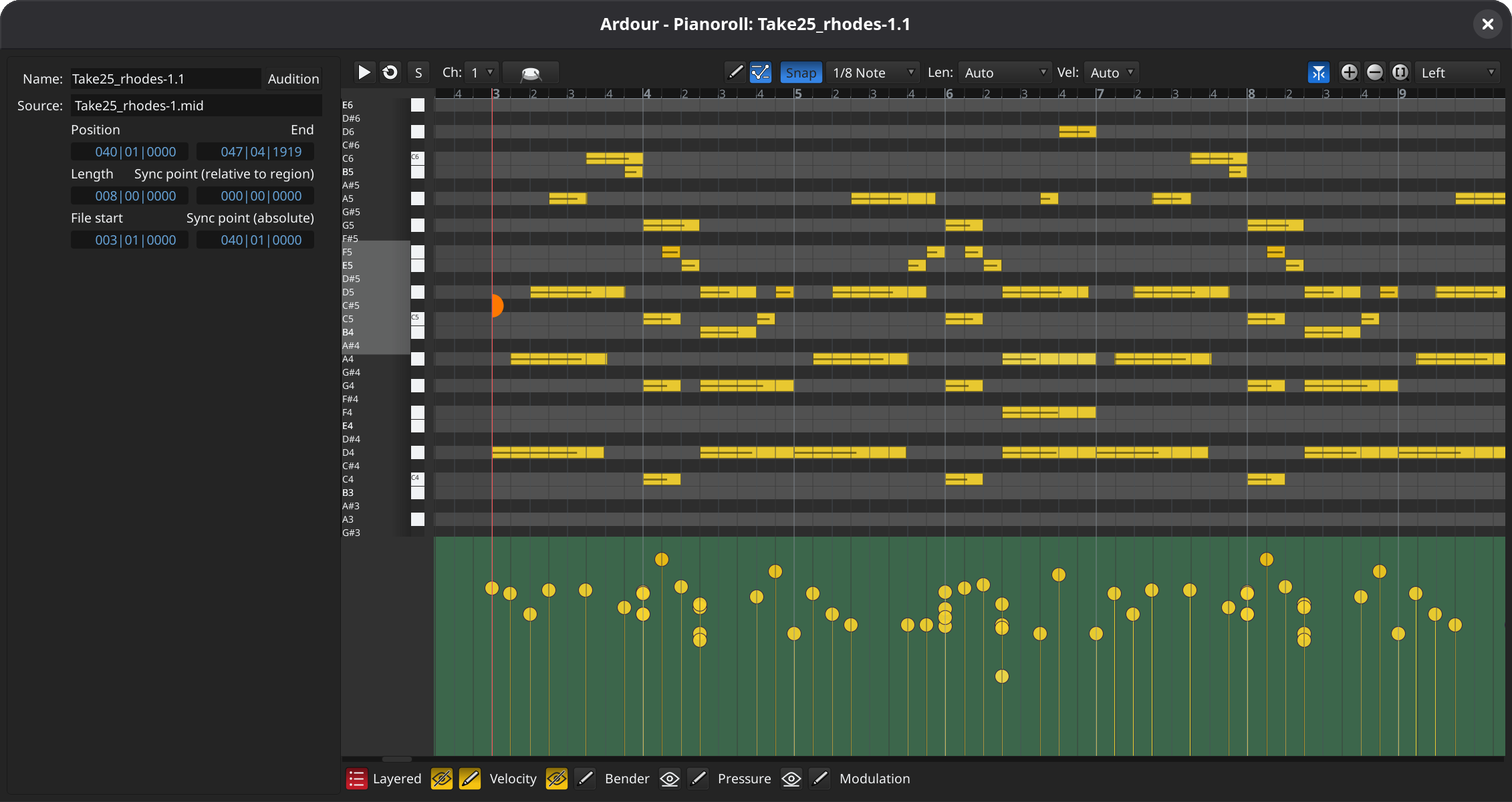
Pianoroll Windows
Double-click on a MIDI region to edit it in its own dedicated window, or in a pane at the bottom of the main window. Editing in that window will work almost identically to the way it does in the main timeline, but without the distractions of the rest of the user interface. You can also see MIDI automation (velocity, CC parameters etc.), optionally overlaid.

MIDI and Audio Cue Editing
The Cue page now allows direct editing of the contents of MIDI cues (“clips” for Live & Bitwig users). A pianoroll area opens that allows precisely the same MIDI editing operations as would be available on the editor timeline.
Cue Recording
You can now record directly into cue slots, making Ardour a “looper” in the same sense that Live, Bitwig and several other contemporary DAWs are. You can pre-specificy the recording duration (e.g. “Record 4 bars”) or you can record until you think you’re done. Whatever you recorded will start playing at the next quantization point (e.g. bar/beat).
Region FX
If you've ever asked “how do I add some delay to just this part of my vocal?”, then region FX are what you've been looking for. Similar to region gain it allows to apply any plugin a given audio region only. The effect and its automation remains with the region, even when it is moved around on the timeline. While the same result can be achieved with channels-strip plugins in the mixer (using bypass automation), applying effects directly to regions on the timeline is convenient for many workflows. The given effect is applied offline, when reading the region from disk and does not add any additional DSP load.

Realtime Perceptual Analyzer
A dedicated perceptual analyzer window is now available within Ardour which allows one to visualize the live spectrum of multiple signals. A key feature is that one can overlay individual sources (tracks and busses) on top of each other. This allows one to see which track contributes a given of frequency range to the overall mix, find conflicting ranges or holes in the spectrum.

Note Brushing
Want to set up a pattern of hihats every 1/16th notes? 1/8th note pizzicato strings every 1/4 note? Just hold down the shift key and drag the mouse while draw MIDI notes, and Ardour will fill according to your grid and note settings. Hold down Alt as well, and get only every other note drawn. Engage caps lock, and you can pick the notes that are drawn from a MIDI keyboard or pad device. A fast, easy way to draw melodies and rhythms.
Keyboard-Driven Automation Editing
You can now use keyboard modifiers, arrow keys, and the Enter key to add new automation control points and change their position and value.
Mixer Strips Importing and Exporting
You can now import mixer strips from arbitrary Ardour sessions as new track or map existing track to processing in mixer strips of external sessions. You can also export strips as local (session-level) or global presets for reuse.

Multi-Touch GUI
On Linux and Windows, Ardour now supports multi-touch interaction as provided by the operating system. This may come for macOS eventually, but the way multi-touch works there is significantly different and will need more work.